Category Archives: NT IT Reviews

Setting Up SMTP Relay Using Postfix and MSMTP

1. Overview

This guide documents how I configured a Linux-based SMTP relay server to allow office copiers to send email securely through Gmail. The project solved the challenge of devices that do not support OAuth2 authentication, enabling them to send authenticated email while complying with Gmail’s security requirements.

This SMTP relay solution:

  • Authenticates outbound email via Gmail using OAuth2

  • Restricts relay access to specific copier subnets

  • Automates token management to avoid manual intervention

The relay acts as a secure bridge between legacy hardware (that can’t support modern authentication) and Gmail’s stricter authentication requirements.


2. Assumptions

This solution was designed under the following assumptions:

  • The organization uses Gmail or Google Workspace as its email provider.

  • Copiers and scanners on the network do not support OAuth2 authentication for SMTP.

  • A dedicated Linux server or virtual machine was available to serve as the SMTP relay, running Ubuntu 22.04 LTS.

  • The copier network is isolated or controlled (e.g., a trusted subnet such as 192.0.2.0/24).

  • A Google Cloud project was created with access to OAuth2 credentials (client ID, client secret) and a refresh token.

  • The relay would only send outbound email (no need to receive inbound mail).

  • All outbound email must be authenticated and delivered via Gmail’s SMTP servers.


3. Objectives

The primary goals of this project were:

  • Enable copiers without OAuth2 support to send email through Gmail

  • Create a secure relay server to handle email from trusted copier IPs

  • Authenticate outbound email to Gmail using OAuth2 via msmtp

  • Automate access token handling using a refresh token

  • Restrict relay access to a specific network subnet

  • Provide a maintainable, repeatable process for future devices


4. Technical Setup

This solution was implemented using a combination of Postfix and msmtp on a dedicated Linux virtual machine.

Key components:

Component Purpose
Postfix Accepts SMTP traffic from copiers and relays mail
msmtp Sends authenticated email via Gmail using OAuth2
refresh_token.sh Script to automatically refresh OAuth2 access token
Linux VM (Ubuntu) Hosts the relay server with a static IP address

5. Google Cloud Project Setup 

Since Gmail requires OAuth2 authentication for SMTP access, I needed to create a Google Cloud project to generate OAuth2 credentials and obtain a refresh token for automated authentication.

Steps to set up Google Cloud Project:

  1. Logged into Google Cloud Console.

  2. Created a new project named smtp-relay-project.

  3. Enabled the Gmail API in the project:

    • Navigated to APIs & Services → Library.

    • Searched for “Gmail API” and clicked “Enable”.

  4. Created OAuth2 credentials:

    • APIs & Services → Credentials → Create Credentials → OAuth Client ID.

    • Application Type: Web Application.

    • Gave it a name like smtp-relay-client.

    • Added http://localhost to Authorized Redirect URIs.

  5. Downloaded the client secret JSON file for later use.


6. Generating the Refresh Token

I wrote a Bash script to simplify obtaining the refresh token from Google’s OAuth2 API.

The script generates the authorization URL, prompts the user to paste in the authorization code from Google, and exchanges it for a refresh token.

Here’s the script:

#!/bin/bash

CLIENT_ID=“your-client-id.apps.googleusercontent.com”
CLIENT_SECRET=“your-client-secret”


REDIRECT_URI="http://localhost"


echo “Visit the following URL in your browser to authorize:”

echo "https://accounts.google.com/o/oauth2/v2/auth?scope=https%3A%2F%2Fmail.google.com%2F&access_type=offline&include_granted_scopes=true&response_type=code&client_id=${CLIENT_ID}&redirect_uri=${REDIRECT_URI}"
echo ""
read -p "Enter the authorization code: " AUTH_CODE
RESPONSE=$(curl -s \
--request POST \
--data "code=${AUTH_CODE}&client_id=${CLIENT_ID}&client_secret=${CLIENT_SECRET}&redirect_uri=${REDIRECT_URI}&grant_type=authorization_code" \
https://oauth2.googleapis.com/token)
echo ""
echo "Full response:"
echo "$RESPONSE"
REFRESH_TOKEN=$(echo "$RESPONSE" | jq -r '.refresh_token')
echo ""
echo "Extracted refresh token:"
echo "$REFRESH_TOKEN"

How it works:

  • Outputs an authorization URL.

  • Prompts user to visit the link, log into Google with the account that you want to send the emails from, and paste the returned code.

  • Exchanges the code for a refresh token and prints it.

I ran the script, saved the refresh token output, and used it later in the msmtp configuration.


7. Installing Postfix (Send-Only)

Installed Postfix as a send-only mail transfer agent to accept mail from copiers and hand it off to msmtp for delivery.

sudo apt install postfix

During setup:

  • Selected “Internet Site”.

  • Set mail name to exampledomain.com.

Verified /usr/sbin/sendmail points to Postfix:

ls -l /usr/sbin/sendmail

Confirmed Postfix installed and ready.

8. Installing msmtp

Installed msmtp to act as the authenticated SMTP client to Gmail:

sudo apt install msmtp

9. Configuring msmtp

Created configuration file at /usr/local/etc/msmtprc:

defaults
auth oauthbearer
tls on
tls_trust_file /etc/ssl/certs/ca-certificates.crt
logfile /var/log/msmtp.log
account gmail
host smtp.gmail.com
port 587
from copier@exampledomain.com
user copier@exampledomain.com
passwordeval /usr/local/bin/refresh_token.sh
account default : gmail

This config instructs msmtp to use Gmail SMTP with OAuth2, pulling access tokens from the refresh script.


10. OAuth2 Token Refresh Script

Created /usr/local/bin/refresh_token.sh to automatically fetch a fresh access token using the saved refresh token:

#!/bin/bash
CLIENT_ID="your-client-id.apps.googleusercontent.com"
CLIENT_SECRET="your-client-secret"
REFRESH_TOKEN="your-refresh-token"
TOKEN_URL="https://oauth2.googleapis.com/token"
ACCESS_TOKEN=$(curl -s \
 -d client_id=$CLIENT_ID \
 -d client_secret=$CLIENT_SECRET \
 -d refresh_token=$REFRESH_TOKEN \
 -d grant_type=refresh_token \
 $TOKEN_URL | jq -r '.access_token')
echo "$ACCESS_TOKEN"

Made the script executable:

chmod +x /usr/local/bin/refresh_token.sh
Tested:
/usr/local/bin/refresh_token.sh

Confirmed valid access token output.


11. msmtp Wrapper Script for Postfix

Postfix uses sendmail or a pipe command to send mail, so I created a wrapper to invoke msmtp:

sudo nano /usr/local/bin/msmtp-wrapper

Contents:

#!/bin/bash
exec /usr/bin/msmtp --file=/usr/local/etc/msmtprc -- "$@"

Made executable:

chmod +x /usr/local/bin/msmtp-wrapper

12. Configuring Postfix to Use msmtp 

Once msmtp and the wrapper script were ready, I integrated it with Postfix and secured the relay so that only authorized copier IPs could send mail through it.


Integrating msmtp into Postfix

Edited /etc/postfix/master.cf to add a custom msmtp transport:

msmtp unix - n n - - pipe
flags=F user=postfix argv=/usr/local/bin/msmtp-wrapper -t

This tells Postfix to hand off messages using the wrapper script we wrote.


Edited /etc/postfix/main.cf to activate the new transport:

default_transport = msmtp
relay_transport = msmtp

Reloaded Postfix:

sudo systemctl restart postfix

At this point, mail accepted by Postfix is passed directly to msmtp for authenticated delivery through Gmail.


13. Restricting Access to Copier Subnet

To ensure only authorized copiers could send mail, I updated the Postfix config to allow mail only from a trusted internal subnet.

In /etc/postfix/main.cf, I added:

mynetworks = 127.0.0.0/8, [::1]/128, 192.0.2.0/24
smtpd_recipient_restrictions = permit_mynetworks, reject_unauth_destination
  • mynetworks defines allowed source IPs (copier subnet).

  • smtpd_recipient_restrictions blocks all other relaying attempts.

Reloaded Postfix again:

sudo systemctl restart postfix

This ensures only devices on the copier subnet are allowed to relay messages.

14. Configuring the Copier to Use the SMTP Relay

Once the relay server was configured and secured, I updated the copier’s SMTP settings so it could send scans through the relay.


Copier SMTP Settings

On the copier’s admin interface, I configured the following:

Setting Value
SMTP Server 192.0.2.10
Port 25
SSL/TLS Disabled
Authentication None
Sender Address copier@exampledomain.com

Corsair VENGEANCE® LPX 32GB DDR4 Review

The Corsair Vengeance LPX RAM was an amazing purchase of mine. I bought this RAM for my B450 Pro4 R2.0 by ASRock, and it works perfectly. I got 2 sticks of 16Gb each, and they went for about 262.99 on the Corsair website.  It was very easy to install and has great speed and CAS latency. The speed is 3200Mhz and a CAS of 16. It also supports dual memory channels.

The memory came in fairly quickly and was shipped in a good-quality box. The box only contained the RAM without a fan. The installation was very easy, just like any other RAM, and went fairly quickly. The dual-channel memory is definitely noticeable and is absolutely amazing.

I would say this RAM was a very good purchase of mine and recommend it for a starter to mid-level PC. It offers good speed and CAS latency. With the dual-channel support, it can run faster than it even says, which is quite nice. I would definitely recommend this RAM

LINKS

Corsair Vengeance LPX Product Page

ASRock B450 Pro4 R2.0 Motherboard Page

***Please note this is for a school project ***

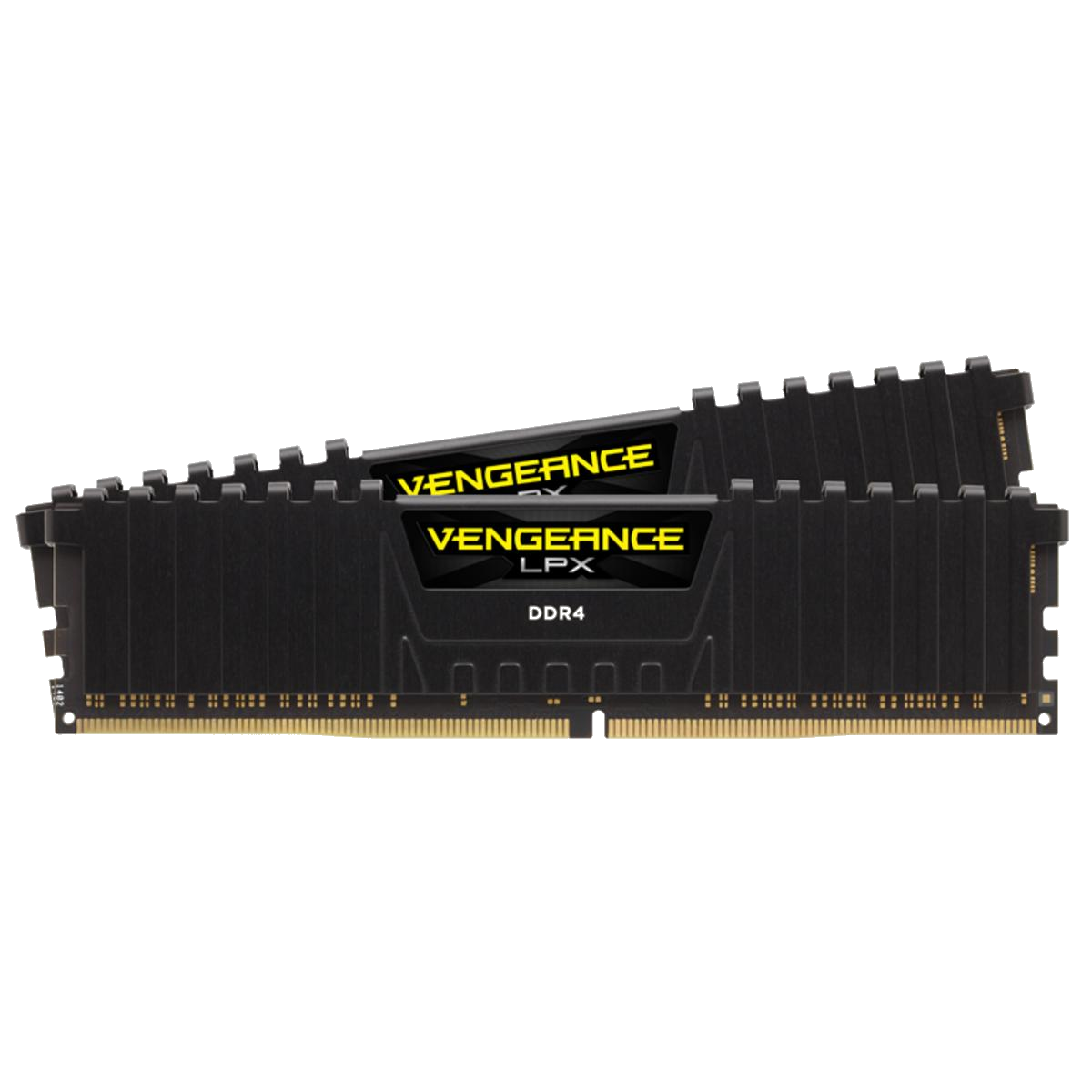
VENGEANCE LPX 16GB (2 x 8GB) DDR4

The Motherboard For The RAM

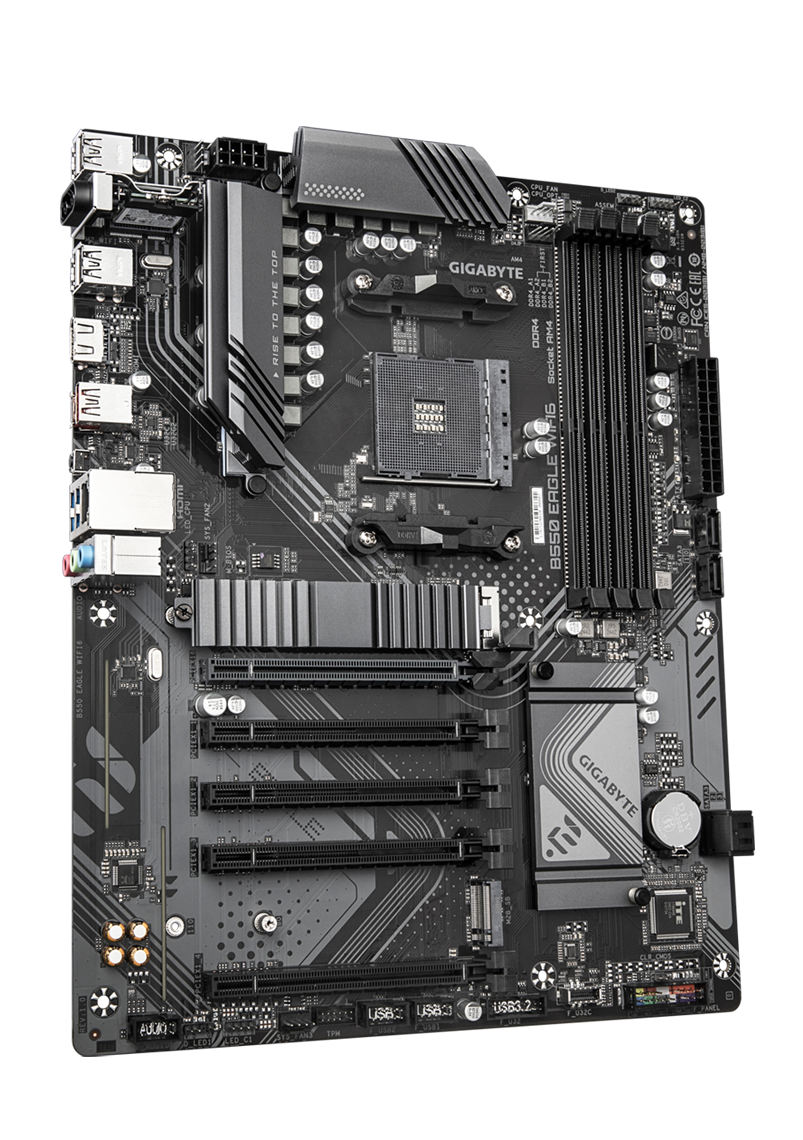
Recently I bought the VENGEANCE LPX 16GB for my B550 EAGLE WIFI 6 motherboard. This is great RAM for my motherboard because it has dual-channel support, and everything matches what is needed for the motherboard. It is DDR4, with 2 × 8GB sticks which makes 16GB, which is plenty if you use this computer just for home use and not gaming or business.

The RAM

The RAM is the VENGEANCE LPX 16GB, which is really nice for this computer. It is DDR4 with 2 × 8GB sticks of RAM. It runs at 3200 MHz, it is dual-channel, and has a CAS latency of 16. It is really nice for this motherboard, and it is pretty fast for it. I would definitely recommend this RAM. And it is only $142.99.

My Final Thoughts

This is a really good set of RAM for a home motherboard. It is probably one of the best you can get for a home motherboard if it takes DDR4 and supports up to 3200 MHz. I would definitely recommend this RAM. It is fast for a home motherboard, and it doesn’t cost too much compared to others.

References

https://www.gigabyte.com/Motherboard/B550-EAGLE-WIFI6/sp

https://www.corsair.com/us/en/p/memory/cmk16gx4m2b3200c16/vengeancea-lpx-16gb-2-x-8gb-ddr4-dram-3200mhz-c16-memory-kit-black-cmk16gx4m2b3200c16

Note:  This review is part of a classroom project.


Really Happy With The CORSAIR VENGEANCE LPX 16GB 3200 MT/s DDR4

I have an MSI B550-A PRO motherboard, and I needed to figure out what RAM to get because I was previously using 8GB. I decided to upgrade to 16GB to improve my PC’s performance, since that is what my friends usually recommend. I purchased the Corsair Vengeance LPX 16GB 3200 MT/s DDR4 for $159, and I have been very impressed with it so far.

The Corsair Vengeance LPX 16GB 3200 MT/s DDR4 has a total capacity of 16GB (2×8GB) and uses DDR4 memory technology. It runs at 3200 MT/s (PC4-25600) with a CAS latency of CL16 and typical timings of 16-18-18-36. The kit operates at 1.35V, uses the standard 288-pin DIMM form factor, and supports Intel XMP 2.0 for easy performance setup in the BIOS.

In conclusion, I really like this RAM because it is sleek, effective, and fairly good for the price. I would recommend it to anyone looking for a solid upgrade, and I am interested to see how long it will last.

Corsair Vengeance LPX 32 (2 x 16 GB) DDR4-3600 CL18 Memory Review

This memory is lightning fast, but should you buy it? That is the question I plan to answer with todays tech review. Corsair is one of the most trusted hardware companies in the world, and in my own experience they rarely ever slip up in terms of quality. Let’s run down the specs of this product before I give my 2 cents, though.

Specifications

The Vengeance LPX 32 (2 x 16 GB) DDR4-3600 CL18 has:

  • 2 Sticks of 16 GB DDR4 DRAM
  • A speed of 3600 MHz
  • No buffer/Non-ECC
  • Dual channel compatibility
  • CAS Latency of 18

My Experience

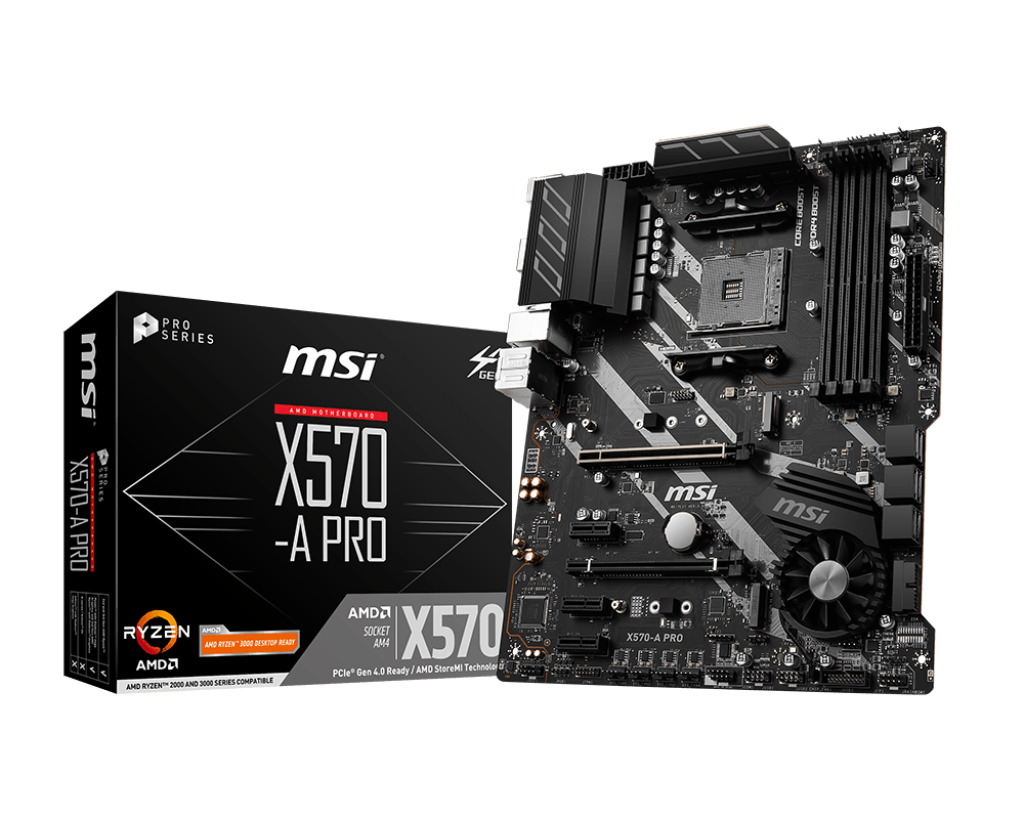
I used this memory with my X570-A PRO motherboard from MSI (seen below), and it works great. There’s enough memory to play most games without slowdowns, and things load in quickly. There really isn’t much that I can critique with it other than being non-ECC, its just some good memory. Not much more, not much less. It’s good for any build that can afford the price, which is around $242.99 on Best Buy. Overall, I’d definitely recommend it for any machine that takes DDR4 and needs good memory.

References

Corsair Gaming Website

MSI Website

(This review is part of a school project.)

Kingston FURY Beast KF556C36BBE2AK2-64 Review: Is It Really Worth It?

My Build: ASUS ROG Maximus Z890 Hero with Kingston FURY Beast KF556C36BBE2AK2-64

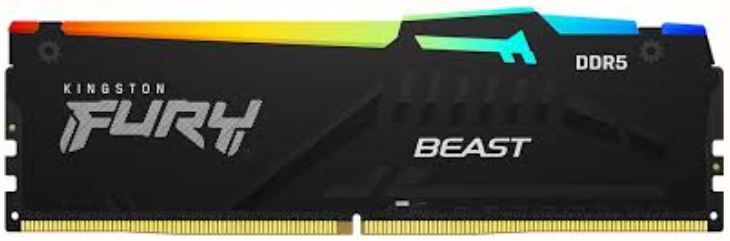
I recently got a set of Kingston FURY Beast KF556C36BBE2AK2-64 32GB RAM sticks from Amazon for $979.97. I got these RAM sticks for my ASUS ROG Maximus Z890 Hero motherboard. The ASUS ROG Maximus Z890 Hero is a higher end gaming motherboard that accepts my DDR5 RAM sticks. The Kingston FURY Beast KF556C36BBE2AK2-64 is a set of two DDR5 RAM sticks running at 4800MHz with a CL of 40.

The RAM: Kingston FURY Beast KF556C36BBE2AK2-64

Although there may be faster sticks of RAM two Kingston FURY Beast KF556C36BBE2AK2-64 RAM sticks are perfectly capable of running my system. For $979.97 you would expect something really powerful but comparing to similar DDR4 RAM there isn’t that much of a difference in performance. DDR4 can be slower but for my needs DDR4 would have worked fine for cheaper. If it were not for the fact that my motherboard only supports DDR5 I would have gotten DDR4. DDR4 is older but it still functions completely fine.

Kingston FURY Beast KF556C36BBE2AK2-64 – Specs

  • Generation: DDR5
  • Speed: 4800MHz
  • ECC: On-Die ECC
  • Channels: Dual (For my setup)
  • CAS Latency: 40
  • Voltage: 1.1V

My Thoughts

Who should buy the Kingston FURY Beast KF556C36BBE2AK2-64? Only people with extra money that want the best possible performance. The Kingston FURY Beast KF556C36BBE2AK2-64  is a good set of two RAM sticks although its really expensive. DDR4 is good for almost anything the average person would need and is a lot cheaper.

Is it worth the price? No. The only reason you should buy DDR5 RAM like this is if you don’t care about price. DDR4 is again a lot cheaper and is typically more than enough.

Overall the Kingston FURY Beast KF556C36BBE2AK2-64 would be a good choice except for the fact that it is close to $1000. This alone is why I cannot recommend the Kingston FURY Beast KF556C36BBE2AK2-64. I recommend finding a cheaper DDR5 kit or going with DDR4.

Note: This review is part of a classroom project.

References:

Trident Z5 Neo RGB Review: Is it worth it?

Today I will be reviewing the Trident Z5 Neo RGB DDR5 memory. This is very excellent memory for things like gaming, it is stable, fast and easy to install. However, at around $540 I would say it is way too expensive no matter how good it is. It is very good RAM, but I don’t think it’s worth it’s price tag. Some could argue that all DDR5 is expensive, but that still doesn’t make it worth it’s price, I’ve found multiple DDR5 kits that would put up similar performance at hundreds of dollars less.

  • 32GB 
  • Speed: up to 6400 MT/s (overclocked)
  • Channels: Dual channel (2×16 GB kit typical)
  • No ECC Support
  • CL30
  • Voltage: 1.40 V

link: https://www.gskill.com/products/1/165/326/Trident-Z-Neo-For-AMD?scrlybrkr=a944a3a3

link: https://www.amazon.com/G-SKILL-Trident-CL30-36-36-96-Desktop-Computer/dp/B0CJX8K4XT

I would recommend you to buy this if you are a gamer or content creator wanting to push performance. I wouldn’t recommend for basic gaming or browsing, this would be overkill and definitely not worth the price. So, I would say this is great memory and would put up great performance. But I wouldn’t recommend it for most people, you can get high performance memory for less than $540.

Note: This review is part of a classroom project.

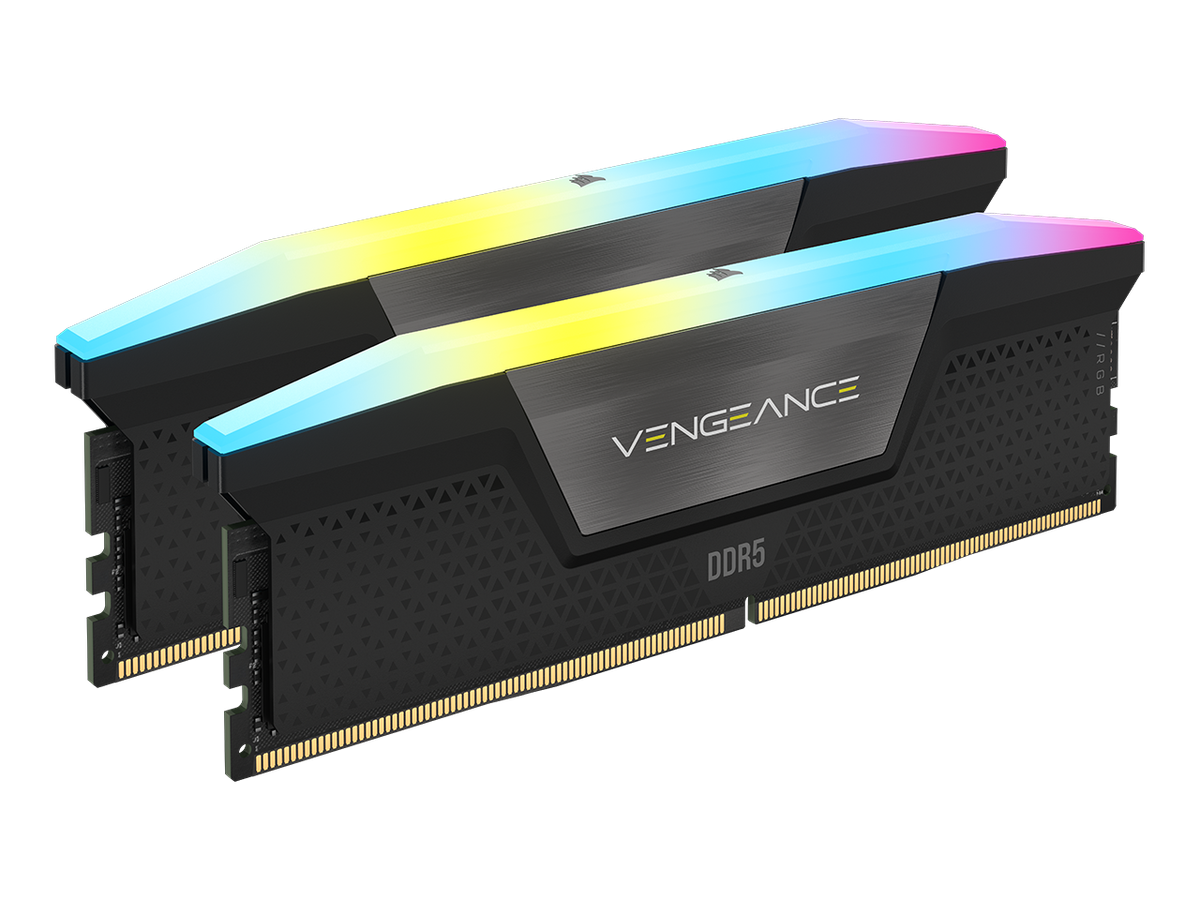
VENGEANCE® RGB 32GB 7800MT/s Corsair Memory Review

“As memory prices continue to climb, finding a solid DDR5 option that balances performance and value is increasingly challenging. The Corsair Vengeance RGB 32GB (2x16GB) DDR5 kit offers a compelling proposition. The motherboard I am using is the PRIME B850 PLUS-WIFI. I opted for this motherboard due to its robust features and compatibility with DDR5, offering a solid foundation for a mid-range build.

What does this memory have to offer

With a 7800MT/S (MegaTransfers per second) speed and CL36 timings, this kit delivers a healthy bandwidth boost compared to older DDR4 standards. This translates to improved responsiveness and faster data access during demanding tasks. At $609.99, this kit represents a competitive price point within the DDR5 market. However, considering current market conditions, an informed decision requires careful evaluation against alternative options. This 32GB kit is ideal for users running multiple applications simultaneously, such as Adobe Creative Cloud, or those engaging in memory-intensive tasks like video rendering or streaming. While it won’t necessarily push the limits of high-end gaming PCs, it will provide a noticeable improvement over slower memory configurations.

Final Thoughts

Overall, the Corsair Vengeance RGB 32GB (2x16GB) DDR5 kit represents a solid investment for users seeking a high-performance memory upgrade for a variety of applications. I wholeheartedly recommend this kit for its balanced combination of speed, capacity, and price—particularly for builders looking to future-proof their systems.”

Note: This review is part of a classroom project.

Corsair Vengeance LPX 16GB (2x8GB)

VENGEANCE® LPX 16GB (2 x 8GB) DDR4 DRAM 3200MHz C16 Memory Kit - Black

The Vengeance LPX 16GB from Corsair is a great choice for memory if your motherboard takes DDR4. It’s Non-ECC, supports dual channel (2x8GB), and has a CAS Latency of 16. This in specific is great paired with a home motherboard, and will run just fine. It has a speed of 3200 MT/s, or a speed of 2133MHz.

Beings that it is dual-channel, you can put both into two slots on your motherboard for it to write faster to the memory sticks. Along with that, considering that it has a CL of 16, the memory itself writes pretty fast themselves.

The price for this ram is $158.99 on the Corsair website. The price for this is really nice, especially for people who don’t want to spend a whole lot of money on memory for a PC at their house.

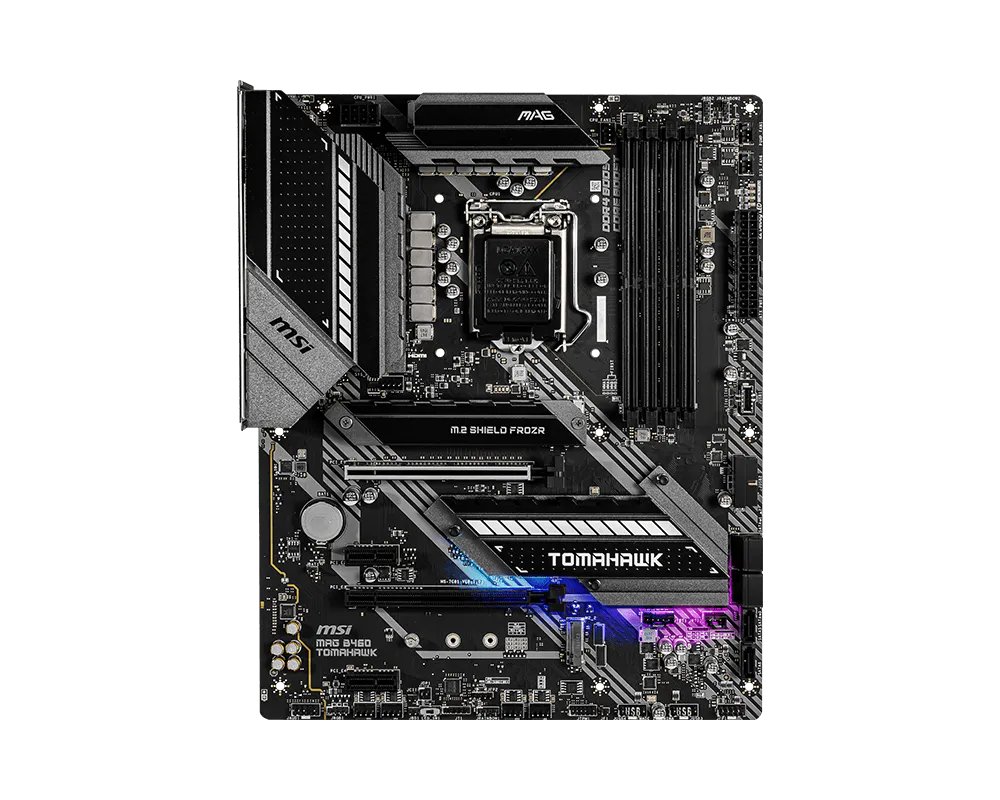
The motherboard that I tested this memory with was MSI’s MAG B460 Tomahawk. It has four memory slots, supports up to 128GB of memory, supports Non-ECC, and also supports Intel extreme memory profile. The memory works well with the motherboard I tested it with, and is great for doing things at home.

MAG B460 TOMAHAWK

Overall, the memory is really great for those that need new memory for their motherboard at home. With it’s speed, price, and doesn’t need ECC. It runs fast at 3200MT/s and with a CAS Latency of 16, has a good price sitting at $158.99, and even supports dual channel without non-ECC.

Resources:

https://www.corsair.com/us/en/p/memory

https://www.msi.com/Motherboard/MAG-B460-TOMAHAWK/Specification

Note: This review is part of a classroom project.

Corsair Dominator Titanium