Corsair Vengeance LPX 32 (2 x 16 GB) DDR4-3600 CL18 Memory Review

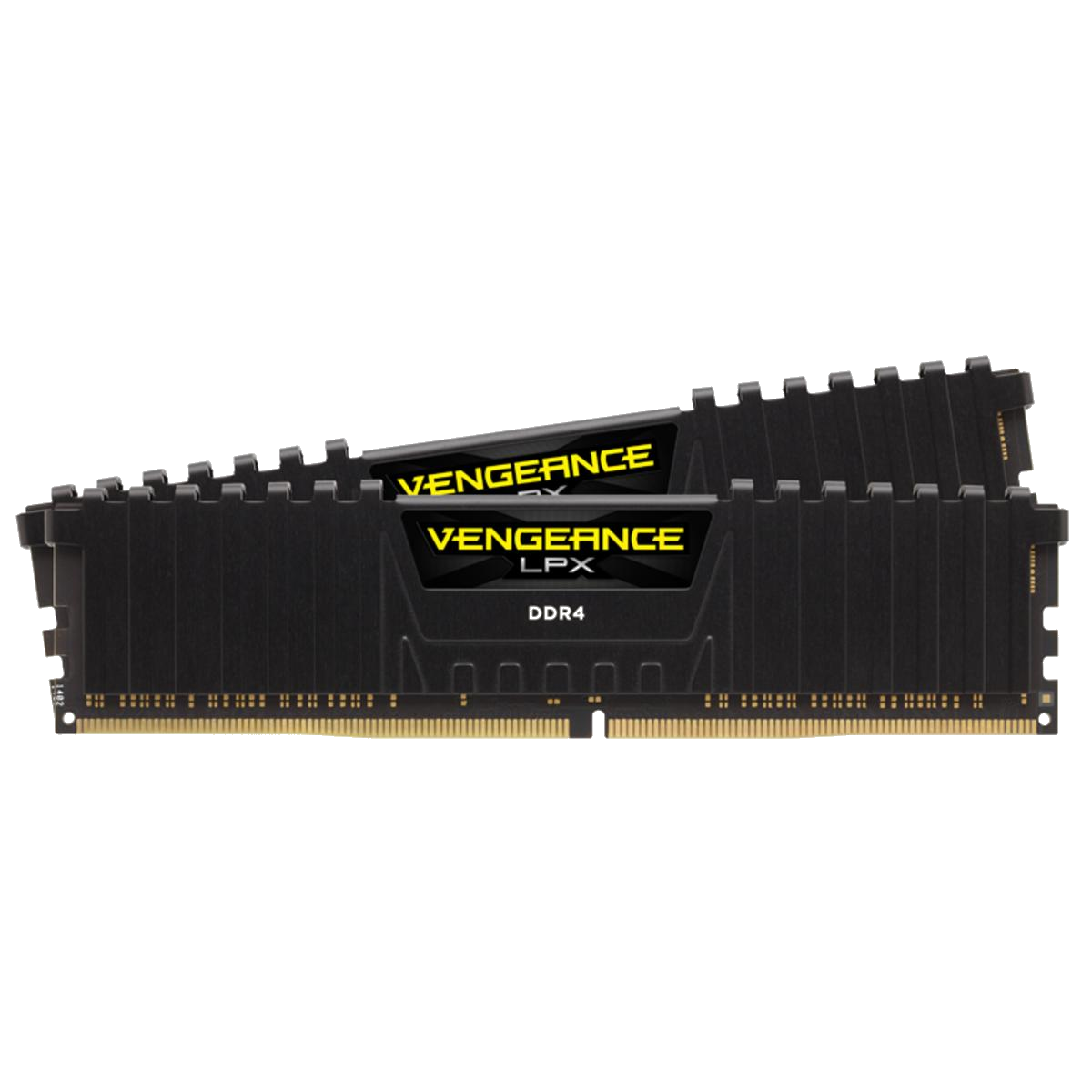
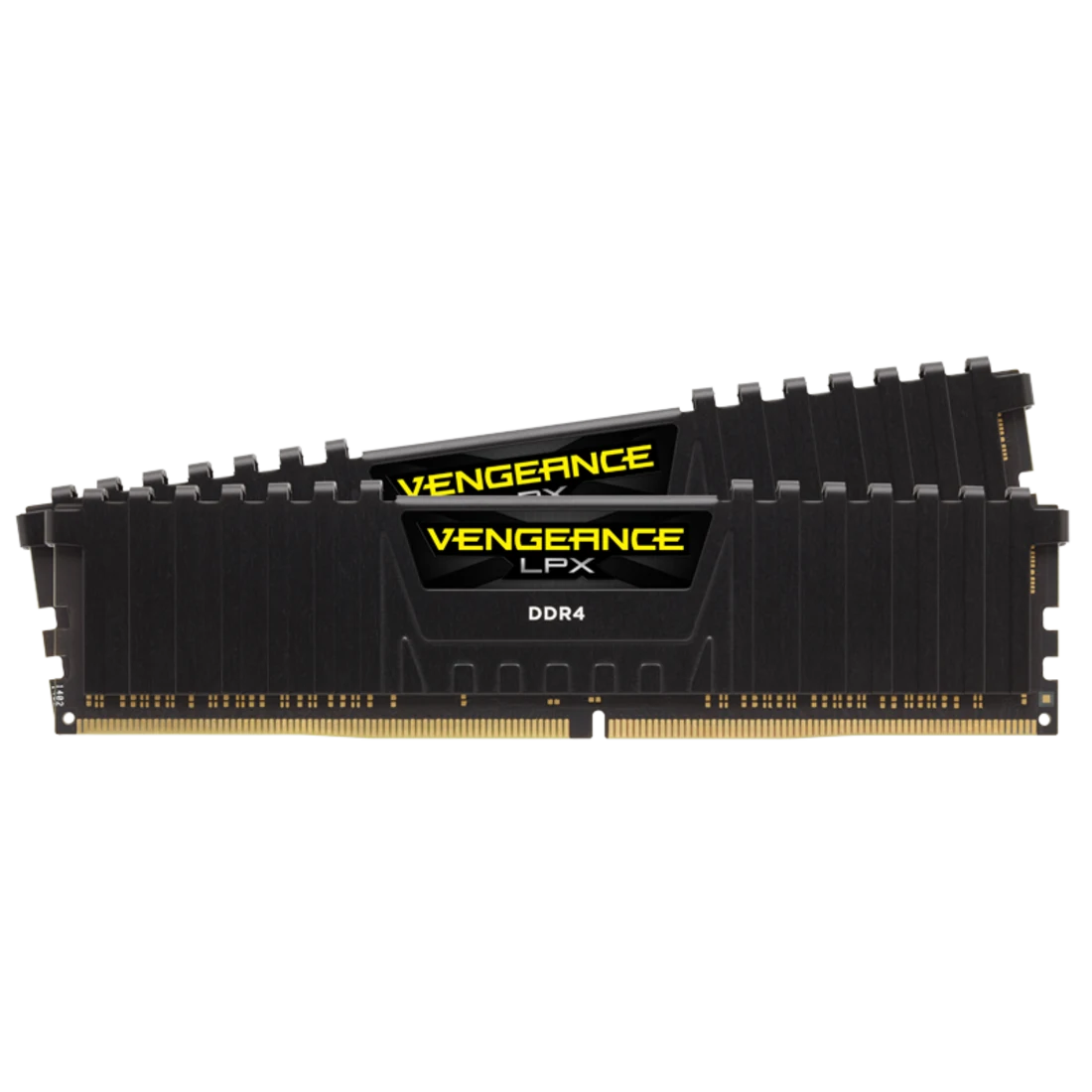
This memory is lightning fast, but should you buy it? That is the question I plan to answer with todays tech review. Corsair is one of the most trusted hardware companies in the world, and in my own experience they rarely ever slip up in terms of quality. Let’s run down the specs of this product before I give my 2 cents, though.

Specifications

The Vengeance LPX 32 (2 x 16 GB) DDR4-3600 CL18 has:

  • 2 Sticks of 16 GB DDR4 DRAM
  • A speed of 3600 MHz
  • No buffer/Non-ECC
  • Dual channel compatibility
  • CAS Latency of 18

My Experience

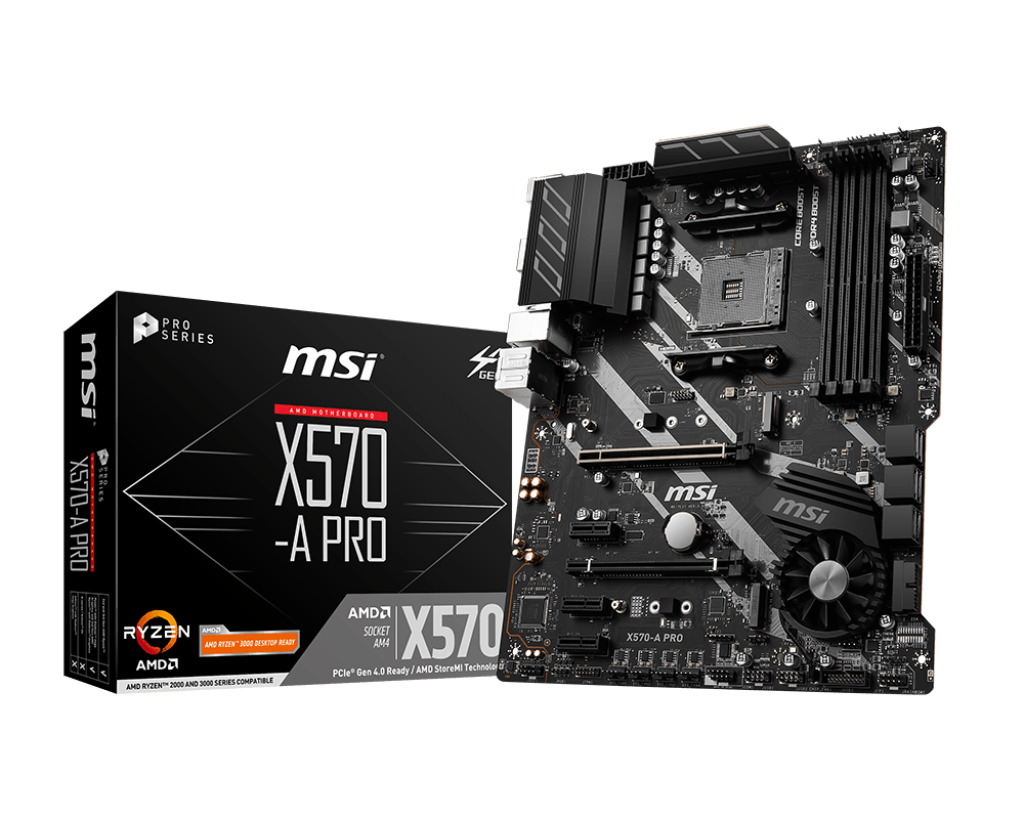
I used this memory with my X570-A PRO motherboard from MSI (seen below), and it works great. There’s enough memory to play most games without slowdowns, and things load in quickly. There really isn’t much that I can critique with it other than being non-ECC, its just some good memory. Not much more, not much less. It’s good for any build that can afford the price, which is around $242.99 on Best Buy. Overall, I’d definitely recommend it for any machine that takes DDR4 and needs good memory.

References

Corsair Gaming Website

MSI Website

(This review is part of a school project.)

Kingston FURY Beast KF556C36BBE2AK2-64 Review: Is It Really Worth It?

My Build: ASUS ROG Maximus Z890 Hero with Kingston FURY Beast KF556C36BBE2AK2-64

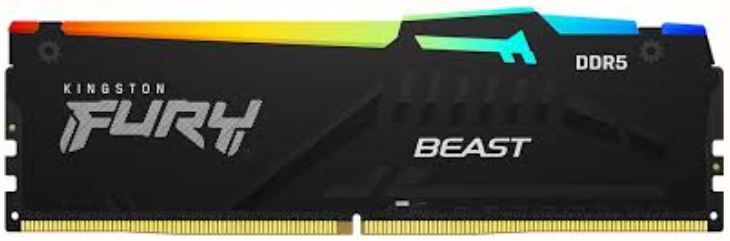
I recently got a set of Kingston FURY Beast KF556C36BBE2AK2-64 32GB RAM sticks from Amazon for $979.97. I got these RAM sticks for my ASUS ROG Maximus Z890 Hero motherboard. The ASUS ROG Maximus Z890 Hero is a higher end gaming motherboard that accepts my DDR5 RAM sticks. The Kingston FURY Beast KF556C36BBE2AK2-64 is a set of two DDR5 RAM sticks running at 4800MHz with a CL of 40.

The RAM: Kingston FURY Beast KF556C36BBE2AK2-64

Although there may be faster sticks of RAM two Kingston FURY Beast KF556C36BBE2AK2-64 RAM sticks are perfectly capable of running my system. For $979.97 you would expect something really powerful but comparing to similar DDR4 RAM there isn’t that much of a difference in performance. DDR4 can be slower but for my needs DDR4 would have worked fine for cheaper. If it were not for the fact that my motherboard only supports DDR5 I would have gotten DDR4. DDR4 is older but it still functions completely fine.

Kingston FURY Beast KF556C36BBE2AK2-64 – Specs

  • Generation: DDR5
  • Speed: 4800MHz
  • ECC: On-Die ECC
  • Channels: Dual (For my setup)
  • CAS Latency: 40
  • Voltage: 1.1V

My Thoughts

Who should buy the Kingston FURY Beast KF556C36BBE2AK2-64? Only people with extra money that want the best possible performance. The Kingston FURY Beast KF556C36BBE2AK2-64  is a good set of two RAM sticks although its really expensive. DDR4 is good for almost anything the average person would need and is a lot cheaper.

Is it worth the price? No. The only reason you should buy DDR5 RAM like this is if you don’t care about price. DDR4 is again a lot cheaper and is typically more than enough.

Overall the Kingston FURY Beast KF556C36BBE2AK2-64 would be a good choice except for the fact that it is close to $1000. This alone is why I cannot recommend the Kingston FURY Beast KF556C36BBE2AK2-64. I recommend finding a cheaper DDR5 kit or going with DDR4.

Note: This review is part of a classroom project.

References:

Trident Z5 Neo RGB Review: Is it worth it?

Today I will be reviewing the Trident Z5 Neo RGB DDR5 memory. This is very excellent memory for things like gaming, it is stable, fast and easy to install. However, at around $540 I would say it is way too expensive no matter how good it is. It is very good RAM, but I don’t think it’s worth it’s price tag. Some could argue that all DDR5 is expensive, but that still doesn’t make it worth it’s price, I’ve found multiple DDR5 kits that would put up similar performance at hundreds of dollars less.

  • 32GB 
  • Speed: up to 6400 MT/s (overclocked)
  • Channels: Dual channel (2×16 GB kit typical)
  • No ECC Support
  • CL30
  • Voltage: 1.40 V

link: https://www.gskill.com/products/1/165/326/Trident-Z-Neo-For-AMD?scrlybrkr=a944a3a3

link: https://www.amazon.com/G-SKILL-Trident-CL30-36-36-96-Desktop-Computer/dp/B0CJX8K4XT

I would recommend you to buy this if you are a gamer or content creator wanting to push performance. I wouldn’t recommend for basic gaming or browsing, this would be overkill and definitely not worth the price. So, I would say this is great memory and would put up great performance. But I wouldn’t recommend it for most people, you can get high performance memory for less than $540.

Note: This review is part of a classroom project.

VENGEANCE® RGB 32GB 7800MT/s Corsair Memory Review

“As memory prices continue to climb, finding a solid DDR5 option that balances performance and value is increasingly challenging. The Corsair Vengeance RGB 32GB (2x16GB) DDR5 kit offers a compelling proposition. The motherboard I am using is the PRIME B850 PLUS-WIFI. I opted for this motherboard due to its robust features and compatibility with DDR5, offering a solid foundation for a mid-range build.

What does this memory have to offer

With a 7800MT/S (MegaTransfers per second) speed and CL36 timings, this kit delivers a healthy bandwidth boost compared to older DDR4 standards. This translates to improved responsiveness and faster data access during demanding tasks. At $609.99, this kit represents a competitive price point within the DDR5 market. However, considering current market conditions, an informed decision requires careful evaluation against alternative options. This 32GB kit is ideal for users running multiple applications simultaneously, such as Adobe Creative Cloud, or those engaging in memory-intensive tasks like video rendering or streaming. While it won’t necessarily push the limits of high-end gaming PCs, it will provide a noticeable improvement over slower memory configurations.

Final Thoughts

Overall, the Corsair Vengeance RGB 32GB (2x16GB) DDR5 kit represents a solid investment for users seeking a high-performance memory upgrade for a variety of applications. I wholeheartedly recommend this kit for its balanced combination of speed, capacity, and price—particularly for builders looking to future-proof their systems.”

Note: This review is part of a classroom project.

Corsair Vengeance LPX 16GB (2x8GB)

VENGEANCE® LPX 16GB (2 x 8GB) DDR4 DRAM 3200MHz C16 Memory Kit - Black

The Vengeance LPX 16GB from Corsair is a great choice for memory if your motherboard takes DDR4. It’s Non-ECC, supports dual channel (2x8GB), and has a CAS Latency of 16. This in specific is great paired with a home motherboard, and will run just fine. It has a speed of 3200 MT/s, or a speed of 2133MHz.

Beings that it is dual-channel, you can put both into two slots on your motherboard for it to write faster to the memory sticks. Along with that, considering that it has a CL of 16, the memory itself writes pretty fast themselves.

The price for this ram is $158.99 on the Corsair website. The price for this is really nice, especially for people who don’t want to spend a whole lot of money on memory for a PC at their house.

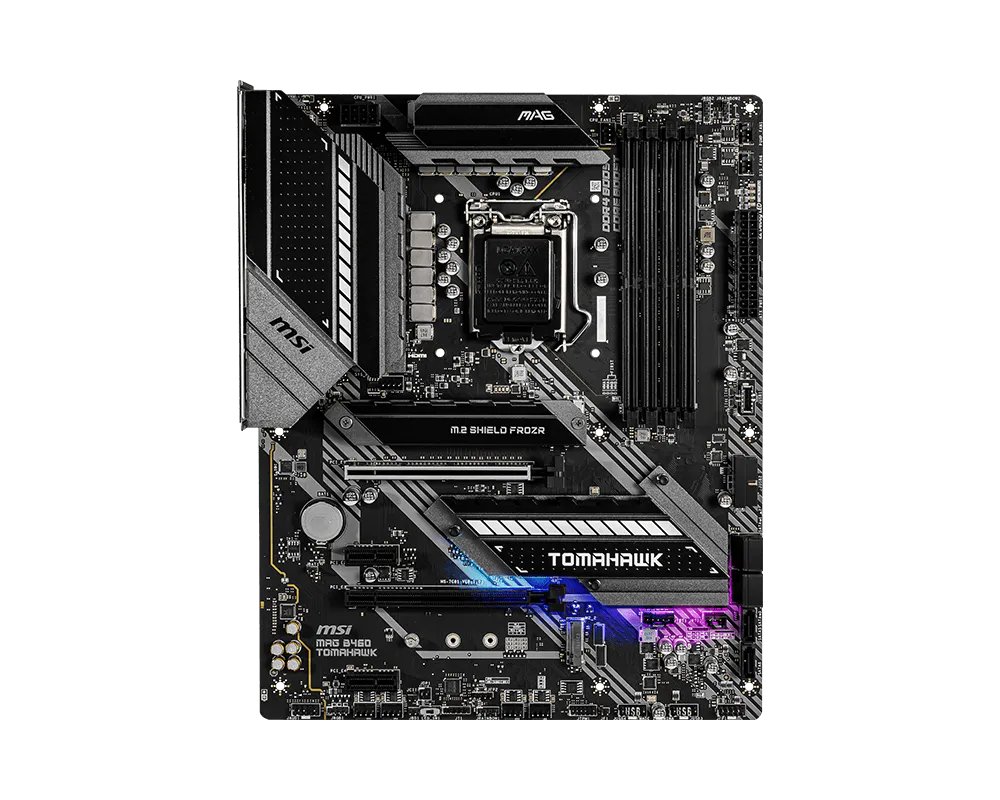
The motherboard that I tested this memory with was MSI’s MAG B460 Tomahawk. It has four memory slots, supports up to 128GB of memory, supports Non-ECC, and also supports Intel extreme memory profile. The memory works well with the motherboard I tested it with, and is great for doing things at home.

MAG B460 TOMAHAWK

Overall, the memory is really great for those that need new memory for their motherboard at home. With it’s speed, price, and doesn’t need ECC. It runs fast at 3200MT/s and with a CAS Latency of 16, has a good price sitting at $158.99, and even supports dual channel without non-ECC.

Resources:

https://www.corsair.com/us/en/p/memory

https://www.msi.com/Motherboard/MAG-B460-TOMAHAWK/Specification

Note: This review is part of a classroom project.

Corsair dominator titanium

Kingston Fury 16GB Beast 3600 memory review, Is it anything special?

My name is Jude and I’ll be reviewing the Kingston Fury 16GB Beast 3600 for the price of $209.99. After properly installing and using the memory I can say with certainty that its just ok. Its fine middle of the road just average. When I attempted to have many tabs open it struggled. Would I ever go out of my way to buy this memory again? Probably not in the same way It is a reliable component that would not be discarded or sold. It’s a functional memory with no great shiny numbers. It does have some colorful display.

I personally enjoy some decent color and decoration so this is a win for the memory. If you really wanted to buy it you should go to here to Newegg. It’s not to pricey and not to cheap either again fitting it into a more average side of things. I would recommend this more for home setups as it’s not well suited for the stress of gaming. I tired playing Minecraft as a test (Minecraft is surprisingly hard to run) and it wasn’t handling it great it ran but very slow and choppy. Suppose it could for smaller games but if you need a gaming memory you should look elsewhere. It is however well suited for simple things like home computing. 

In conclusion the Kingston Fury 16GB Beast 3600 is a simple memory for basic tasks with an average cost at Newegg. Just recommend this for people in need of a decent home pc with little risk with some research and no one else honestly.


(STUDENT ASSIENMENT NOT REAL REVIEW)


CPU: Ryzen 9 9950X3D AI Reviewed

Motherboard: X870 Steel Legend

My motherboard is the ASRock X870 Steel Legend, a solid mid-range board. It features an AM5 socket and DDR5 support, PCIe 5.0, and USB-C connectivity, so it has what it needs, but not all the bells and whistles. I picked it up for $230, and it’s been solid, reliable, and handles everything I need without any fuss.

CPU: Ryzen 9 9950X3D

I bought the CPU for $670 on Amazon, a very hefty price tag. The CPU has been amazing and has proven to be very capable at anything I’ve thrown at it, like high-FPS gaming and 3D rendering. So it is a very powerful CPU, but for the majority of people, I would call it overkill for things like watching videos and even casual gaming. While it does shine at high settings, it’s just not enough to justify the price tag for most users.71hZfMZNZuL._AC_SX466_.jpg

Ryzen 9 9950X3D Specs:

  • Socket: AM5
  • Base Clock Speed: 4.3 GHz
  • Cores/Threads: 16 cores (all performance) / 32 threads
  • L1 Instruction Cache: 16 cores × 32 KB
  • L1 Data Cache: 16 cores × 48 KB
  • L2 Cache: 16 cores × 1 MB
  • L3 Cache: 128 MB
  • Passmark Rating: Very good thread ratingCapture-1.jpg

My Thoughts:

The CPU has been fantastic to use, running smoothly through basically any task, and will definitely be a solid choice for a long time. It handles gaming, video editing, streaming, and multitasking exceptionally well. But I would not recommend this CPU for the average person—most people will barely ever (or never) use this CPU to its full potential and would have a very similar experience with a less powerful one. I believe this is an amazingly capable CPU, but I would argue it is too much for most people.


This review is part of a classroom project.

Ryzen 5 5600 Review


The Ryzen 5 5600 is an amazing budget CPU from AMD. It offers a 6-core, 12-thread processor that base clocks at 3.5 GHz and boosts up to 4.4 GHz. It is priced at $193.78 on Amazon (as of 2/4/26). This CPU uses the AM4 socket type, which is not AMD’s current platform (AM5). While AM4 is older, it is still very capable and does not automatically mean the CPU is slower—performance depends more on the architecture than just the socket.

One thing I noticed during installation is that some older AM4 motherboards may require a BIOS update before the Ryzen 5 5600 will work. This can be inconvenient if the board does not support BIOS flashback. Additionally, because AM4 uses a PGA (Pin Grid Array) design, the pins are located on the CPU itself. If any of those pins get bent during installation, it can potentially ruin the CPU, so you do need to be careful when handling it.

Even though there may be some concerns with BIOS compatibility and careful installation, it is still a great budget-friendly option. In my testing and research, PassMark shows it with a single-thread rating of 3,257 and a multi-thread score of 21,545, which is very solid for the price point. In everyday use—gaming, multitasking, and light content creation—it performs smoothly and feels responsive. For a mid-range build, it definitely holds its own.

Specs of Ryzen 5 5600
Class: Desktop

Socket: AM4

Base Clock: 3.5 GHz

Max Boost Clock: 4.4 GHz

Cores: 6
Threads: 12

Typical TDP: 65 W

Cache per CPU Package:
L1 Instruction Cache: 6 × 32 KB
L1 Data Cache: 6 × 32 KB
L2 Cache: 6 × 512 KB
L3 Cache: 32 MB

***Please note this is for a school project***

Artificial Intelligence and its Consequences

Before I get into the meat of this post, I’d like to provide some background for those of you who bother to listen.

Recently, I was assigned a project which seemingly required the usage of generative AI to “review” our blog posts and “improve” them. I myself firmly refused this and instead reviewed it myself, and submitted that. Mr. Pool seemingly wasn’t happy with this, so he assigned me to create the article you’re reading now. It was a bit hard to scrounge up time in-between classes to actually finish this, but alas.

What is it?

The acronym “AI” stands for Artificial Intelligence. The concept is to create a machine that can think and learn in the same way that a human can. Even before the birth of computers, humans have been intrigued (or alternatively scared) by this concept. Modern AI systems are almost always Generative, which is a newer form of AI and the focus of this article. Generative AI typically utilizes a system that is designed to create “new” content based on its input, which is different from more basic machine learning algorithms, which primarily focus on predicting what would come after something and have smaller and stricter datasets.

Digital Theft

One of the biggest issues with AI is that in order to appear lifelike (if you could call it that), is that it requires massive amounts of data to train itself on. So, most generative AI models will go through the internet and collect whatever data they can find, almost always without the permission of the humans behind said data. For example, Charlotte artist Elliana Esquivel, who uses artwork as her sole income, had her artwork put into one of the largest datasets available for AI models, and in an interview by WCNC stated “I’ve tried to get it taken down and everything, but it doesn’t really matter, because it’ll just get scraped again, and it’ll end up back on the website. It’s kind of a dystopian thing to be dealing with”. Chatbots are not exempt from this, either. Websites used by authors to host novels and fanfiction are regularly raided for training data, without original authors having any say in it. The big AI companies do this on purpose, knowing that they can get away with it due to their size.

Environmental Issues

Due to being one of the biggest industries in the US, huge AI datacenters have popped up across the country. These centers require hundreds of thousands of devices and servers to power these massive machines. And those devices require a lot of power to be able to piece together sentences and images. In fact, according to an article by Goldman Sachs, a single query from ChatGPT uses up around 10 to even 20 times the amount of power that a regular Google search does. The most common energy source used by these datacenters is fossil fuels, which, when burned, release greenhouse gases that pollute the air and accelerate climate change. AI centers also use massive amounts of fresh water, which to cut costs is usually disposed of into local water supplies, which causes serious concerns for not only the environment, but with citizens of surrounding areas, which relied on said water supplies for drinking.

One Intelligence to Another

One of the biggest pull-factors to AI is its convenience. Why take hours writing an essay when this bot can just make it for you in 30 seconds? I don’t know what to do about this thing, so I’ll let ChatGPT make up all of these ideas! No need to make your own decisions or choices, when it’s just so much easier to let the algorithms do it. Well, using AI repeatedly can lead to cognitive decline and even at some point dependance on AI tech. An MIT study from 2025 showed that, compared to using an LLM (Language Learning Model, like ChatGPT), people who wrote essays using only search engines or just their brain showed significantly more brain connectivity.

an Insult to Life Itself

While the quote from Hayao Miyazaki is about another form of machine learning, it is highly applicable to Generative AI as well. In all works, whether artistic, musical, literary, there is at the very least a glimpse into the person who created it. The chaos, the grammar mistakes, the wording, are all a part of the human behind that. In work done by AI, this humanity is stripped away, only being hinted at by prompts and copied from existing work. The “Turing Test” is a well-known concept that tests how easily someone can tell an AI from a human. Almost always, the human can identify a robot due to one simple factor: the lack of humanity that artificial intelligence inherently brings with it wherever it’s used. AI tends to sterilize, to break things down and paint them corporate white before putting it back together with school glue sticks and masking tape. The mere fact that a soulless robot like ChatGPT could take what you have made and spit out a copy of it with all of its life sucked away is itself a disturbing one. The consequences that it produces only furthers this.

Generative AI is a category of program that I personally wish to stay far away from in any stage of work. My opinion on this isn’t going to change easily, especially without major changes to the way Generative AI works fundamentally and how the operation is run. Otherwise, I’d rather use my own brain instead of giving it away to false humans.

(This article is part of a school project, however it reflects my own views and was written by hand.)