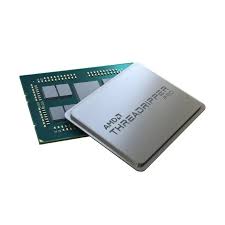
Threadripper PRO 9985WX

The Motherboard for the CPU

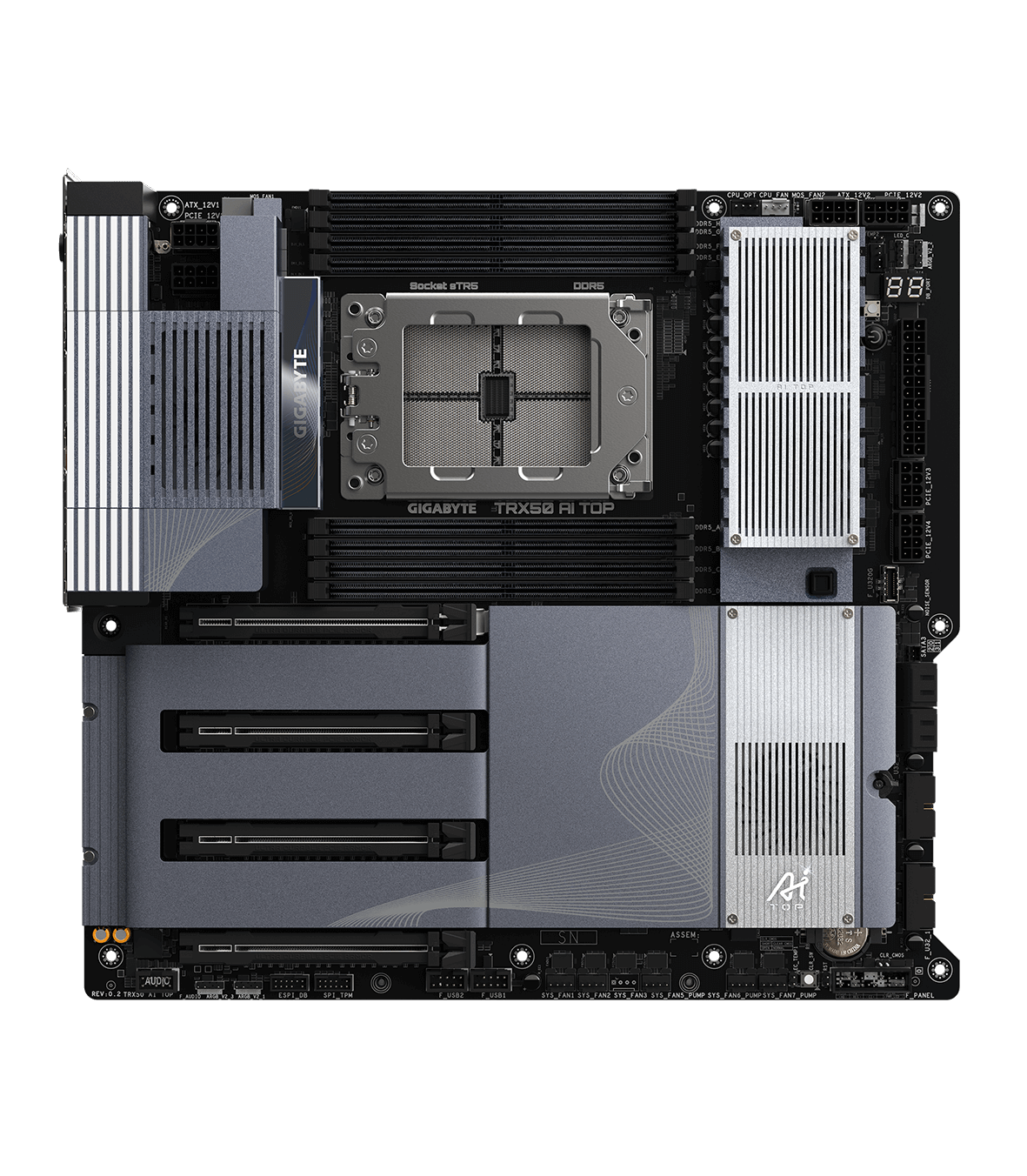
     I have recently bought the Threadripper PRO 9000 for my Gigabyte TRX50 AI TOP Motherboard. Since the Threadripper is so big, it tends to overheat a lot. So I would suggest getting a water cooling fan for it. The motherboard itself has a quad channel so it can hold 8 sticks of ram. It has 4 6Gb sata connectors and 3 M.2 connectors. There are 4 PCIE slots.

The CPU

     I find this CPU to be really nice for this motherboard, it runs everything so smooth and super fast. There are defienitly better options for this motherboard, and there are a lot cheaper motherboards in general. The motherboard is around $1,900 and the CPU is around $8,000 so just for those two things you are spending around $9,900 and there is still more to make the computer run well. 

Threadripper PRO 9985WX Specifcations

  • Socket: sTR5
  • Cores: 64
  • Threads: 128
  • Max Turbo Speed: 5.4 GHz
  • Memory Support: DDR5 6400
  • L1 Instruction Cache: 64 x 32 KB
  • L1 Data Cache: 64 x 32 KB
  • L2 Cache: 64 x 1024 KB
  • L3 Cache: 256 M

Final Thoughts

     I think this is a really good cpu if you have the money to spare. It feels really smooth and is really fast. I spent a decent chunk of change on this and it was worth it if you have the money, if not you can defienetly find a lot better cheaper options, but if you have a good chunk of money to blow I would definitely get this. It is a very nice option and a great choice, jsut very pricey but it is definitely good, but it is not worth buying this over something less expensive.

Refrences

Threadripper PRO 9985WX

Gigabyte TRX50 AI TOP 

Passmark

Motherboard Price

CPU Price


Note:  This review is part of a classroom project.

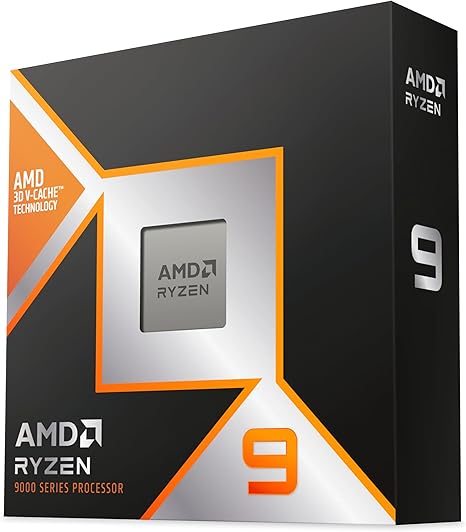
AMD Ryzen 9 9950X3D Review

Motherboard: X870 Steel Legend

My motherboard is the ASRock X870 Steel Legend, a solid mid ranged board.  It has an AM5 socket and DDR5 support, PCIe 5.0, and USB-C connectivity,  so it has what it needs, but not all the bells and whistles. I bought it for $230, and it’s been solid, reliable, and handles everything I need without any fuss.

CPU: Ryzen 9 9550X3D

I bought the CPU for $670 on amazon, a very hefty price tag. The CPU has been amazing, and has proven to be very capable at anything I have thrown at it like high-FPS gaming and 3d rendering. So it is a very powerful CPU, but for the majority of people I would call it overkill for things like watching videos and even gaming. While it does shine at high settings, just not enough to justify the price tag for me.

Ryzen 9 9550X3D Specs:

Socket:  AM5

Clockspeed: 4.3 GHz

16 cores (all performance) / 32 threads

L1 Instruction Cache: 16 cores x 32 KB 

L1 Data Cache: 16 cores x 48 KB

L2 Cache: 16 cores x 1024 KB

L3 Cache: 128 mb

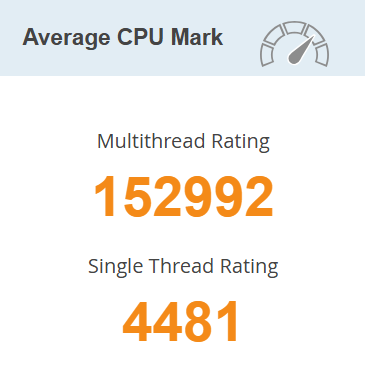
Passmark Rating:

Very good thread rating.

My Thoughts:

The CPU has been awesome to use, running smoothly through basically any task and will definitely be a solid choice for a long time. It handles gaming, video editing, streaming, and multitasking very well. But I would not recommend this CPU for the average person, most people will barely every or never use this CPU to its full potential, and would have a very similar experience with a less powerful one. I believe this is an amazingly capable CPU but I would argue it is too much for most people.


This review is part of a classroom project

Intel® Core™ i9-11900K Review

My Build: Intel® Core™ i9-11900K on an ASUS PRIME Z490-P

I recently got an ASUS PRIME Z490-P motherboard for $101.22 new from Newegg. This motherboard is older and cheaper although it still packs a punch. The Z490-P has an Intel® Z490 chipset, 2 M.2 slots, 4 SATA 6Gb/s ports, and is generally a good quality motherboard for its price. Although this motherboard is designed for 10th Gen Intel CPUs there is a BIOS update to support 11th Gen Intel CPUs.

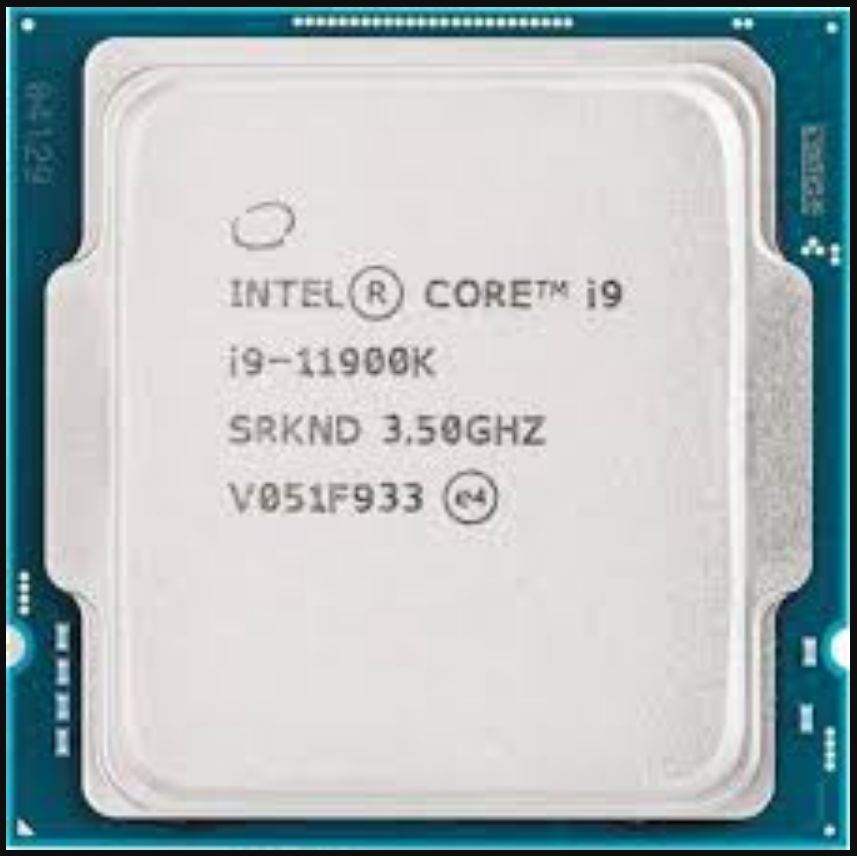
The Heart of the System – Intel® Core™ i9-11900K

Although the Intel® Core™ i9-11900K isn’t the most powerful CPU out there it still packs a punch. Its an amazing CPU that still holds up today. The i9-11900K is an amazing CPU capable of playing games and functioning as your daily driver. The downside is the high levels of heat this CPU generates and the high price of $460.73  on Newegg. Because of this its hard to call the i-11900K the best CPU. Overall I personally enjoy the i9-11900K and intend to continue using it.

Intel® Core™ i9-11900K – Specs (11th Gen Intel)

  • Socket: LGA 1200
  • Cores: 8
  • Threads: 16
  • Max Turbo Boost: Up to 5.30 GHz
  • Cache: 16 MB Intel® Smart Cache
  • Memory Support: DDR4-3200
  • PCIe Support: PCIe 4.0
  • Graphics: Intel® UHD Graphics 750

Reviews & Benchmarks

For in-depth community and expert opinions, check out these review hubs:

My Thoughts

I think the Intel® Core™ i9-11900K Processor is a functional and good quality CPU. I also think that the CPU struggles with thermal throttling although that is most likely the coolers fault. Although the i9-11900K is not inherently a bad CPU it is much more expensive due to its age. Furthermore LGA 1200 motherboards are also outdated. There are better CPUs out there for cheaper. I would not recommend this CPU due to its age and price.

Note:  This review is part of a classroom project.

References:

https://www.intel.com/content/www/us/en/products/sku/212325/intel-core-i911900k-processor-16m-cache-up-to-5-30-ghz/specifications.html

https://www.newegg.com/intel-core-i9-11th-gen-core-i9-11900k-rocket-lake-lga-1200-desktop-cpu-processor/p/N82E16819118231?srsltid=AfmBOoqRkMN9UBfuEYymfEIZNFoumHDqSsDcjBbmNbmoeF9ury5mniPg

https://www.newegg.com/asus-prime-z490-p-atx-intel-motherboard-intel-z490-lga-1200/p/N82E16813119272

https://uk.store.asus.com/90mb12v0-m0eay0-feed.html

The Ryzen 3 3200G Is REALLY Bad…..

The Ryzen 3 3200G Is Not Worth your money.

Recently, I found out that the desktop world is much better than being on a laptop. For a couple of years, I used a laptop from high school, and I noticed it was running very slow. After talking to a lot of IT people, they all told me to get a desktop system. They said it would be a little more expensive, but very worth it in the end.

The only problem is that I’m broke and don’t have money for a really expensive computer, so I decided to go as cheap as possible and oh boy, was I wrong. I’ve had the worst experience and ended up spending more money than I thought. This was a big mistake, and I hope nobody else does what I did.

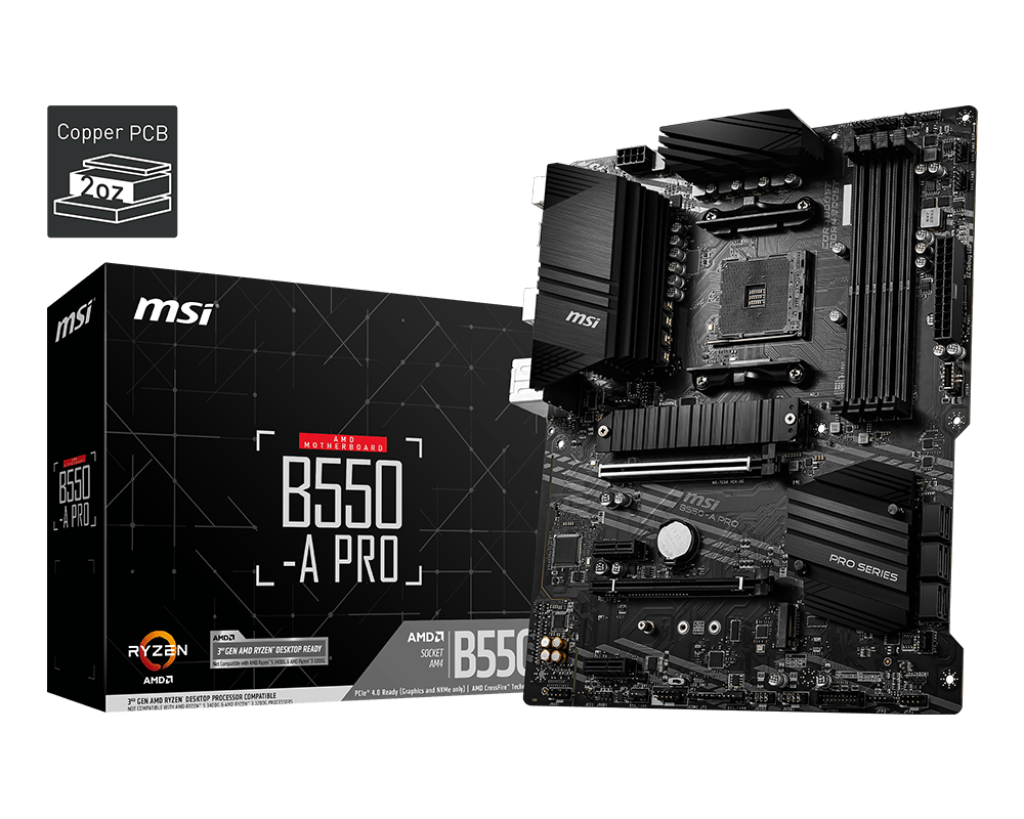
To start, I bought the MSI B550-A-Pro motherboard. I had heard very good things about this board, and I still think it was a good option. I paid $90 for it, and I like the sleek design. Overall, I think it’s a pretty solid motherboard.

.

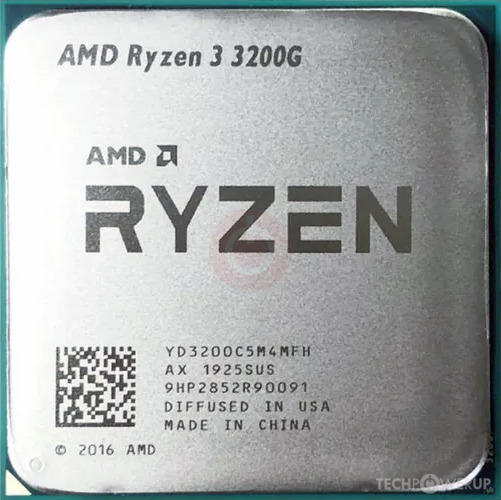
Now, where I went wrong was buying the AMD Ryzen 3 3200G, which I paid $64.40 for on Amazon. I thought, “That’s a good deal I’ll jump on that.” It was the cheapest CPU that would fit my motherboard, and I didn’t want to buy used because I’ve had bad experiences with that before. However, this was a really bad purchase that I’ve learned from.

CPU Specifications:

  • Number of Cores: 4

  • Number of Threads: 4

  • Max Boost Clock: Up to 4.0 GHz

  • Base Clock: 3.6 GHz

  • L1 Cache: 384 KB

  • L2 Cache: 2 MB

  • L3 Cache: 4 MB

  • Unlocked for Overclocking: Yes

  • CPU Socket: AM4

My final thought is, I think this CPU is very bad. Sure, it’s cheap, but it’s extremely slow and not worth the $65. Anyone trying to build a PC on a tight budget should spend a little more money to get a CPU that’s actually worth paying for.

Note:  This review is part of a classroom project.

AMD Ryzen 9 9900X Review

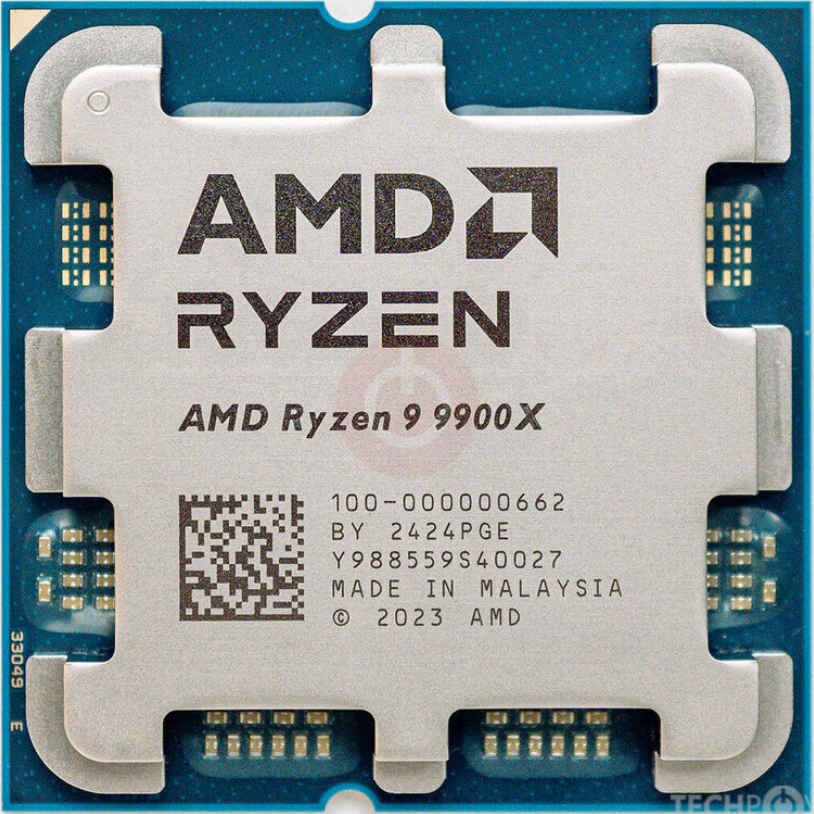
If you own a computer that is compatible with the AMD Ryzen 9 9900X CPU then you should get this one. My motherboard I am using for this CPU is the ASUS made PRIME B850-PLUS WIFI. The Ryzen 9 9900X is currently being sold for $389.99 on Newegg, and has really good reviews.

Reviews

Most of the reviews on Newegg consist of people saying that it was a good improvment to what they had before. There are some cons listed in many of the reviews too but, most of them are just explaining how it’s an improvement but not a major one or that it isn’t the most ideal for gaming. But considering the price it’s not too bad.

Pricing Vs Performance

The price of the CPU is floating around $400 depending on what site you buy it from it could be cheaper or more expensive. But, for the price it runs very well since it can run many higher-end games and applications at a time smoothly but, it’s not always able to run games at maximum graphics

CPU Specs

  • CPU Socket: AM5
  • Number of CPU Cores: 12
  • Multithreading: Yes
  • Number of Threads: 24
  • Maximum Boost Clock Up to 5.6 GHz
  • Base Clock 4.4 GHz
  • L1 Cache: 960 KB
  • L2 Cache: 12 MB
  • L3 Cache: 64 MB

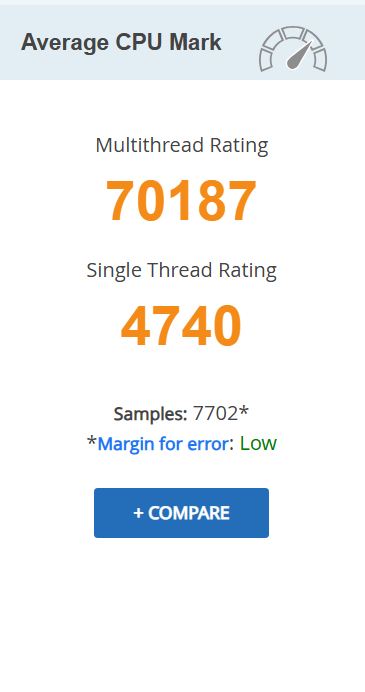
Passmark rating

On Passmark, the AMD Ryzen 9 9900X is rated very high on both Multithread and Single Thread, as well as having a very low margin of error and 4817 Smaples. It is also 10th in terms of speed for all AM5 CPUs and is the cheapest CPU in the top 10.

Final Thoughts

If you have the right motherboard with the right CPU Socket, then you should definitely buy this CPU because it runs really well, especially for its price. There’s only one more CPU that is in the top 10 on passmark speedwise that is under $500. So if your budget is somewhere just under $400 dollars, this would be a great CPU to get, especially considering the high passmark ratings. So, for the price this CPU is a really good option to choose.

References

“AMD RyzenTM 9 9900X.” AMD, Nov. 2024, www.amd.com/en/products/processors/desktops/ryzen/9000-series/amd-ryzen-9-9900x.html.

“AMD Ryzen 9 9900X Benchmark.” Cpubenchmark.net, 2024, www.cpubenchmark.net/cpu.php?cpu=AMD+Ryzen+9+9900X&id=6171.

“PassMark Software – CPU Benchmarks – CPU Performance by Socket Type – Socket AM5.” Cpubenchmark.net, 2026, www.cpubenchmark.net/socket-type/am5. Accessed 4 Feb. 2026.

“AMD Ryzen 9 9900X – Ryzen 9 9000 Series Granite Ridge (Zen 5) 12-Core 4.4 GHz – Socket AM5 120W – Radeon Graphics Processor – 100-100000662WOF.” Newegg.com, 2021, www.newegg.com/amd-ryzen-9-9000-series-ryzen-9-9900x-granite-ridge-socket-am5-desktop-cpu-processor/p/N82E16819113842?item=N82E16819113842&utm_medium. Accessed 4 Feb. 2026.

“PRIME B850-plus WIFI.” ASUS Global, 2024, www.asus.com/motherboards-components/motherboards/prime/prime-b850-plus-wifi/. Accessed 4 Feb. 2026.

This review is part of a classroom project.

The Intel core ultra 9 285k on the GIGABYTE Z890 AORUS XTREME AI TOP

The GIGABYTE Z890 AORUS XTREME AI TOP is a great motherboard although it is a little  pricey at $879.99 but you get what you pay for. THis board uses an Intel Z890 express chipset and has multiple PCIe 4.0 and 1 PCIe 5.0 M.2 and 4 6Gb/s SATA connectors.

The brain of the system, the Intel core ultra 9 285k

Not only is this  a great CPU for gaming its also one of the best valued CPUs out there. The Intel core ultra 9 285k is only $579.89 on newegg:https://www.newegg.com/intel-core-ultra-9-285k-arrow-lake-lga-1851-desktop-cpu-processor/p/N82E16819118505 and it will save you even more money because unlike its predecessors it wont over heat with out liquid cooling, it does perfectly fine on air cooling though liquid cooling is still reccomended especially if your going be doing serious gaming or multiple and/or big tasks.

Intel core ultra 9 285k specs

socket:LGA1851

cores/threads:24(8 preformance 16 efficient)

max turbo boost: up to 5.7 GHz

cache: 36MB of Intel Smart cache

Memory support:dual channel DDR5 up to 64ooMT/s

PCIe support: PCIe 5.0 and 4.0

over clocking capable

integrated graphics

References:techradar https://www.techradar.com/computing/cpu/intel-core-ultra-9-285-leak-reveals-spec-of-tamed-arrow-lake-flagship-cpu-and-its-potential-performance-levels

benchmarks:passmark CPU bench mark https://www.cpubenchmark.net/cpu.php?id=6296&cpu=Intel+Core+Ultra+9+285K

In my opinion this is a great duo and adding liquid cooling would only make it better.

NOTE: THIS IS PART OF A SCHOOL PROJECT

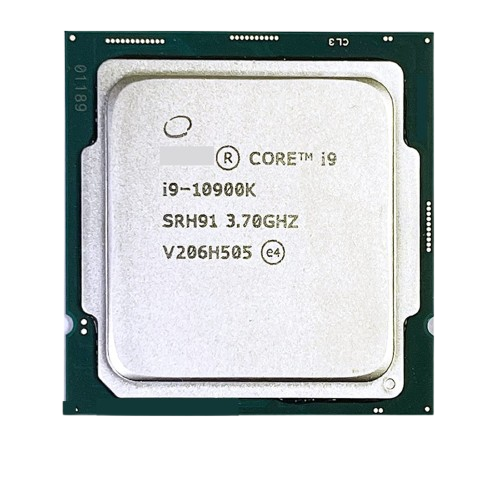
Intel Core i9-10900K

The Intel Core i9-10900K CPU is a great CPU for a home motherboard that you need a fast CPU for. The CPU itself uses a LGA 1200 socket, has 10 cores and 20 threads, has a base clock speed of 3.7 GHZ, and a turbo of 5.3 GHz. Due to this specific CPU being an older model from Intel, it’s a little pricier ($519.12 as of 2/4/26) and is a little harder to find due to the fact that they quit making certain CPU types after awhile.

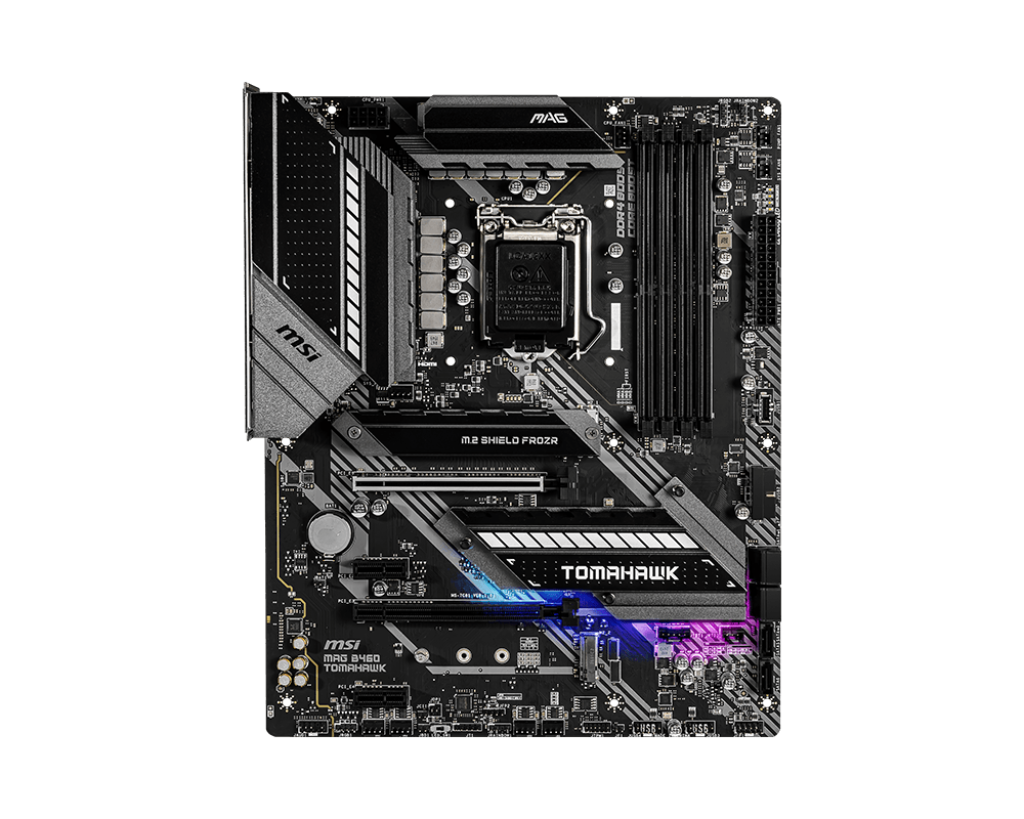
The specific motherboard I selected for this CPU was the MAG B460 Tomahawk (shown below) from the manufacturer MSI. It’s form factor is an ATX, it supports dual channel, and non-ECC, unbuffered memory. It has 6 SATA ports and 2 M.2 slots, has one PCIe 3.0 x16 slot, one PCIe 3.0 slot, and 2 PCIe 3.0 x1 slots.

Besides the higher end price for this specific CPU, it is one of the faster CPUs that you can use for that specific motherboard. PassMark gave this CPU a rating of 22,359 for the multi-thread, and a rating of 3,111 for the single thread. It is a really nice CPU that you can use if you want your PC to run fast.


List of complete Specs for the Intel Core i9-10900K are as follows:

Class: Desktop

Socket: FCLGA1200

Clockspeed: 3.7 GHz

Turbo Speed: 5.3 GHz

Cores: 10 Threads: 20

Typical TDP: 125 W

Cache per CPU Package:
L1 Instruction Cache: 10 x 32 KB
L1 Data Cache: 10 x 32 KB
L2 Cache: 10 x 256 KB
L3 Cache: 20 MB


NOTE: This review is part of a classroom project.

Resources:

https://www.cpubenchmark.net/cpu.php?cpu=Intel+Core+i9-10900K+%40+3.70GHz&id=3730

https://www.cpubenchmark.net/cpu.php?cpu=Intel+Core+i9-10900K+%40+3.70GHz&id=3730

https://www.msi.com/Motherboard/MAG-B460-TOMAHAWK/Specification

i7-14600KF Review

My Build: Intel Core i7-14600KF on a GIGABYTE B660 DS3H

I recently picked up a GIGABYTE B660 DS3H motherboard refurbished on Amazon for just $89, and it’s been a rock-solid foundation for my high-performance PC. This board uses the Intel B660 chipset, offers dual-channel memory support, multiple high-speed PCIe 4.0 M.2 and SATA storage lanes, robust networking (including Gigabit LAN and USB 3.2 Gen2x2 Type-C), and easy BIOS tools like Q-Flash Plus so you can update firmware without a CPU installed — a huge plus for compatibility upgrades

The Heart of the System — Intel Core i7-14600KF

Let me tell you, I absolutely love the performance I’m getting out of this CPU. It’s a powerhouse for both gaming and productivity, and paired with my Cooler Master 240 Elite Liquid CPU Liquid Cooler (scored for $40 on eBay: https://www.ebay.com/itm/397411226112), temperatures stay well under control even under heavy loads.


 Intel Core i7-14600KF — Specs (14th Gen Intel)

  • Socket: LGA 1700
  • Cores/Threads: 20 total (8 Performance + 12 Efficiency)
  • Max Turbo Boost: Up to ~5.6 GHz
  • Cache: 33 MB Intel Smart Cache
  • Memory Support: DDR4-3200 / DDR5-5600 (dual-channel)
  • PCIe Support: PCIe 5.0 & 4.0
  • Unlocked for overclocking
  • No integrated graphics (requires discrete GPU)

Reviews & Benchmarks

For in-depth community and expert perspectives, check out these review hubs:

My Thoughts

This is a GREAT CPU and is well worth the $199 that it cost me!  The negatives on this CPU (from reviews) all seem to be related to improper cooling.  The $40 water cooler I installed is keeping it ~ 38C and I am having no issues at all.  My games load WAY faster!  I do hear the water cooler fans spool up occasionally under heavy loads, but that is what I got it for.  I would HIGHLY recommend this CPU to any gamer.

Note:  This review is part of a classroom project.

References:

https://www.gigabyte.com/us/Motherboard/B660-DS3H-rev-10https://www.amazon.com/https://www.intel.com/content/www/us/en/products/sku/236787/intel-core-i7-14600kf-processor-24m-cache-up-to-5-60-ghz/specifications.htmlhttps://www.newegg.com/intel-core-i7-14th-gen-core-i7-14600kf/p/N82E16819118473https://www.newegg.com/intel-core-i7-14th-gen-core-i7-14600kf/p/N82E16819118473#Reviewshttps://www.techpowerup.com/review/intel-core-i7-14600k/https://www.tomshardware.com/reviews/intel-core-i7-14600k-reviewhttps://www.cpubenchmark.net/cpu.php?cpu=Intel+Core+i7-14600KFhttps://www.ebay.com/itm/397411226112

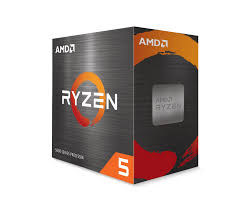
Ryzen 5 5600 Review


The Ryzen 5 5600 is an amazing budget CPU from AMD. It offers a 6-core 12-thread processor, it base clocks at 3.5 GHz and overclocks up to 4.4 GHz. It is priced at $193.78 on Amazon (as of 2/4/26). This CPU uses an AM4 socket type, which is not the current one, and is not as fast as the AM5. Additionally, it may experience issues updating the BIOS and other motherboard components, simply because it is an older motherboard model, because of the AM4 socket. The other issue is the fact that if any of the pins of the CPU get damaged or bent, the entire CPU is ruined. 

Even though there may be Issues with the motherboard and how careful you have to be with the CPU, it is still a great budget-friendly option, and Passmark shows it with a single thread rating of 3257 and a multi of 21545, which is not bad at all for the price tag that this CPU has.

Specs of Ryzen 5 5600

Class: Desktop

Socket: AM4

Clockspeed: 3.5 GHz

Turbo Speed: 4.4 GHz

Cores: 6 Threads: 12

Typical TDP: 65 W

Cache per CPU Package:
L1 Instruction Cache: 6 x 32 KB
L1 Data Cache: 6 x 32 KB
L2 Cache: 6 x 512 KB
L3 Cache: 32 MB


***Please note that this is for a school project.***

Setting SMTP Notifications on CyberPower OR2200PFCRT2U UPS

Required Items

  • Laptop with CyberPower PowerPanel Personal Installed
    • Click here for installation link
  • Ethernet Cable
  • USB A to USB B cable (image below)

Instructions

  1. Upon locating UPS (and if necessary installing PowerPlan Personal), open PowerPlan Personal and follow the checklist below.
    • Open PowerPlan Personal
    • You will be directed to a home screen that provides the current status of the UPS.
    • At the top are four pages that you may click on. They are a house, file, a settings cog, and an info page. Click on the settings cog.
    • Below the settings cog more options will appear. Click on notification, and scroll to the bottom of the page.
    • This page is where the email can be configured. All configurations should be filled in, however, if they are not please reference image 2. The only thing you will need to change in this process is the sender name.
    • Set the laptop in a safe place and move on to step two. We will come back to the laptop later.

NOTE: The settings in the image above must be set as shown. If they are not, update them to match this image. The only thing that will be edited after the fact will be the sender name.

  1. Locate the top switch
    • The top switch should always be located at the top of switches in the server rack, however it is good practice to use the following checklists to verify.
      • Checklist 1:
        • It is likely that the switches will be labeled with numbers. Check the front panel of the switch for this number and locate switch one. Switch one will always be the top switch.
      • Checklist 2:
        • If the switch is not labeled you will need to locate the top switch via the switch stacking cables. The top switch will be at the top of these.
        • Some racks of camera switches in addition to communication switches, for instance, the maintenance closet which has camera switches as well. In this case, you will need to differentiate between the switches that connect to the cameras and the switches that do not. These switches will be labeled, and if they are not, check that they are connected via ethernet cables.
  2. Plug in ethernet cable to switch and UPS
    • The UPS will have an ethernet port labeled, “in”. Plug the first end of ethernet cable into this port.
    • Using the most direct and least obstructive path, plug in the second end of the ethernet cable into the switch. It is absolutely crucial that you do not obstruct the front of a different UPS or run a cable through a slot that a UPS/Switch could fit into.
    • If at all possible, DO NOT, run the cable through existing ethernet cables, but rather run the cable behind them to avoid tangling.
  3. Final Step: Using PowerPlan Personal
    • With the ethernet cables plugged in and PowerPlan Personal opened and properly setup, plug in the USB A to USB B cable into the laptop and the correct UPS port, likely titled communication port. (image below)
    • Next, change the number in the sender name. If it is a single digit, add a 0 in front of the number.
      • Ex. UPS #11 Notification —> UPS #09 Notification
    • Lastly, click “Apply”.  If it applies successfully, move onto the next step.
    • Click “Verify”. If it verifies successfully, move onto the next step.
    • Finally, click “Test”. If it tests successfully, you have finished and may unplug the laptop from the UPS.