Category Archives: Memory Reviews

Vengeance Corsair Memory review

<![CDATA[

Image result for corsair

Vengeance DDR3 4GB

The Vengeance 4GB is a decent Ram to get for your standard computer, but you probably wouldn’t put it into a gaming PC. This RAM is good for what generation it is from but you probably what to get DDR4 RAM if your motherboard can take it instead of DDR3.

This RAM is of dual channel which is better for gaming if you are gaming with this RAM. I been using this RAM and it hasn’t affected my game play that i have like scatters or tearing in my gaming.
The price of this RAM is $74.99 it can be found on New-egg and Amazon.

Overall this is decent RAM worth it’s price but isn’t DDR4 which would be better for gaming improving your FPS. I would recommend this RAM if your compputer can only take DDR3, but if your able to get DDR4 RAM if would be a lot better to find RAM and Probably cheaper.
Here are the Tech Spec for Vengeance 4GB:

  • Warranty: Limited Lifetime
  • Memory Configuration: Dual Channel
  • Memory Series: Vengeance
  • Memory Type: DDR3
  • Package Memory Format: DIMM
  • Package Memory Pin: 240
  • Memory Size: 8GB Kit (2 x 4GB)
  • SPD Latency: 9-9-9-24
  • SPD Speed: 1333MHz
  • SPD Voltage: 1.5V
  • Speed Rating: PC3-17066 (2133MHz)
  • Tested Latency: 11-11-11-27
  • Tested Speed: 2133MHz
  • Tested Voltage: 1.5V

Too read more (Click)
Note:  This review is part of a classroom project.
References:
 http://www.corsair.com/en-us/vengeance-low-profile-8gb-2-x-4gb-ddr3-dram-2133mhz-cl11-memory-kit-cml8gx3m2a2133c11g 
https://www.newegg.com/Corsair/BrandStore/ID-1459?nm_mc=AFC-C8Junction&cm_mmc=AFC-C8Junction-Corsair%20Components,%20Inc.-_-na-_-na-_-na&cm_sp=&AID=10446076&PID=8336986&SID=]]>

The Colorful Review of the Trident Z RGB

<![CDATA[G.SKILL was established in 1989 by enthusiasts they are a leading memory module Manufacturer based in Taipei, Taiwan. In 2003, the company was established as a maker of computer memory. The company currently operates several distributors and resellers in North America, Europe, Asia, and the Middle East. G.Skill have built their brand around fast RAM, preferred by the overclockers with an impressive specifications list and some of the best design schemes on the market.
You could get RGB lighting on multiple different types of memory and manufacturers. But you have to choose between two factors; looks, or performance. Usually you have to sacrifice one for the other, but not in this case. The Trident Z has exceptional statistics for the price. Usually everyone thinks that complicated and customizable lighting on RAM could cause performance issues due to signal interference. But manufactures like GEIL got around this issue by adding a separate power cable. But the even more amazing thing is that the Trident Z RGB didn’t require any external power and the performance was essentially identical to the non-RGB Trident Z series!

The Trident Z (RGB) has a CAS Latency of 15 with a Access Time of 6.25 ns. That isn’t bad at all. The new Trident Z’s are some of the fastest clocked memory kits which can go as high as 4266 MHz. The kit we received is optimized at a clock speed of 2400 MHz (PC4-19200). The memory kit is fully compatible with the Intel XMP 2.0 and can be easily set to its rated clock speeds through the BIOS shipped on the latest Intel motherboards. Memory compatibility id different on every motherboard, so make sure that your board is high-end and rated to support high clock speed memory sticks. The specs for our kit is shown;

  • Amount of Ram: 64GB (16GBx4)
  • Generation: DDR4
  • Speed: 2400 Mhz (PC4 19200)
  • Access Time: 6.25 ns
  • CAS Latency:  15 (15-15-15-35)
  • Channels: Dual
  • Error Checking: Non-ECC


Overall with testing the Trident Z can compare with most of the non RGB memory on the market. If you have the money, and want pretty lights then I recommend this. But if you are looking for performance, I would look at the Non RGB version.
Work Cited:

  • https://wccftech.com/review/gskill-trident-z-rgb-32-gb-3600-mhz-ddr4-memory-kit-review/
  • https://www.gskill.com/en/product/f4-3200c16d-16gtzr
  • https://www.vortez.net/articles_pages/g_skill_trident_z_rgb_review,1.html
  • http://www.pcgamer.com/ram-of-the-year-gskill-trident-z-rgb/

Note:  This review is part of a classroom project.]]>

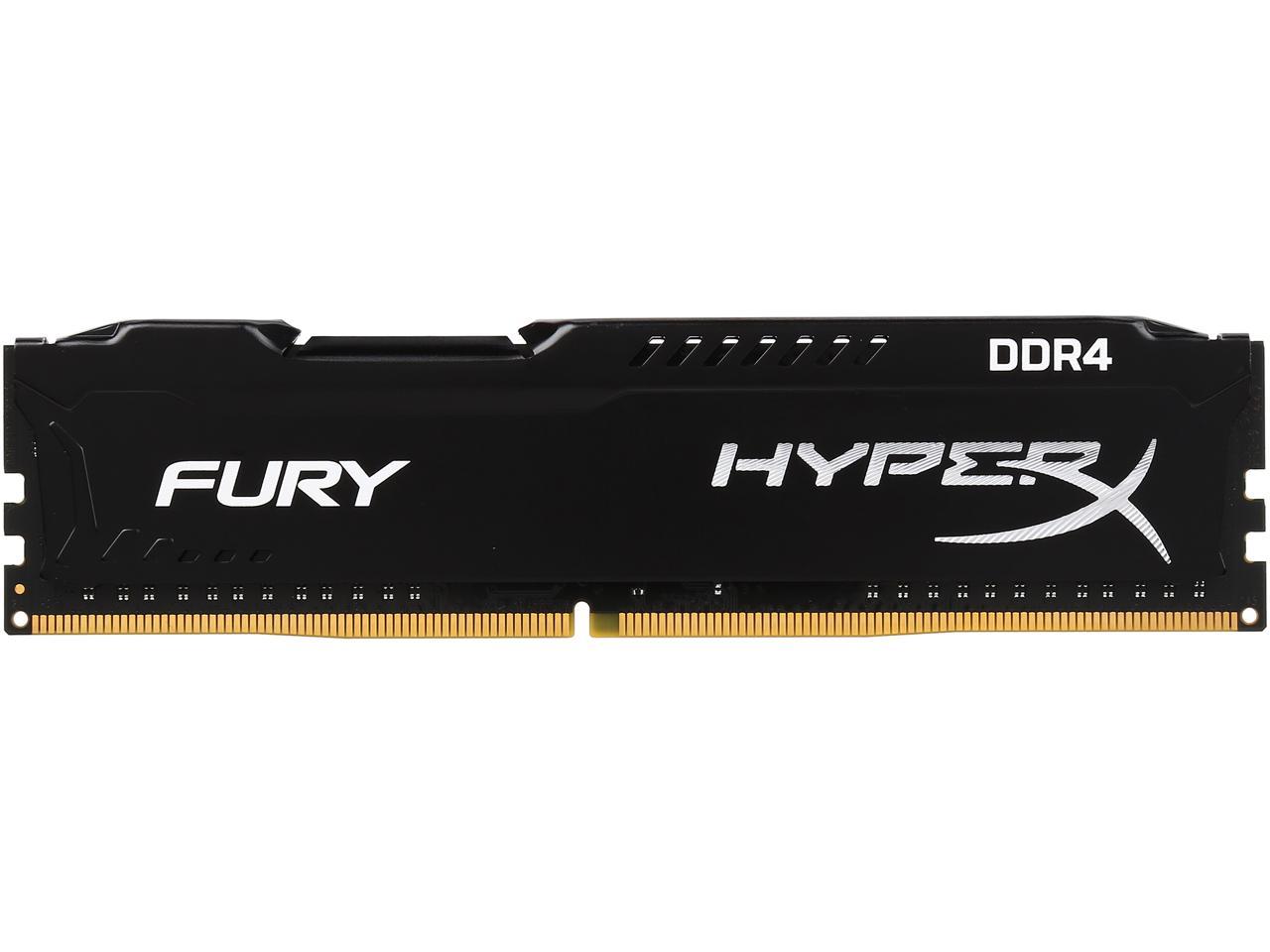
HyperX Fury 4GB (1 x 4GB) DDR4 Review

<![CDATA[

HyperX Fury 4GB Ram

Image result for HyperX Ram 4 gbs
Example of the RAM being used

HyperX is a very big industry when it comes to gaming. They are mainly known for headsets and are a branch of Kingston, in other words, HyperX is the high-preformace product of Kingston Technology. Most of HyperX’s products are choice of top-rated gamer, tech enthusiasts, and over clockers world wide.
Recently I got my hands on a few sticks of HyperX Fury 4GB RAM . I purchased them from New Egg and they came in pretty fast. It also came with a life time warranty which is really a plus. The sticks I got run about $169.99. This is definitely very expensive, especially for a 4GB stick of RAM. One cool feature is that this RAM will auto-detect your hardware and over clock accordingly to it.
Here is a video showing off what the RAM looks like:

Specs:

  • Amount: 16GB (1 x 16GB)
  • Generation: DDR4
  • Speed: 2400MHz
  • Channels: Dual
  • CL: 15
  • Timing: 15-15-15-35
  • Access Time: 6.5 ns
  • Voltage: 1.5 V
  • ECC: No
  • Warrantee: LIFE TIME!

Overall this is a solid stick of RAM. Its fast, it has a life time warrantee, and is HyperX.  The only problem is the price, is only 4GB worth $169? unless you are building a fast home PC with 2 of these, I do not see another reason to get these, there are definitely other buying choices for a lot less just as good in my opinion.
 
Note:  This review is part of a classroom project.
References:

  • “HyperX – Gaming Headsets, Keyboards & More – WE’RE ALL GAMERS.” HyperXGaming, www.hyperxgaming.com/.
  • “Robot?” Newegg.com, www.newegg.com/.

]]>

Review of the Mushkin Enhanced Redline MRA4U320LLLM8GX2

<![CDATA[
Mushkin Enhanced Incorporated is a Colorado founded manufacturer of PSU, USB flash drives, solid state drives, and RAM for your desktop, server, and notebooks.
The Redline series of Mushkin is their latest series of memory for desktops.  It’s quick, sleek, and comes in the fastest generations made, DDR3 and DDR4.  Each stick of Redline RAM comes with the shiny red FrostByte heatsink, meaning that the memory sticks won’t overheat even as you’re overclocking them.
The Redline MRA4U320LLLM8GX2 is two sticks of 8 GB, and comes with the FrostByte-G3-R.  Other features include:

  • CAS Latency of 20
  • Dual Channel
  • An access time of 6.25 nanoseconds
  • A bandwidth of 25600
  • Dual Channel
  • Speed of 3200 MHz

 
It’s compatible with my gaming motherboard which is a Biostar X370GT7, and the fastest memory my motherboard takes is 3200 overclocked, which is why this memory is perfect for my motherboard.  I would recommend this RAM series to anyone who wanted the best and fastest for their computer, not to mention some of the best for a little of your money! These memory sticks will only cost you $140.99!
There are nothing but good reviews from this line of memory from anyone that’s used it, myself included!

Note:  This review is part of a classroom project.


 ]]>

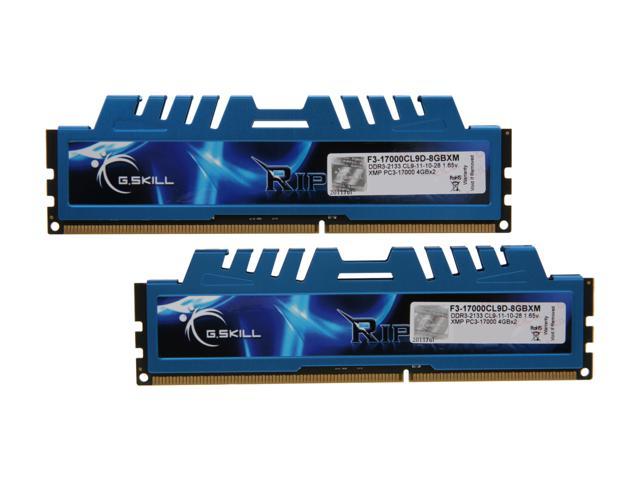
G. SKILL RIPJAWS X SERIES Memory

<![CDATA[G. SKILL is a Taiwanese computer hardware manufacturing company. The company targets customers whom are overclocking computer users.  The company is known for their memory aka RAM. The company was founded in 1989 by a group of computer enthusiasts. My most recent purchase was the fastest memory for my business PC.
My business PC is the ASUS A68HM-E the fast memory I discovered was the RIPJAWS  X SERIES.

This memory makes my whole entire PC run so much faster. Overall everything looks and runs phenomenally. The stylish heat spreader design but keeps it very cool.  This memory is DDR3 1866MHz that delivers up to 14.9Gbps per channel to allow the PC to run at whopping speeds. I am not the only one who has seen great things from this product.  Irma Z. states that “Pros: Cheap, Fast, & Reliable Cons: None Other Thoughts: Would buy again with no questions”, many other review read the same (Newegg)
Specifications:

  • The memory is 4 GB
  • Type – 240 pin DDR3
  • DDR3 1866
  • CAS Latency – 9
  • NON ECC (Does not error check)
  • Non Parity
  • Bandwidth – 14,900 MB/s
  • Single channel
  • Access time – 4.8231 nano second
  • Warranty – Lifetime

I definitely recommend this memory, it worked so well with my motherboard. It is not very costly paying in at a $46.99. RIPJAWS X Series provides an excellence performance at a low price.

Note: This review is part of a school project.

References:
https://www.newegg.com/Product/Product.aspx?Item=N82E16820231720


 ]]>

G.Skill RipjawsV DDR4-2666 MHz Memory Review

<![CDATA[G.Skill is an internationally known computer hardware company based in Taiwan. They produce an influx of high-end PC products. The most well-known of these products is their RAM. Although G.Skills targeted audience is overclocking computer users, I bought memory for them that worked with my gaming motherboard, non-overclocked.
Today I am reviewing the G.Skill Ripjaws4 DDR4-2666 MHz  memory kit.  I tested this memory on my ASUS ROG Strix Z370-e gaming motherboard.
Aesthetically, this memory kit looks pretty good on a motherboard. The red heatspreaders are not ridiculously tall. Each memory stick is a bright cherry red color with the G.Skill logo branded on both sides. These sticks feel very well made (Overclockers).However, as we know, aesthetics are not the most important aspect of memory reviewing.
This particular memory is available in a wide range of frequency options from standard DDR4-2133MHz to a blistering DDR4-3733MHz. This particular kit has a very enjoyable performance and holds up to the task. The price of $189.99 can be compared to many other memory kits, but the performance cannot (Proclockers).

The specifications for the memory are pictured in the chart below: 

Overall, this memory kit is a job well done for G.Skill. The Ripjaws V series provides a faster computer experience for gaming, editing, rendering, and processing. The memory kit combines a sleeker look and high quality performance into one, creating an experience of great cosmetics and performance, for a great price (Proclockers).

Note: This review is part of a classroom project.

References:

  • http://www.overclockers.com
  • https://www.newegg.com
  • https://proclockers.com

]]>

G.SKILL Ripjaws V Series Review

<![CDATA[I bought the Ripjaws V Series memory after looking around for a fast business RAM without completely breaking the bank. While this is a fairly fast memory chip, I feel as though I could have gotten one just as fast for less money. I paid $208 for two 8GB memory on newegg.com
I’ve never bought any products from G.SKILL so I had to do quite a bit of research. For those of you like me here is some information:
G.Skill is known for its range of DDR, DDR2, DDR3, and DDR4 computer memory. RAM is available in single channel, dual channel, triple channel and quad channel packs for desktops, workstations, HTPC, as well as netbooks and laptops.G.Skill was shown to be the only DDR4 manufacturer not vulnerable to Rowhammer.G.Skill does not manufacture the memory dies, it purchases the memory dies and assembles them into a DIMM memory module ready for sale to customers.(G.SKILLWiki)
Warning: This memory was tested on my ASUS Prime B350M-A/CSM motherboard. The results may differ when using a different motherboard.
Benchmarks:

  • DDR4 3200 (PC4 25600)
  • Capacity: 8GB (2 x 4GB)
  • Non-Parity
  • Non-ECC
  • Dual Channel
  • CAS Latency: 16
  • Timing:16-16-16-36
  • Type: 288-Pin DDR4 SDRAM
  • Access Time: 6.25 Ns

I went into this testing with high expectations. I was right to have these expectations as the Ripjaws V Series is EXTREMELY fast. I did not need to tweak or change anything about the performance. I’m sure that if I had used a higher end motherboard or even a gamer, it might not be able to keep up. Though this memory is fast I feel as though the price is too much. When I was looking at this RAM the first time it was around $150 and I can’t imagine why they increased the price so dramatically. If you are willing to pay the price this is a decent memory for a home and business motherboard but I suggest going with something more inexpensive.

Note:  This review is part of a classroom project.
References: 

 
 ]]>

Corsair Dominator Platinum Memory

<![CDATA[

Corsair was founded in 1994 and they have grown from making high-performance DRAM to power supplies, cases, graphics cards, keyboards and more. Corsair also launched their gaming brand in 2014 where they provide mice, keyboards, headsets and mouse mats. They are featured in “dream systems” all the time because of their high performance memory and video cards. If you want to learn more about their memory click  here.


The RAM I am reviewing is the Corsair Dominator Platinum Series which is a great option if you want high speed memory for a gamer PC. The memory specs that I reviewed are listed below:

Capacity: 16GB (4x4GB)
Type: 240-pin DDR3 SDRAM
Speed: 3000 (PC3 24000)
Cas Latency: 12
Timing: 12-14-14-36
Voltage: 1.65V
Multi-channel Kit: Quad Channel Kit
This was the best memory I could find that would work with my motherboard because it would only take DDR3 3,000 O.C. memory. The memory is priced $574.99 on Corsair.com and it is one of the cheapest places I could find it. The most important things to look for when determining the speeds of memory and how they compare to others is to look at how much memory it offers, the speed of the memory, and it’s cas latency. For the speed of the memory the higher the number the better and for the cas latency you want the lowest number you can find but you have to make sure that the motherboard accepts that type and speed of memory.

Works Cited

“About Corsair.” Corsair Company Information. N.p., n.d. Web. 18 Feb. 2016. <http://www.corsair.com/en-us/company/about-corsair>.
http://www.corsair.com/en-us/dominator-platinum-series-16gb-4-x-4gb-ddr3-dram-3000mhz-c12-memory-kit-cmd16gx3m4a3000c12
“Newegg.com Corsair Mem”CORSAIR Dominator Platinum 16GB (4 X 4GB).” Corsair Memory. N.p., n.d. Web. <http://www.corsair.com/en-us/dominator-platinum-series-16gb-4-x-4gb-ddr3-dram-3000mhz-c12-memory-kit-cmd16gx3m4a3000c12>.ory.” CORSAIR Dominator Platinum 16GB (4 X 4GB). N.p., n.d. Web. 18 Feb. 2016. <http://www.newegg.com/Product/Product.aspx?Item=N82E16820233706&cm_re=Corsair_dominator_platinum-_-20-233-706-_-Product>.


]]>

Kingston Memory

<![CDATA[

Kingston

Kingston Technology Corporation 

Kingston was established in 1897 by John Tu and David Sun. Kingston has come to be known as the worlds largest independent manufacturer of memory products. Their headquarters are located in Fountain Valley, California. They also have offices in Sydney, Australia; Paris, France; Munich, Germany; Beijing, China; and Mexico City, Mexico to localize and spread their operation world wide. They employee more than 4,000 people around the world and their revenue is over 7 billion dollars as of 2014.

Testing

Kingston products go through quality testing, software stress testing, thermal testing and system-specific, long-term reliability testing. Kingston believes in good quality in all areas: Design, Components, Assembly and Testing. Their commitment to high quality products makes Kingston top on the market.fastest

Kingston 4GB 240-Pin SDRAM DDR3 1600 Desktop Memory Model KVR16N11S8/4
Generation: DDR3
Speed: 1600 MHz
Capacity: 4GB
Cas Latency: 11
Timing: 11-11-11
Gold Contact
Non-ECC
Voltage: 1.5 V

This memory is perfect for a PC that runs at DDR3 1600. While this memory may seem to be very good the cas latency is very low compared to other memory.

]]>

KVR16N11S6/2

<![CDATA[ 
This stick of RAM comes form a company named Kingston. Kingston is a multinational computer technology corporation. They are located in Fountain Valley, CA. They were first founded in 1986 by a guy named John Tu; who is still currently the CEO.  Kingston is a company who is well known for there memory, other products you could get from them would be; Flash memory, USB flash drives, DRAM, Digital Audio players, SIM cards, SSD (solid State Drives)
This stick of RAM would be perfect for a Home PC.  Some of the specifications are:

  • 2GB
  • DDR3 1600
  • SDRAM
  • Cache Latency: 11
  • Volt: 1.5
  • Non ECC
  • Non Parity
  • Contact Type: Gold
  • Access Time: 6.7 N/S

If you wanted more information with the specifications you can click here and it will take you to the manufacturer website.
If you are looking to purchase this stick of RAM you can find it on NewEgg for $18.99
 ]]>