Category Archives: NT IT Reviews

The Ryzen 3 3200G Is REALLY Bad…..

The Ryzen 3 3200G Is Not Worth your money.

Recently, I found out that the desktop world is much better than being on a laptop. For a couple of years, I used a laptop from high school, and I noticed it was running very slow. After talking to a lot of IT people, they all told me to get a desktop system. They said it would be a little more expensive, but very worth it in the end.

The only problem is that I’m broke and don’t have money for a really expensive computer, so I decided to go as cheap as possible and oh boy, was I wrong. I’ve had the worst experience and ended up spending more money than I thought. This was a big mistake, and I hope nobody else does what I did.

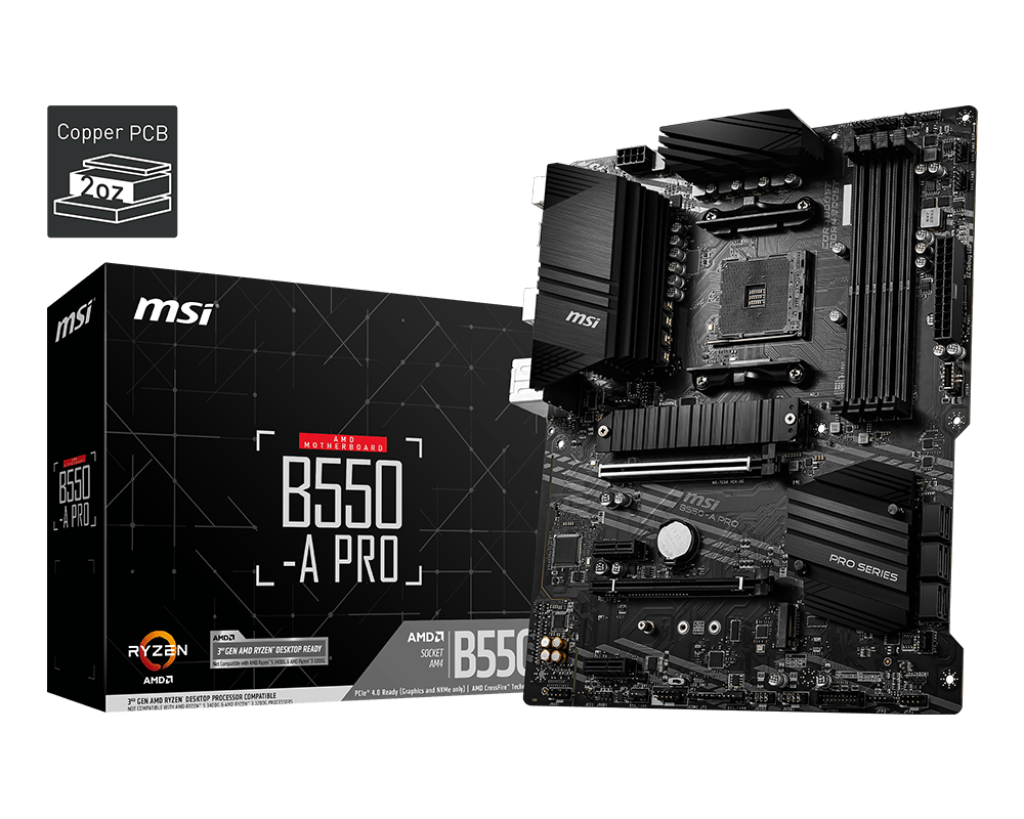
To start, I bought the MSI B550-A-Pro motherboard. I had heard very good things about this board, and I still think it was a good option. I paid $90 for it, and I like the sleek design. Overall, I think it’s a pretty solid motherboard.

.

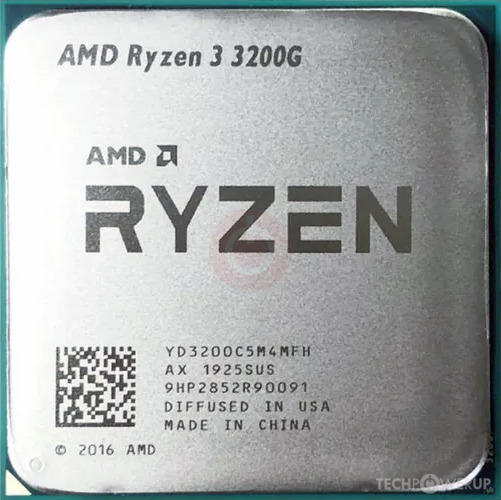
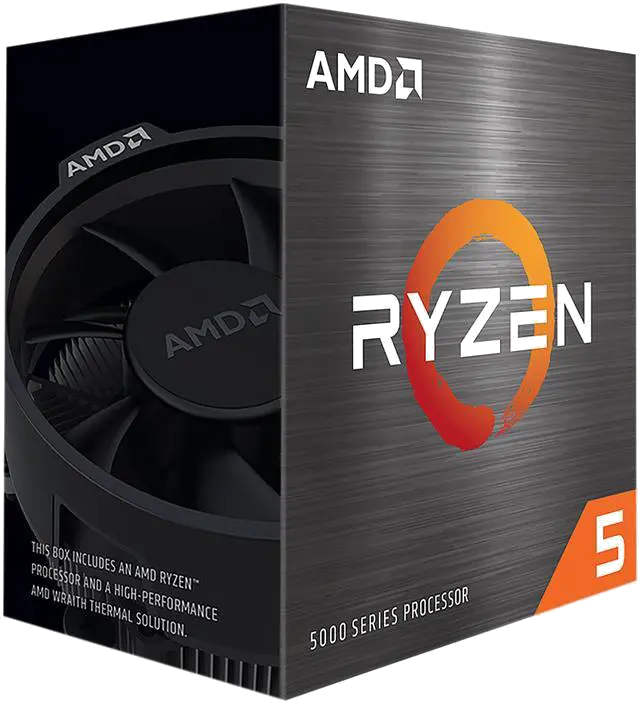
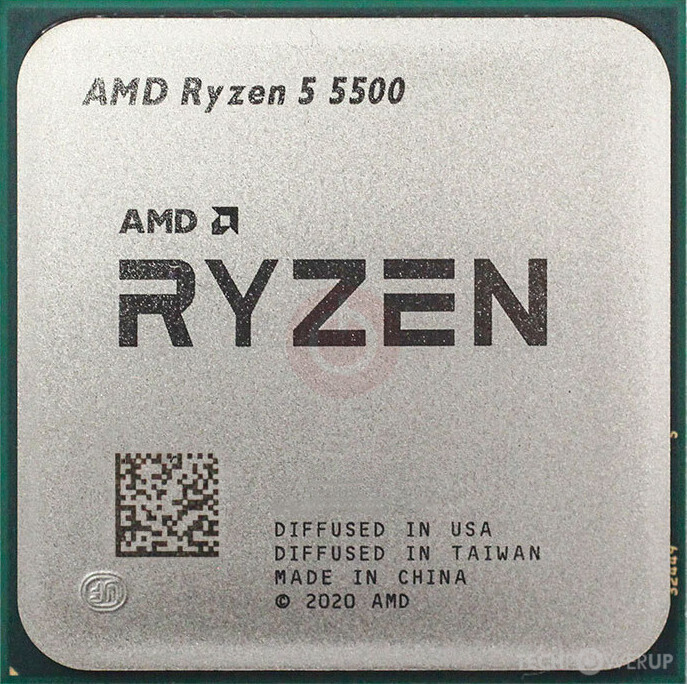
Now, where I went wrong was buying the AMD Ryzen 3 3200G, which I paid $64.40 for on Amazon. I thought, “That’s a good deal I’ll jump on that.” It was the cheapest CPU that would fit my motherboard, and I didn’t want to buy used because I’ve had bad experiences with that before. However, this was a really bad purchase that I’ve learned from.

CPU Specifications:

  • Number of Cores: 4

  • Number of Threads: 4

  • Max Boost Clock: Up to 4.0 GHz

  • Base Clock: 3.6 GHz

  • L1 Cache: 384 KB

  • L2 Cache: 2 MB

  • L3 Cache: 4 MB

  • Unlocked for Overclocking: Yes

  • CPU Socket: AM4

My final thought is, I think this CPU is very bad. Sure, it’s cheap, but it’s extremely slow and not worth the $65. Anyone trying to build a PC on a tight budget should spend a little more money to get a CPU that’s actually worth paying for.

Note:  This review is part of a classroom project.

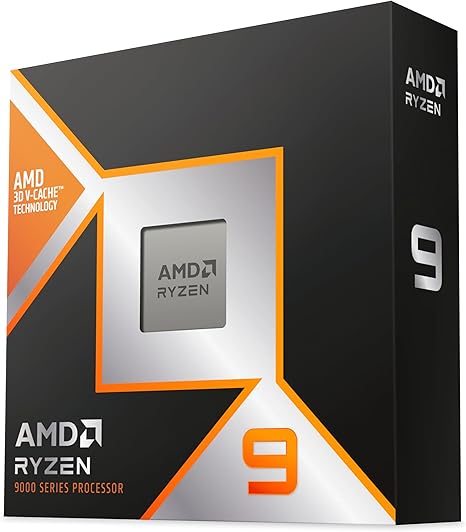
AMD Ryzen 9 9900X Review

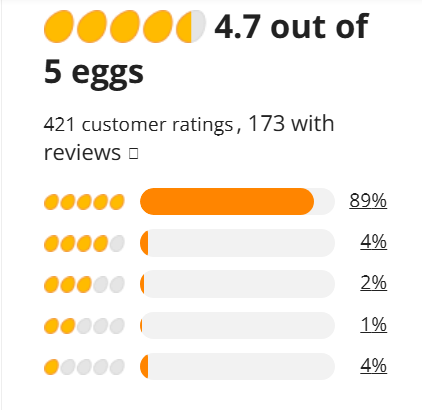
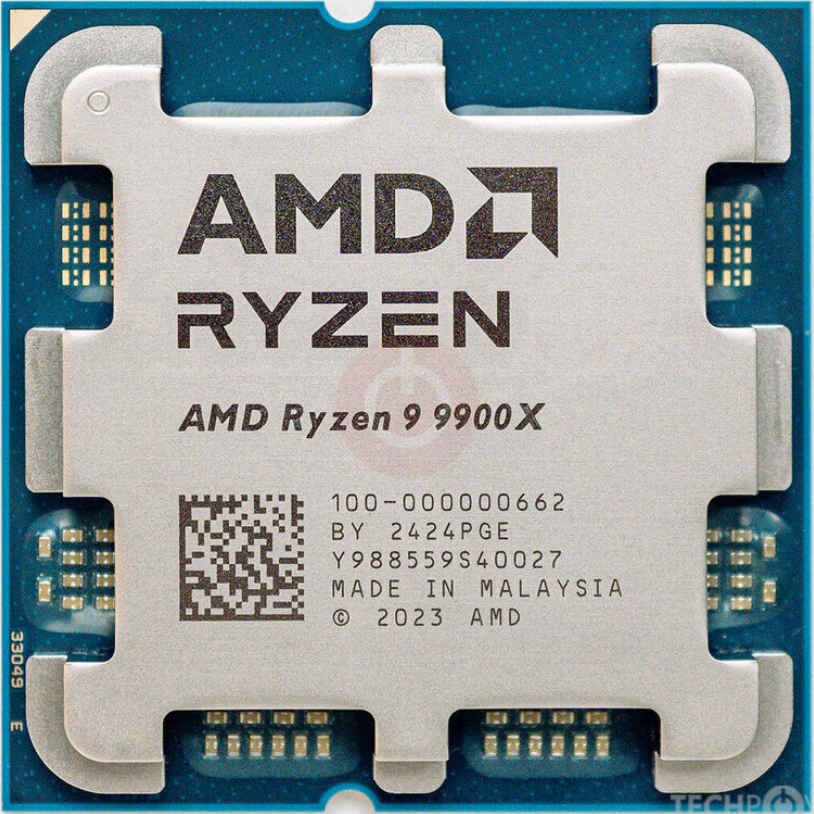
If you own a computer that is compatible with the AMD Ryzen 9 9900X CPU then you should get this one. My motherboard I am using for this CPU is the ASUS made PRIME B850-PLUS WIFI. The Ryzen 9 9900X is currently being sold for $389.99 on Newegg, and has really good reviews.

Reviews

Most of the reviews on Newegg consist of people saying that it was a good improvment to what they had before. There are some cons listed in many of the reviews too but, most of them are just explaining how it’s an improvement but not a major one or that it isn’t the most ideal for gaming. But considering the price it’s not too bad.

Pricing Vs Performance

The price of the CPU is floating around $400 depending on what site you buy it from it could be cheaper or more expensive. But, for the price it runs very well since it can run many higher-end games and applications at a time smoothly but, it’s not always able to run games at maximum graphics

CPU Specs

  • CPU Socket: AM5
  • Number of CPU Cores: 12
  • Multithreading: Yes
  • Number of Threads: 24
  • Maximum Boost Clock Up to 5.6 GHz
  • Base Clock 4.4 GHz
  • L1 Cache: 960 KB
  • L2 Cache: 12 MB
  • L3 Cache: 64 MB

Passmark rating

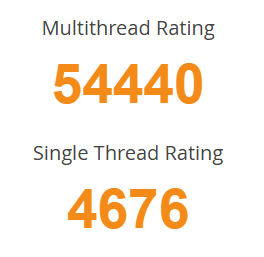
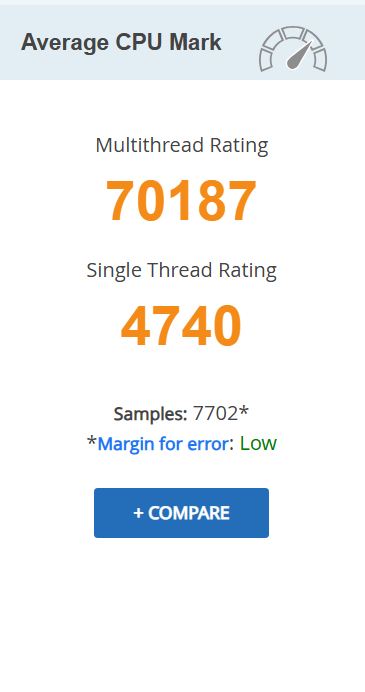
On Passmark, the AMD Ryzen 9 9900X is rated very high on both Multithread and Single Thread, as well as having a very low margin of error and 4817 Smaples. It is also 10th in terms of speed for all AM5 CPUs and is the cheapest CPU in the top 10.

Final Thoughts

If you have the right motherboard with the right CPU Socket, then you should definitely buy this CPU because it runs really well, especially for its price. There’s only one more CPU that is in the top 10 on passmark speedwise that is under $500. So if your budget is somewhere just under $400 dollars, this would be a great CPU to get, especially considering the high passmark ratings. So, for the price this CPU is a really good option to choose.

References

“AMD RyzenTM 9 9900X.” AMD, Nov. 2024, www.amd.com/en/products/processors/desktops/ryzen/9000-series/amd-ryzen-9-9900x.html.

“AMD Ryzen 9 9900X Benchmark.” Cpubenchmark.net, 2024, www.cpubenchmark.net/cpu.php?cpu=AMD+Ryzen+9+9900X&id=6171.

“PassMark Software – CPU Benchmarks – CPU Performance by Socket Type – Socket AM5.” Cpubenchmark.net, 2026, www.cpubenchmark.net/socket-type/am5. Accessed 4 Feb. 2026.

“AMD Ryzen 9 9900X – Ryzen 9 9000 Series Granite Ridge (Zen 5) 12-Core 4.4 GHz – Socket AM5 120W – Radeon Graphics Processor – 100-100000662WOF.” Newegg.com, 2021, www.newegg.com/amd-ryzen-9-9000-series-ryzen-9-9900x-granite-ridge-socket-am5-desktop-cpu-processor/p/N82E16819113842?item=N82E16819113842&utm_medium. Accessed 4 Feb. 2026.

“PRIME B850-plus WIFI.” ASUS Global, 2024, www.asus.com/motherboards-components/motherboards/prime/prime-b850-plus-wifi/. Accessed 4 Feb. 2026.

This review is part of a classroom project.
The Intel core ultra 9 285k on the GIGABYTE Z890 AORUS XTREME AI TOP

The GIGABYTE Z890 AORUS XTREME AI TOP is a great motherboard although it is a little  pricey at $879.99 but you get what you pay for. THis board uses an Intel Z890 express chipset and has multiple PCIe 4.0 and 1 PCIe 5.0 M.2 and 4 6Gb/s SATA connectors.

The brain of the system, the Intel core ultra 9 285k

Not only is this  a great CPU for gaming its also one of the best valued CPUs out there. The Intel core ultra 9 285k is only $579.89 on newegg:https://www.newegg.com/intel-core-ultra-9-285k-arrow-lake-lga-1851-desktop-cpu-processor/p/N82E16819118505 and it will save you even more money because unlike its predecessors it wont over heat with out liquid cooling, it does perfectly fine on air cooling though liquid cooling is still reccomended especially if your going be doing serious gaming or multiple and/or big tasks.

Intel core ultra 9 285k specs

socket:LGA1851

cores/threads:24(8 preformance 16 efficient)

max turbo boost: up to 5.7 GHz

cache: 36MB of Intel Smart cache

Memory support:dual channel DDR5 up to 64ooMT/s

PCIe support: PCIe 5.0 and 4.0

over clocking capable

integrated graphics

References:techradar https://www.techradar.com/computing/cpu/intel-core-ultra-9-285-leak-reveals-spec-of-tamed-arrow-lake-flagship-cpu-and-its-potential-performance-levels

benchmarks:passmark CPU bench mark https://www.cpubenchmark.net/cpu.php?id=6296&cpu=Intel+Core+Ultra+9+285K

In my opinion this is a great duo and adding liquid cooling would only make it better.

NOTE: THIS IS PART OF A SCHOOL PROJECT

Intel Core i9-10900K

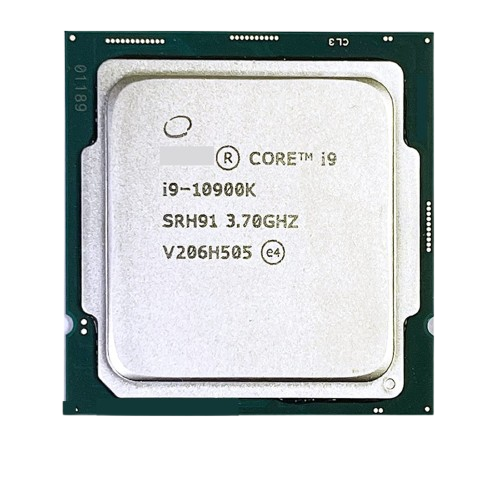
The Intel Core i9-10900K CPU is a great CPU for a home motherboard that you need a fast CPU for. The CPU itself uses a LGA 1200 socket, has 10 cores and 20 threads, has a base clock speed of 3.7 GHZ, and a turbo of 5.3 GHz. Due to this specific CPU being an older model from Intel, it’s a little pricier ($519.12 as of 2/4/26) and is a little harder to find due to the fact that they quit making certain CPU types after awhile.

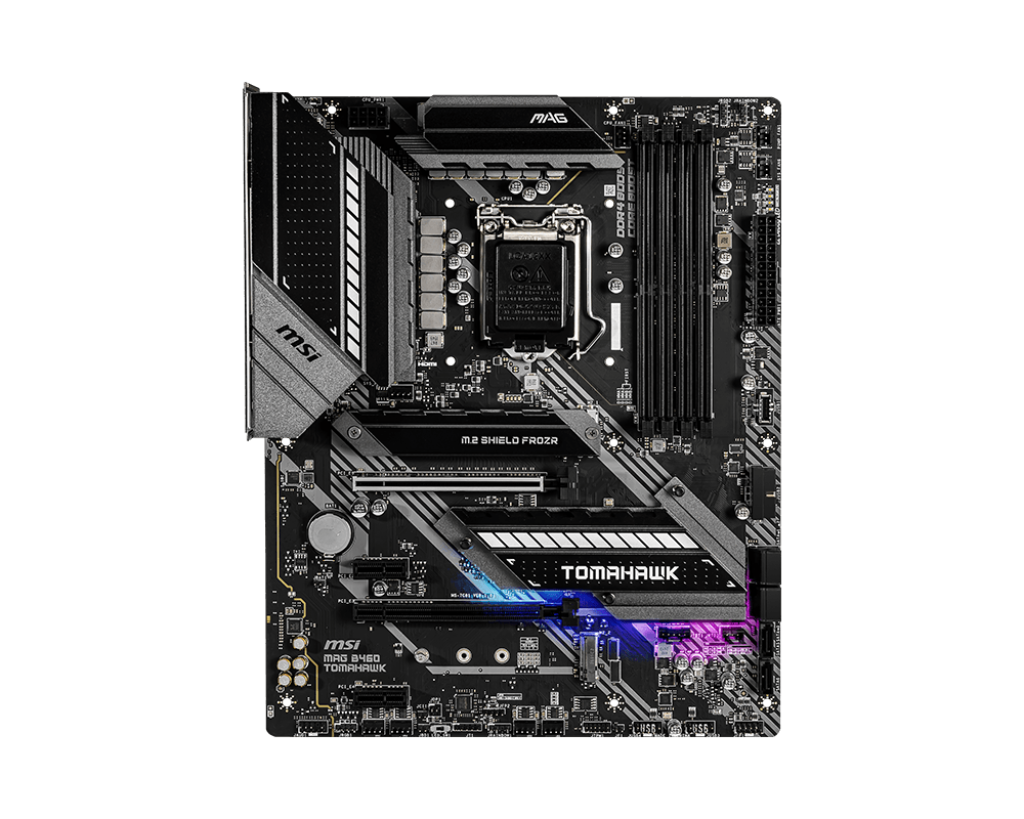
The specific motherboard I selected for this CPU was the MAG B460 Tomahawk (shown below) from the manufacturer MSI. It’s form factor is an ATX, it supports dual channel, and non-ECC, unbuffered memory. It has 6 SATA ports and 2 M.2 slots, has one PCIe 3.0 x16 slot, one PCIe 3.0 slot, and 2 PCIe 3.0 x1 slots.

Besides the higher end price for this specific CPU, it is one of the faster CPUs that you can use for that specific motherboard. PassMark gave this CPU a rating of 22,359 for the multi-thread, and a rating of 3,111 for the single thread. It is a really nice CPU that you can use if you want your PC to run fast.


List of complete Specs for the Intel Core i9-10900K are as follows:

Class: Desktop

Socket: FCLGA1200

Clockspeed: 3.7 GHz

Turbo Speed: 5.3 GHz

Cores: 10 Threads: 20

Typical TDP: 125 W

Cache per CPU Package:
L1 Instruction Cache: 10 x 32 KB
L1 Data Cache: 10 x 32 KB
L2 Cache: 10 x 256 KB
L3 Cache: 20 MB


NOTE: This review is part of a classroom project.
Resources:

https://www.cpubenchmark.net/cpu.php?cpu=Intel+Core+i9-10900K+%40+3.70GHz&id=3730

https://www.cpubenchmark.net/cpu.php?cpu=Intel+Core+i9-10900K+%40+3.70GHz&id=3730

https://www.msi.com/Motherboard/MAG-B460-TOMAHAWK/Specification

i7-14600KF Review

My Build: Intel Core i7-14600KF on a GIGABYTE B660 DS3H

I recently picked up a GIGABYTE B660 DS3H motherboard refurbished on Amazon for just $89, and it’s been a rock-solid foundation for my high-performance PC. This board uses the Intel B660 chipset, offers dual-channel memory support, multiple high-speed PCIe 4.0 M.2 and SATA storage lanes, robust networking (including Gigabit LAN and USB 3.2 Gen2x2 Type-C), and easy BIOS tools like Q-Flash Plus so you can update firmware without a CPU installed — a huge plus for compatibility upgrades

The Heart of the System — Intel Core i7-14600KF

Let me tell you, I absolutely love the performance I’m getting out of this CPU. It’s a powerhouse for both gaming and productivity, and paired with my Cooler Master 240 Elite Liquid CPU Liquid Cooler (scored for $40 on eBay: https://www.ebay.com/itm/397411226112), temperatures stay well under control even under heavy loads.


 Intel Core i7-14600KF — Specs (14th Gen Intel)

  • Socket: LGA 1700
  • Cores/Threads: 20 total (8 Performance + 12 Efficiency)
  • Max Turbo Boost: Up to ~5.6 GHz
  • Cache: 33 MB Intel Smart Cache
  • Memory Support: DDR4-3200 / DDR5-5600 (dual-channel)
  • PCIe Support: PCIe 5.0 & 4.0
  • Unlocked for overclocking
  • No integrated graphics (requires discrete GPU)

Reviews & Benchmarks

For in-depth community and expert perspectives, check out these review hubs:

My Thoughts

This is a GREAT CPU and is well worth the $199 that it cost me!  The negatives on this CPU (from reviews) all seem to be related to improper cooling.  The $40 water cooler I installed is keeping it ~ 38C and I am having no issues at all.  My games load WAY faster!  I do hear the water cooler fans spool up occasionally under heavy loads, but that is what I got it for.  I would HIGHLY recommend this CPU to any gamer.

Note:  This review is part of a classroom project.
References:

https://www.gigabyte.com/us/Motherboard/B660-DS3H-rev-10https://www.amazon.com/https://www.intel.com/content/www/us/en/products/sku/236787/intel-core-i7-14600kf-processor-24m-cache-up-to-5-60-ghz/specifications.htmlhttps://www.newegg.com/intel-core-i7-14th-gen-core-i7-14600kf/p/N82E16819118473https://www.newegg.com/intel-core-i7-14th-gen-core-i7-14600kf/p/N82E16819118473#Reviewshttps://www.techpowerup.com/review/intel-core-i7-14600k/https://www.tomshardware.com/reviews/intel-core-i7-14600k-reviewhttps://www.cpubenchmark.net/cpu.php?cpu=Intel+Core+i7-14600KFhttps://www.ebay.com/itm/397411226112

Ryzen 5 5600 Review


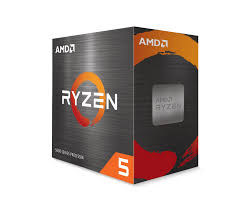
The Ryzen 5 5600 is an amazing budget CPU from AMD. It offers a 6-core 12-thread processor, it base clocks at 3.5 GHz and overclocks up to 4.4 GHz. It is priced at $193.78 on Amazon (as of 2/4/26). This CPU uses an AM4 socket type, which is not the current one, and is not as fast as the AM5. Additionally, it may experience issues updating the BIOS and other motherboard components, simply because it is an older motherboard model, because of the AM4 socket. The other issue is the fact that if any of the pins of the CPU get damaged or bent, the entire CPU is ruined. 

Even though there may be Issues with the motherboard and how careful you have to be with the CPU, it is still a great budget-friendly option, and Passmark shows it with a single thread rating of 3257 and a multi of 21545, which is not bad at all for the price tag that this CPU has.

Specs of Ryzen 5 5600

Class: Desktop

Socket: AM4

Clockspeed: 3.5 GHz

Turbo Speed: 4.4 GHz

Cores: 6 Threads: 12

Typical TDP: 65 W

Cache per CPU Package:
L1 Instruction Cache: 6 x 32 KB
L1 Data Cache: 6 x 32 KB
L2 Cache: 6 x 512 KB
L3 Cache: 32 MB


***Please note that this is for a school project.***

PRIME B550M-A WIFI II Review

If you’re planning to build your own PC, the ASUS PRIME B550M-A WIFI II is a strong budget-friendly motherboard to consider. A motherboard is basically the central hub that connects all the important parts of your computer—like the CPU (Central Processing Unit), which acts as the brain of the system, and RAM (Random Access Memory), which stores information your computer needs quickly.

At a fairly low price—around $84.99 and a 4.5 star rating on Amazon as of December 9, 2025—this board offers a lot of value. It supports a wide range of CPUs, gives you several ways to expand your system over time, and has built-in design features that help keep the components cool without requiring extra tools or accessories.

Strengths

The PRIME B550M-A WIFI II covers everything you need for a solid, everyday computer build. Its compatibility with many AM4 processors means you can start with a cheaper CPU and upgrade later if you want more performance. It also includes useful modern features like M.2 slots for fast storage, built-in Wi-Fi, and a clean layout that makes building easier.

Drawbacks to Consider

Because the board is on the cheaper side, it does come with a few limitations. For example, there are no heatsinks on the M.2 storage slots, which can be a concern since NVMe drives can run hot and may slow down if temperatures get too high.

The board also has minimal aesthetics compared to more premium models—so if you want RGB lighting and a flashy design, this might not be the best fit. In addition, some users may need to manually install audio or Wi-Fi drivers, which can add an extra setup step.

Final Thoughts

Overall, for the price, the ASUS PRIME B550M-A WIFI II delivers excellent value. As long as you’re not planning to run advanced professional software or push the system with heavy overclocking, this motherboard is a reliable and budget-friendly option for most PC builds.

Note: This review is part of a classroom project

MSI B550 PRO-VDH WIFI Motherboard Review

Often with reviews its not common to see more budget-friendly options shown off, but today we’re going against the grain with the confusingly cheap B550 PRO-VDH WIFI from MSI. This motherboard costs only around 90 dollars on Newegg, which is pretty insane, even for a considerably dated motherboard like this one.

Micro-ATX in form with the AM4 PGA CPU socket, this motherboard is well suited to low-budget builds. It uses the B550 chipset and utilizes 4 sticks of DDR4 RAM, up to 128GB total. The “WIFI” in the name is of course, for the WIFI connection ability. The motherboard comes with two WIFI antennae that connect to the rear I/O panel and while rather obviously most would prefer having a LAN connection instead, its very useful for more mobile setups.

As for quality, its not bad. The only issue that could really be found was that the USB ports were a bit easy to bend out of shape. Good soldering, and the reinforcements to the PCIe connectors are very nice (though, for a budget build, it doesn’t quite make sense to get a super heavy GPU). Good quality for the pricing!

The motherboard has a variety of features, like the M.2 Shield Frozr (Essentially, a heatsink for your SSDs), and a dedicated flash BIOS button that are shown in better detail by the official MSI website linked here.

There really isn’t much else to talk about with a motherboard, other than maybe the chipset. It uses the B550 chipset. Basic but it’ll get the job done for older Ryzen CPUs.

That’s pretty much all I can think of about this thing. Affordable, and not bad.

Note:  This review is part of a classroom project.
THE MSI MEG X870E GODLIKE IS WAY TO OVERPRICED

I recently bought an MSI MEG X870E GODLIKE because I figured I’d spoil myself after my huge pay raise from work. On my free time I enjoy to play games like Minecraft, Roblox, and CSGO. All of my friends said:

“Spoil yourself and get the best of the best for your PC — you deserve it.”

So I went ahead and bought this motherboard because I deserve the best for the money I make. I paid about $900.00 and I see no difference from my old motherboard… or any difference in my gaming skills. If I’m paying that kind of money, it should make me better at the game.

My previous motherboard was a MSI B550‑A PRO and it worked really well, but I wanted to get better at games, so I figured to get the highest-end components because I deserve the best. Better PC = better player, my friends always say. I always had the lowest and cheapest PC out of all my friends — I was tired of being the one with the ‘budget’ setup while everyone else flexed their rigs. I decided to change that. Now I am regretting it.

I researched what the best overall motherboard was; I spent hours doing research because, honestly, I deserve the absolute best for my money. For the money I’m paying, there’s no way I should have to guess what’s best. My friends said that MSI AMD was the best, so I asked ChatGPT what the best motherboard MSI offered was. I trusted AI to give me the right answer — as it should. I figured, who would dare give me bad advice when I literally asked a super-smart AI?

It concluded that the MSI MEG X870E GODLIKE is the best motherboard. So I thought, who would know better than AI? Well… I was mistaken. Now I’m stuck with this overpriced board, and honestly, it’s not my fault I trusted everyone. Someone should have warned me — this is ridiculous.

Some things that enticed me to get it were the X870E chipset and the promise of having the absolute best features of the AM5 lineup. For $900, I expected nothing less than perfect performance and a motherboard that would make me feel like a pro gamer instantly, but in all the games I played, I could tell no difference at all. There are way too many bright lights on this board, and it seems like they just put extra stuff on top of the basic board and changed the name.

I am extremely disappointed — $900 for the same performance as my old B550M? This is outrageous; I could have bought half a PC for that price, and I really think I should’ve stuck with my old motherboard and just upgraded other things.

On top of that, I had to pay $200–$250 for new RAM, which is ridiculous considering I already spent $900 on the motherboard. It has the same 6 SATA ports and expansion slots as my previous board, and honestly, the new motherboard isn’t even an upgrade in any meaningful way. I see absolutely no difference, and this was a total waste of money.

DO NOT BUY THIS PRODUCT — MSI, I AM DISAPPOINTED!

Note:  This review is part of a classroom project.
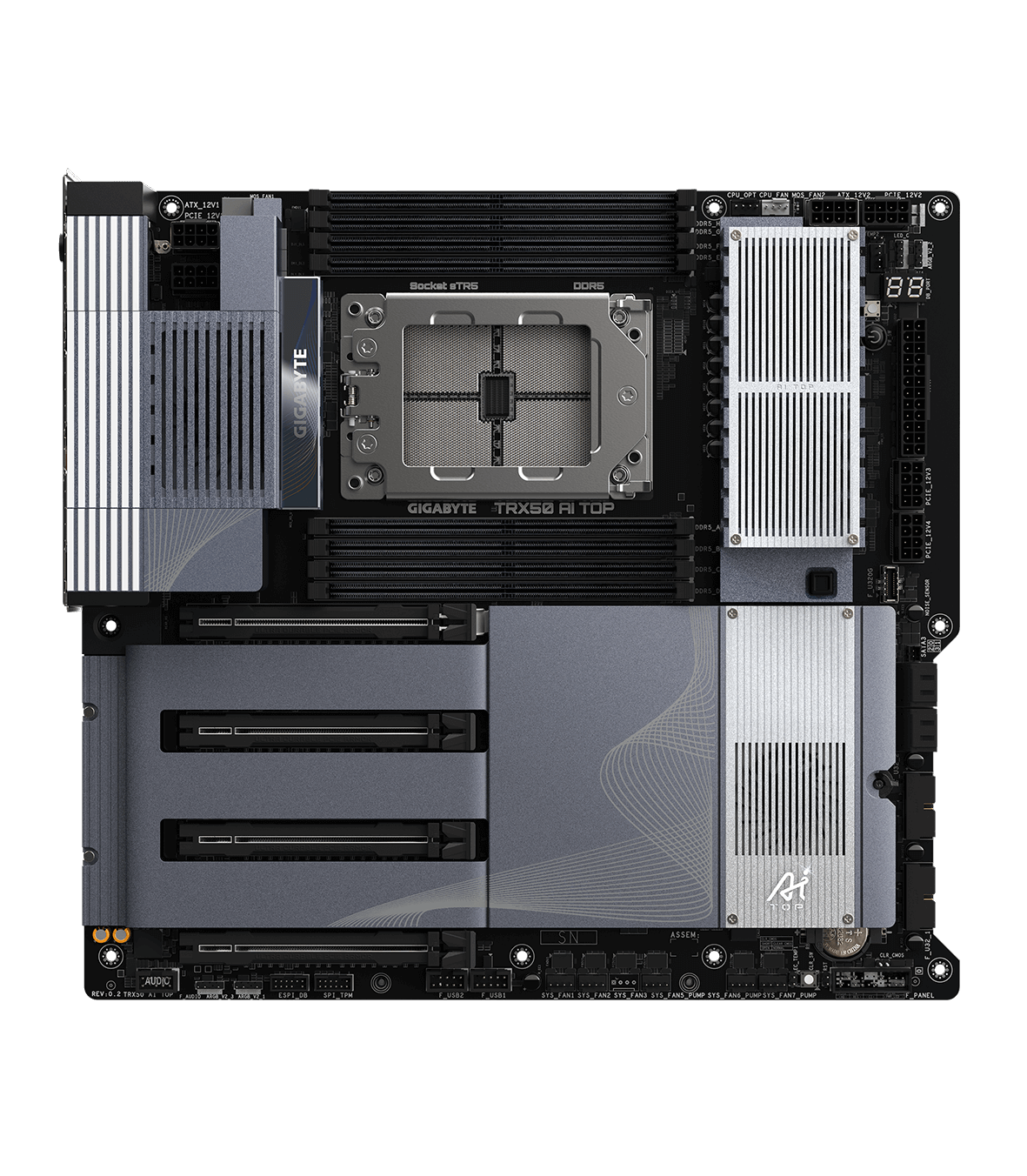
Gigabyte TRX50 AI TOP


     The TRX50 AI TOP motherboard is a gaming motherboard made by GIGABYTE. This motherboard is $1,899.00 on Newegg as of December 9th, 2025. I believe this would be a great gaming motherboard to use for all your gaming needs. However, it is WAY too expensive. With just the motherboard being $1,899, that’s a lot of money on its own. Then you have to add in the fact that you need additional parts for it too, like a CPU. Because the socket is sTR5, the CPU you would need for it would be about the same price as the motherboard, if not more. It would be way too much to get the motherboard and everything it needs. So it is a good motherboard for a gaming PC; however, it just costs way too much to run and to have in general.

     The CPU socket used for the TRX50, like I said, is sTR5, which supports the AMD Ryzen Threadripper PRO 9000/7000 WX-series processors and the AMD Ryzen Threadripper 9000/7000-series processors. This motherboard also has 8—yes, 8!—memory slots. In total, you can get a maximum of 2 TB of memory, which means a single slot can take a maximum of 256 GB.

     This motherboard has 3 M.2 connectors, which is very nice and very useful, and it also has 4 SATA ports. I am really glad that this motherboard has a Q-Flash Plus button on the back panel, because that means if my $1,899 motherboard has something wrong, I can press that button and figure out what is wrong with it in the BIOS. I also really like that this motherboard has 4 PCIe slots. I can put whatever I want in these slots, and there is a decent amount of room between them. I would recommend this motherboard for gaming only if you have the money. If you don’t have the money for this motherboard (which I assume most people don’t), then I’d say it’s not really worth it.

Refrences:

Newegg GIGABYTE TRX50 AI TOP LINK

GIGABYTE WEBSITE GIGABYTE TRX50 AI TOP LINK

Note:  This review is part of a classroom project.