All posts by Dillon

Setting SMTP Notifications on CyberPower OR2200PFCRT2U UPS

Required Items

  • Laptop with CyberPower PowerPanel Personal Installed
    • Click here for installation link
  • Ethernet Cable
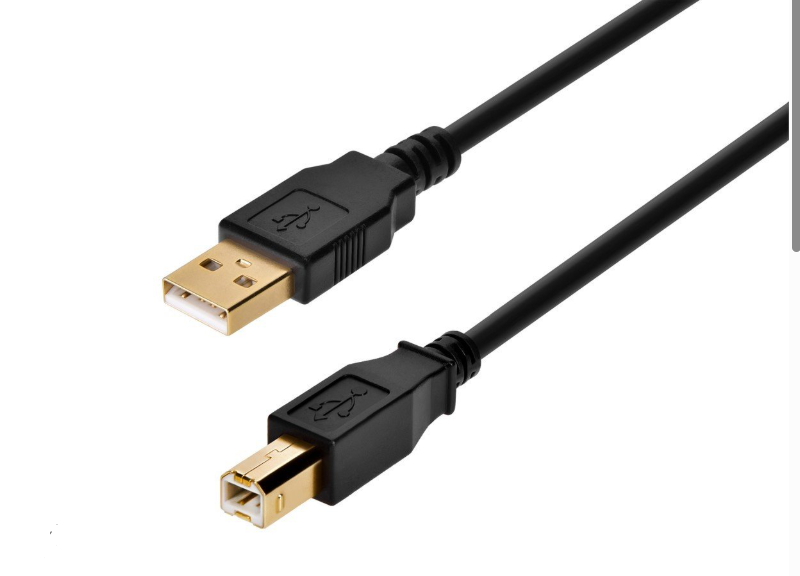
  • USB A to USB B cable (image below)

Instructions

  1. Upon locating UPS (and if necessary installing PowerPlan Personal), open PowerPlan Personal and follow the checklist below.
    • Open PowerPlan Personal
    • You will be directed to a home screen that provides the current status of the UPS.
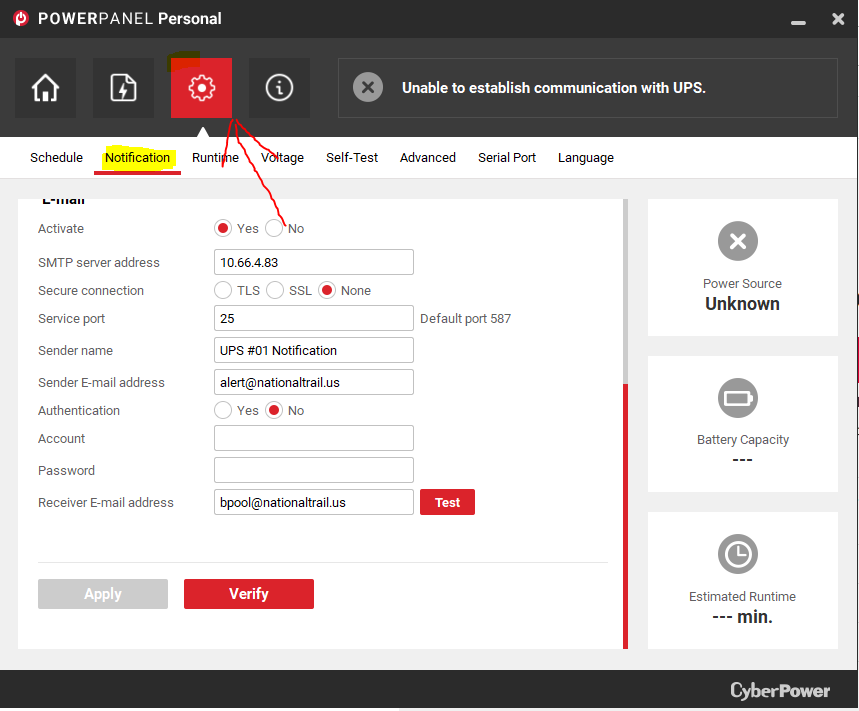
    • At the top are four pages that you may click on. They are a house, file, a settings cog, and an info page. Click on the settings cog.
    • Below the settings cog more options will appear. Click on notification, and scroll to the bottom of the page.
    • This page is where the email can be configured. All configurations should be filled in, however, if they are not please reference image 2. The only thing you will need to change in this process is the sender name.
    • Set the laptop in a safe place and move on to step two. We will come back to the laptop later.
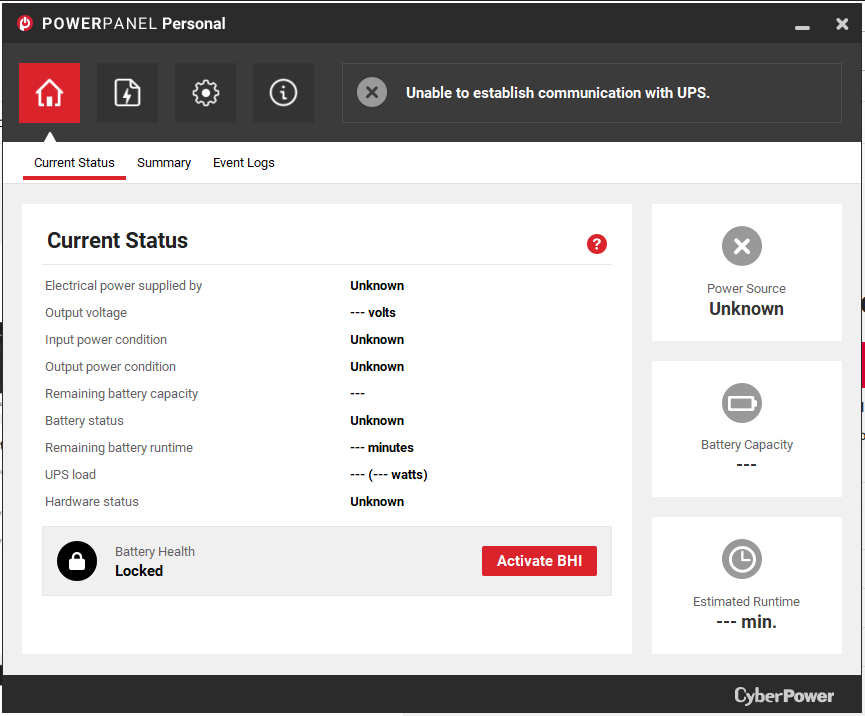
NOTE: The settings in the image above must be set as shown. If they are not, update them to match this image. The only thing that will be edited after the fact will be the sender name.

  1. Locate the top switch
    • The top switch should always be located at the top of switches in the server rack, however it is good practice to use the following checklists to verify.
      • Checklist 1:
        • It is likely that the switches will be labeled with numbers. Check the front panel of the switch for this number and locate switch one. Switch one will always be the top switch.
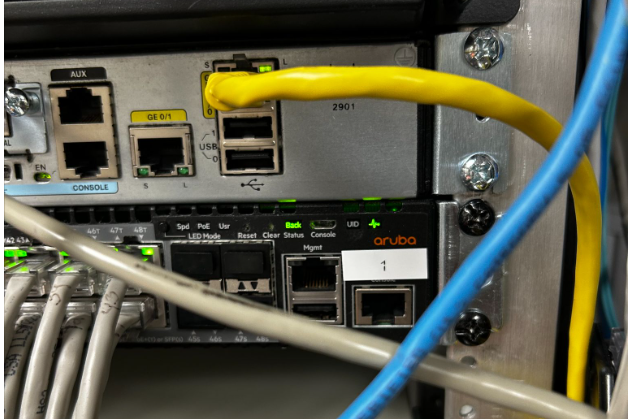
      • Checklist 2:
        • If the switch is not labeled you will need to locate the top switch via the switch stacking cables. The top switch will be at the top of these.
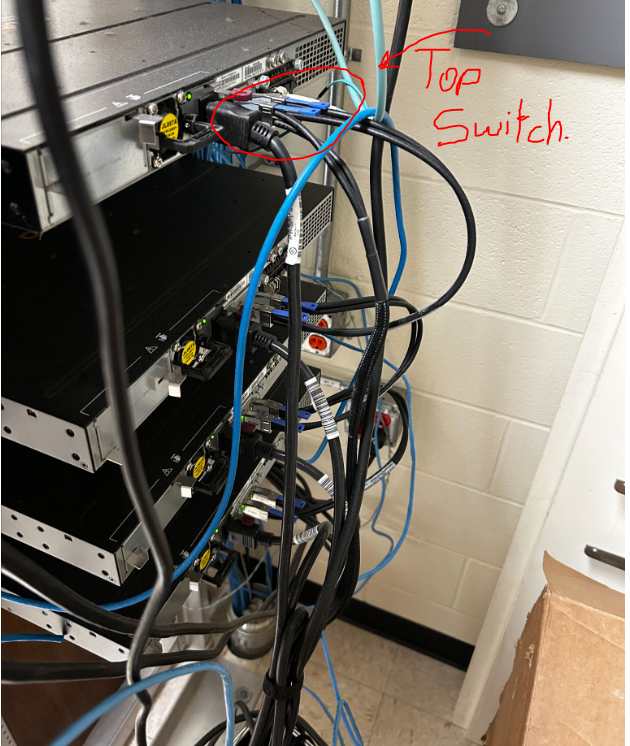
        • Some racks of camera switches in addition to communication switches, for instance, the maintenance closet which has camera switches as well. In this case, you will need to differentiate between the switches that connect to the cameras and the switches that do not. These switches will be labeled, and if they are not, check that they are connected via ethernet cables.
  2. Plug in ethernet cable to switch and UPS
    • The UPS will have an ethernet port labeled, “in”. Plug the first end of ethernet cable into this port.
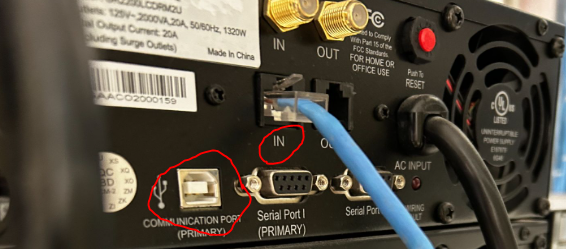
    • Using the most direct and least obstructive path, plug in the second end of the ethernet cable into the switch. It is absolutely crucial that you do not obstruct the front of a different UPS or run a cable through a slot that a UPS/Switch could fit into.
    • If at all possible, DO NOT, run the cable through existing ethernet cables, but rather run the cable behind them to avoid tangling.
  3. Final Step: Using PowerPlan Personal
    • With the ethernet cables plugged in and PowerPlan Personal opened and properly setup, plug in the USB A to USB B cable into the laptop and the correct UPS port, likely titled communication port. (image below)
    • Next, change the number in the sender name. If it is a single digit, add a 0 in front of the number.
      • Ex. UPS #11 Notification —> UPS #09 Notification
    • Lastly, click “Apply”.  If it applies successfully, move onto the next step.
    • Click “Verify”. If it verifies successfully, move onto the next step.
    • Finally, click “Test”. If it tests successfully, you have finished and may unplug the laptop from the UPS.
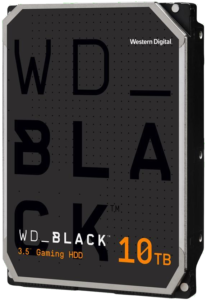

WD Black 10TB Review

The WD101FZBX is a high-performance hard drive manufactured by Western Digital, a well-respected name in the storage industry. This hard drive boasts a capacity of 10TB, making it an ideal option for users who need to store large amounts of data, such as gamers, content creators, and professionals who work with large files.

One of the key features of the WD101FZBX is its 7200 RPM spin speed, which ensures fast data transfer rates and quick access to files. It also has a large 256MB cache, which further enhances its speed and responsiveness. The drive uses the SATA III 6Gbps interface, which is the latest and fastest standard for hard drive connectivity.

The WD101FZBX uses Western Digital’s advanced technology, including the HelioSeal technology, which provides an airtight seal to prevent air from entering the drive, ensuring that the disk components remain free from dust, debris, and other contaminants that can cause damage to the drive.

The drive has a mean time between failure (MTBF) rating of 2.5 million hours, which is quite impressive and offers excellent reliability for long-term use. The WD101FZBX is also compatible with various operating systems, including Windows, Mac, and Linux.

In terms of pricing, the WD101FZBX is a bit more expensive than some of its competitors in the 10TB category. However, it offers excellent value for money, given its high capacity, impressive performance, and reliability. Overall, the WD101FZBX is an excellent choice for users who require a high-capacity hard drive with fast transfer speeds, high reliability, and advanced technology features.  The drive is currently $257.82 on NewEgg and is 4-star rated by > 2500 buyers.

Note:  This review is part of a classroom project.

https://www.newegg.com/black-wd101fzbx-10tb/p/N82E16822234427?recaptcha=pass

Corsair Vengeance Memory 32 GB DDR5 7200MHz Review

The Corsair DDR5 7200MHz memory is the best memory that I have ever owned and I am more than happy to share my review of this memory with you. In the time that I have owned this memory, I have never had any problems with this memory. It’s extremely fast and reliable. Since I have owned this memory the overall speed of my PC has also increased extremely.

4,000+ Best Speed Photos · 100% Free Download · Pexels Stock ...

This RAM is DDR5 with a speed of 7200 MHz and a CL of 34. This RAM is very fast, and reliable, and has really increased the performance of my PC. I would recommend this RAM to any experienced PC enthusiast as it is quite expensive. This RAM comes at a price of $287.99. Although this is expensive, I believe that it’s worth every last penny as this RAM has very high performance.

RAM Specifications

  • DDR5
  • Dual Channel
  • 7200MHz
  • CL 34
  • Non-Parity
  • Non-ECC


Works Cited

“Corsair DDR5.” Are You a Human?, https://www.newegg.com/corsair-32gb/p/N82E16820236932?Item=N82E16820236932&Description=Memory&cm_re=Memory-_-20-236-932-_-Product.

“Human?” Are You a Human?, https://www.newegg.com/corsair-32gb/p/N82E16820236932?Item=N82E16820236932&Description=Memory&cm_re=Memory-_-20-236-932-_-Product.

Note: This is part of a school project


i7-12700KF Review

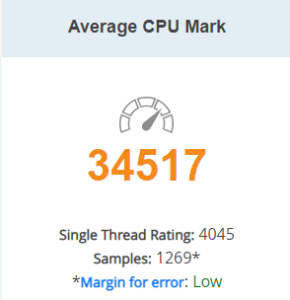
The Intel i7-12700KF is the best CPU that I have ever purchased and I’m more than happy to share my review of it with all of you. In the time that I have owned this CPU, I have not had any problems with it. It runs all of my games extremely well, and scored very high on PassMark, with a score of 34517, and a  single thread rating of 4045.Large, zoomable image of Intel Core i7-12700KF. 2 of 11

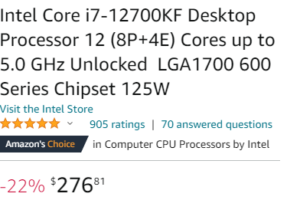
This CPU is also priced very well, at $276.81. The i7-12700KF has 12 cores and 20 threads, which allows this CPU to do multiple tasks at the same time, and maintain a fast speed.  On Amazon, this CPU reached a rating of 4.8 stars out of 5, from 905 different ratings.

Not only does this CPU have 12 cores and 20 threads, but it also takes Intel’s newest socket, the LGA 1700. This socket is extremely fast, which allows the CPU to have a base speed of 3.6 GHz, and a turbo speed of 5.0 GHz. This CPU works exceptionally well with all operating systems, especially Windows 10 and Windows 11. I recommend using a new version of RAM with this CPU, which gives even better performance.


Specifications of CPU copied from Intel 

Total Cores 12
# of Performance-cores8
# of Efficient-cores4
Total Threads 20
Max Turbo Frequency 5.00 GHz
Intel® Turbo Boost Max Technology 3.0 Frequency ‡ 5.00 GHz
Performance-core Max Turbo Frequency 4.90 GHz
Efficient-core Max Turbo Frequency 3.80 GHz
Performance-core Base Frequency3.60 GHz
Efficient-core Base Frequency2.70 GHz
Cache 25 MB Intel® Smart Cache
Total L2 Cache12 MB
Processor Base Power 125 W
Maximum Turbo Power 190 W”

In Conclusion, I would recommend this CPU to anyone in the market for a new CPU, but that also do not want to break the bank. This CPU is very powerful and has all of the specs to back it up. This CPU blew past all of my expectations for it, and I am more than satisfied with my purchase.

Note: This is part of a class project

Works Cited

Amazon.com: Intel Core i7-12700KF Desktop Processor 12 (8P+4E) Cores up … https://www.amazon.com/Intel-i7-12700KF-Desktop-Processor-Unlocked/dp/B09FXKHN7M.

“Intel Core i7-12700KF.” Iconcharts, https://www.cpubenchmark.net/cpu.php?cpu=Intel%2BCore%2Bi7-12700KF&id=4608.

“Intel® Core™ I7-12700KF Processor (25m Cache, up to 5.00 GHz) – Product Specifications.” Intel, https://www.intel.com/content/www/us/en/products/sku/134595/intel-core-i712700kf-processor-25m-cache-up-to-5-00-ghz/specifications.html.