Threadripper PRO 9985WX AI UPDATE

The Motherboard for the CPU
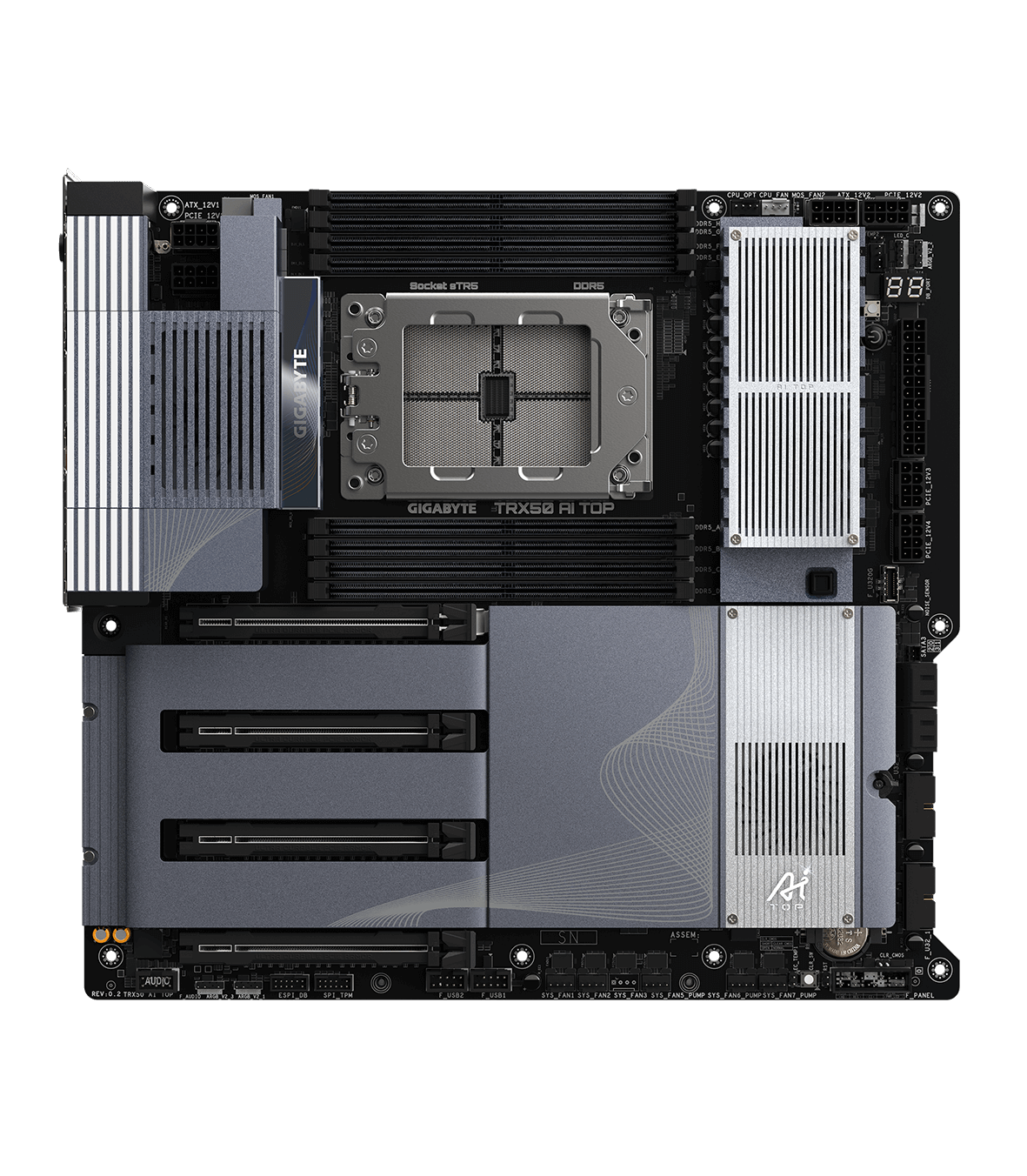
I recently paired the Threadripper PRO 9985WX with a Gigabyte TRX50 AI TOP motherboard. Being such a powerful processor, it definitely runs hot – I’d highly recommend investing in a robust water cooling solution. The TRX50 AI TOP itself is built for serious performance with its quad-channel memory support (capable of handling up to 8 RAM sticks), four 6GB SATA connectors, three M.2 slots, and four PCIe lanes. Speaking of performance, this CPU is a beast. It handles everything I throw at it with smooth efficiency and blazing speed. While there are undoubtedly more powerful CPUs available on the market, the Threadripper PRO 9985WX delivers exceptional results within its price range.

The CPU
Now, let’s talk about the cost: This combination isn’t exactly budget-friendly. The motherboard clocks in around $1,900 and the CPU itself comes with a hefty $8,000 price tag. So for this build alone, you’re looking at nearly $9,900 before factoring in other components like storage, peripherals, and a case.

Threadripper PRO 9985WX Specifcations

  • Socket: sTR5
  • Cores: 64
  • Threads: 128
  • Max Turbo Speed: 5.4 GHz
  • Memory Support: DDR5 6400
  • L1 Instruction Cache: 64 x 32 KB
  • L1 Data Cache: 64 x 32 KB
  • L2 Cache: 64 x 1024 KB
  • L3 Cache: 256 M

Final Thoughts
This CPU is a fantastic choice for users who demand the absolute best performance and have the budget to match. If you’re looking for incredible speed and multitasking capability, the Threadripper PRO 9985WX delivers in spades. However, there are more affordable options available if you don’t require this level of power.

                                                                              Refrences

Threadripper PRO 9985WX

Gigabyte TRX50 AI TOP

Passmark

Motherboard Price

CPU Price

Note: This review is part of a classroom project.

Intel® Core™ i9-11900K Review

My Build: Intel® Core™ i9-11900K on an ASUS PRIME Z490-P

I recently picked up an ASUS PRIME Z490-P motherboard  for $101.22 new from Newegg. This motherboard is older and more budget-friendly, but it still packs a punch. The Z490-P features the Intel® Z490 chipset, two M.2 slots, six SATA 6 Gb/s ports, and overall solid build quality for its price point. Although this motherboard was originally designed for 10th Gen Intel CPUs, a BIOS update allows it to support 11th Gen Intel processors, including the i9-11900K used in my build.

The Heart of the System – Intel® Core™ i9-11900K

Although the Intel® Core™ i9-11900K isn’t the most powerful CPU on the market, it still delivers strong performance. It’s an impressive processor that continues to hold up today, especially for gaming and general daily use. In my experience, the i9-11900K handles modern games and multitasking without issue.

The main downside is the amount of heat this CPU generates, along with its relatively high price of $460.73 on Newegg at the time of purchase. Because of this, it’s hard to call the i9-11900K the best value CPU available right now. That said, I personally enjoy using it and plan to continue running it in my system.

Intel® Core™ i9-11900K – Specs (11th Gen Intel)

Socket: LGA 1200
Cores: 8
Threads: 16
Max Turbo Boost: Up to 5.30 GHz
Cache: 16 MB Intel® Smart Cache
Memory Support: DDR4-3200
PCIe Support: PCIe 4.0 (supported on compatible motherboards with 11th Gen CPUs)
Graphics: Intel® UHD Graphics 750

Reviews & Benchmarks

For in-depth community and expert opinions, check out these review hubs:

Newegg Reviews – User-submitted real-world experiences
https://www.newegg.com/intel-core-i9-11th-gen-core-i9-11900k-rocket-lake-lga-1200-desktop-cpu-processor/p/N82E16819118231?srsltid=AfmBOoqRkMN9UBfuEYymfEIZNFoumHDqSsDcjBbmNbmoeF9ury5mniPg

Specs & Comparison Info – Official Intel specifications and details
https://www.intel.com/content/www/us/en/products/sku/212325/intel-core-i911900k-processor-16m-cache-up-to-5-30-ghz/specifications.html

My Thoughts

I think the Intel® Core™ i9-11900K processor is a functional and well-built CPU. In my setup, it does struggle with thermal throttling at times, although this is likely due to the cooling solution rather than a flaw with the CPU itself. While the i9-11900K is not inherently a bad processor, it has become much more expensive relative to its performance because of its age. Additionally, LGA 1200 motherboards are now considered outdated.

There are newer CPUs available that offer better performance and value for less money. Because of its age and current pricing, I would not personally recommend this CPU to most buyers today.

Note: This review is part of a classroom project.

References:

https://www.intel.com/content/www/us/en/products/sku/212325/intel-core-i911900k-processor-16m-cache-up-to-5-30-ghz/specifications.html

https://www.newegg.com/intel-core-i9-11th-gen-core-i9-11900k-rocket-lake-lga-1200-desktop-cpu-processor/p/N82E16819118231?srsltid=AfmBOoqRkMN9UBfuEYymfEIZNFoumHDqSsDcjBbmNbmoeF9ury5mniPg

https://www.newegg.com/asus-prime-z490-p-atx-intel-motherboard-intel-z490-lga-1200/p/N82E16813119272

https://uk.store.asus.com/90mb12v0-m0eay0-feed.html

Intel Core i9-10900K, AI Edit

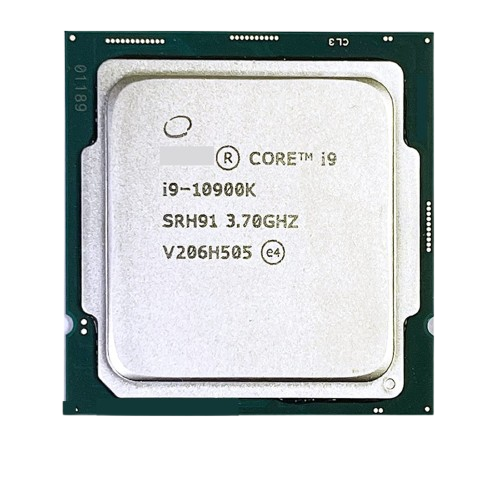
The Intel Core i9-10900K is a strong choice for a home desktop build if you need a fast, reliable CPU. This processor uses the LGA 1200 socket and features 10 cores and 20 threads, with a base clock speed of 3.7 GHz and a turbo boost of up to 5.3 GHz. Because this is an older, discontinued Intel model, it can be a bit pricier than expected for its age (around $519 as of 2/4/26) and somewhat harder to find, since Intel no longer manufactures this specific CPU.

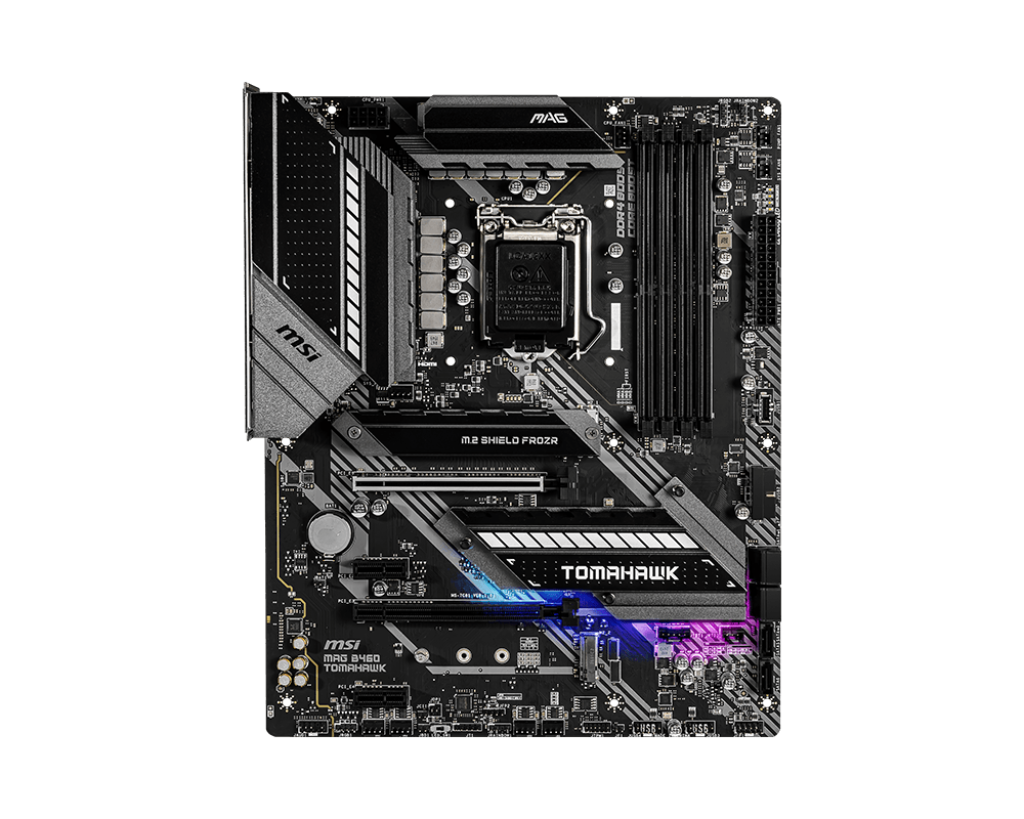
The motherboard I selected for this CPU is the MSI MAG B460 Tomahawk (shown below). It uses an ATX form factor and supports dual-channel, non-ECC, unbuffered memory. The board includes six SATA ports and two M.2 slots, along with one PCIe 3.0 x16 slot, one PCIe 3.0 slot, and two PCIe 3.0 x1 slots. While the B460 chipset does not allow CPU overclocking, it pairs well with the i9-10900K for users who want strong out-of-the-box performance without manual tuning.

Despite the higher price for this specific CPU, it is one of the fastest processors you can use on a B460 motherboard. In my testing and research, PassMark gives the i9-10900K a multi-thread score of 22,359 and a single-thread score of 3,111. In everyday use, the system felt very responsive, with fast load times and smooth multitasking. Overall, it’s a solid CPU choice if you want your PC to run quickly and handle demanding applications well.

List of complete specs for the Intel Core i9-10900K are as follows:

Class: Desktop
Socket: FCLGA1200
Clock Speed: 3.7 GHz
Turbo Speed: 5.3 GHz
Cores: 10
Threads: 20
Typical TDP: 125 W

Cache per CPU package:
L1 Instruction Cache: 10 × 32 KB
L1 Data Cache: 10 × 32 KB
L2 Cache: 10 × 256 KB
L3 Cache: 20 MB

NOTE: This review is part of a classroom project.

Resources:
https://www.newegg.com/intel-core-i9-10th-gen-core-i9-10900k-comet-lake-lga-1200-desktop-cpu-processor/p/N82E16819118122?scrlybrkr=7a7e08ea

https://www.msi.com/Motherboard/MAG-B460-TOMAHAWK/Specification

https://www.cpubenchmark.net/cpu.php?cpu=Intel+Core+i9-10900K+%40+3.70GHz&id=3730

the Ryzen 3200G is REALLY Bad (AI revised)

The Ryzen 3 3200G Is Not Worth Your Money

Recently, I found out that the desktop world is much better than being on a laptop. For a couple of years, I used a laptop from high school, and I noticed it was running very slow. After talking to a lot of IT people, they all told me to get a desktop system. They said it would be a little more expensive, but very worth it in the end.

The only problem is that I’m broke and don’t have money for a really expensive computer, so I decided to go as cheap as possible — and oh boy, was I wrong. I’ve had the worst experience and ended up spending more money than I thought. This was a big mistake, and I hope nobody else does what I did.

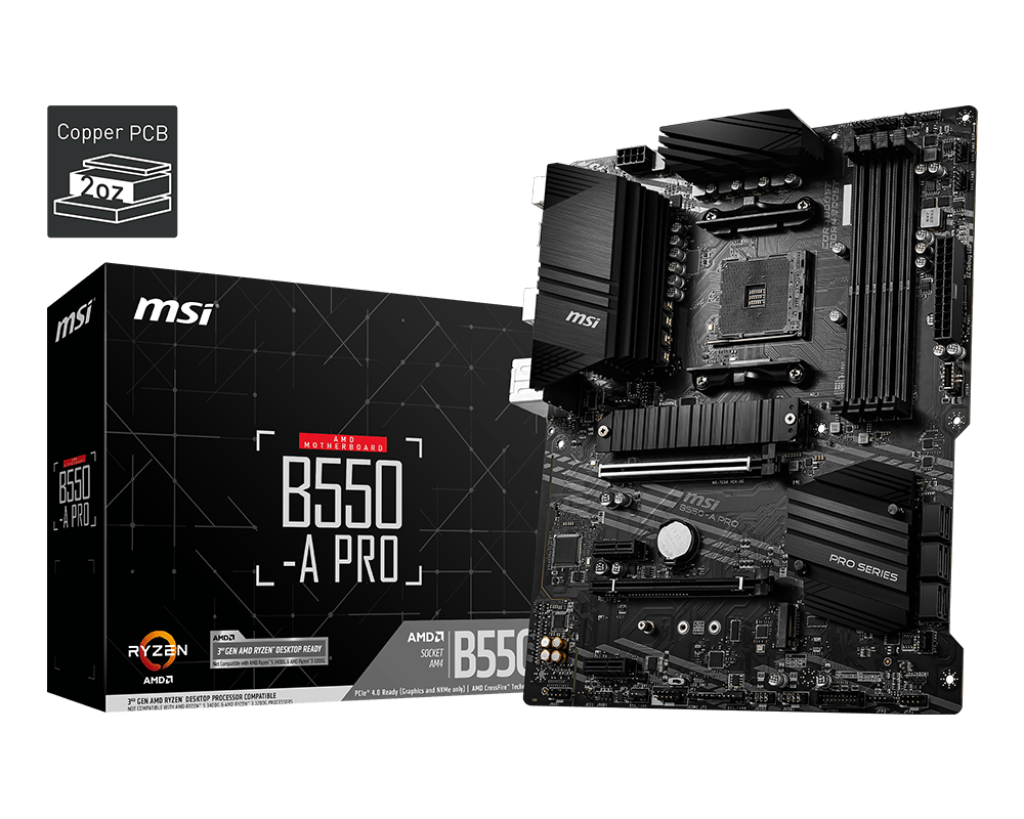
To start, I bought the MSI B550-A PRO motherboard. I had heard very good things about this board, and I still think it was a good option. I paid $90 for it, and I like the sleek design. Overall, I think it’s a pretty solid motherboard.

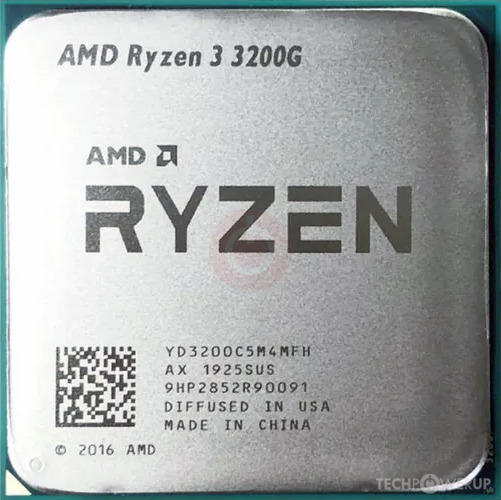
Now, where I went wrong was buying the AMD Ryzen 3 3200G, which I paid $64.40 for on Amazon. I thought, “That’s a good deal, I’ll jump on that.” It was the cheapest CPU that would fit my motherboard, and I didn’t want to buy used because I’ve had bad experiences with that before. However, this was a really bad purchase that I’ve learned from.

Here are the CPU specifications:

  • Cores: 4

  • Threads: 4

  • Base Clock: 3.6 GHz

  • Max Boost Clock: Up to 4.0 GHz

  • L1 Cache: 384 KB

  • L2 Cache: 2 MB

  • L3 Cache: 4 MB

  • Unlocked for Overclocking: Yes

  • CPU Socket: AM4

Those specs look decent on paper for a budget CPU, but in real-world use, performance was underwhelming. Even basic tasks like web browsing with multiple tabs open and light gaming felt sluggish compared to what I expected, especially after hearing desktop PCs were supposed to feel faster than my old laptop.

My final thought is, I think this CPU is very bad. Sure, it’s cheap, but it’s extremely slow and not worth the $65. Anyone trying to build a PC on a tight budget should spend a little more money to get a CPU that’s actually worth paying for.

Note: This review is part of a classroom project.

AMD Ryzen 9 9900X Review – AI Update

AMD Ryzen 9 9900X Review

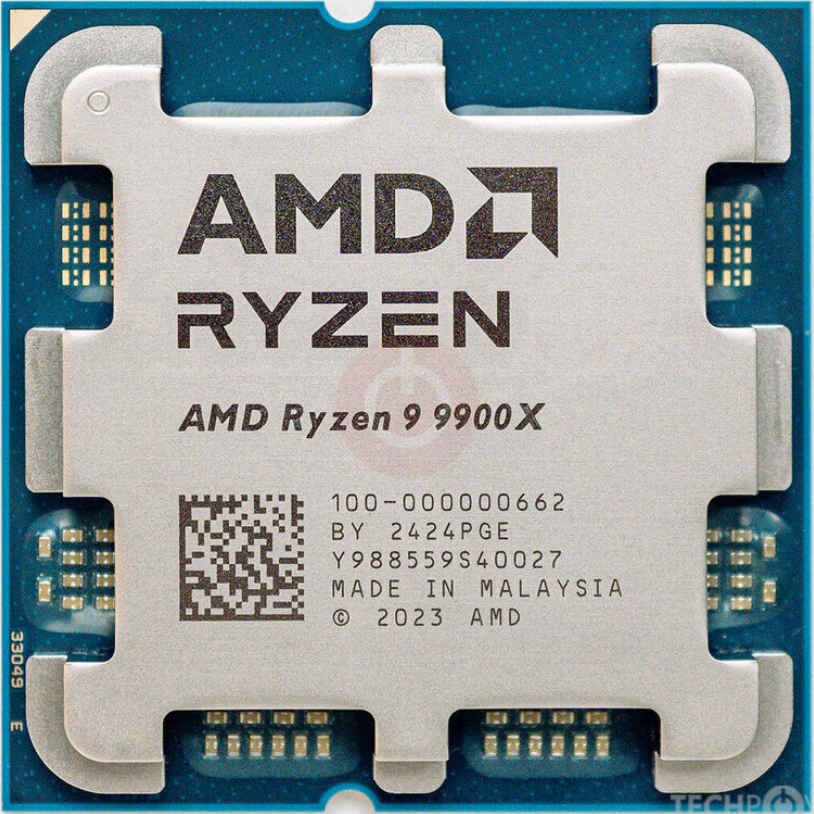
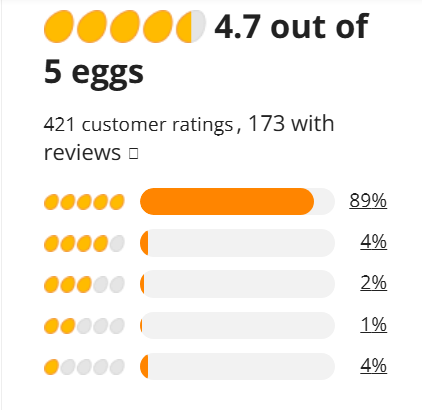
If you own a computer that is compatible with the AMD Ryzen 9 9900X CPU, then this is a strong option to consider. The motherboard I am using for this CPU is the ASUS-made PRIME B850-PLUS WIFI. The Ryzen 9 9900X is currently being sold for around $389.99 on Newegg and has received very positive reviews from buyers.

Reviews

Most of the reviews on Newegg consist of users saying that it was a good improvement over what they had before. There are some cons listed in many of the reviews, but most of them explain that while it is an improvement, it is not always a massive upgrade for gaming-focused builds. However, considering the price and performance balance, it still provides strong overall value.
Pricing vs. Performance

The price of the CPU is floating around $400. Depending on the site you buy it from, it could be slightly cheaper or more expensive. For the price, it performs very well since it can run many higher-end games and applications smoothly at the same time. During my use, multitasking performance felt very responsive, especially when running demanding programs alongside games. However, it is not always able to run every modern game at maximum graphics settings without pairing it with a high-end GPU, which is important to consider.

CPU Specs

CPU Socket: AM5
Number of CPU Cores: 12
Multithreading: Yes
Number of Threads: 24
Maximum Boost Clock: Up to 5.6 GHz
Base Clock: 4.4 GHz
L1 Cache: 960 KB
L2 Cache: 12 MB
L3 Cache: 64 MB
Default TDP: 120W
Integrated Graphics: AMD Radeon Graphics

PassMark Rating

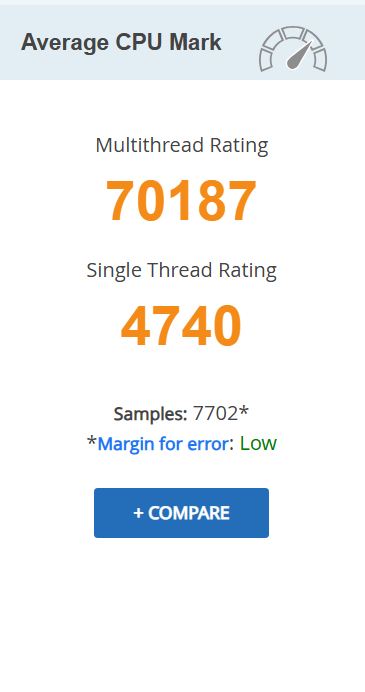
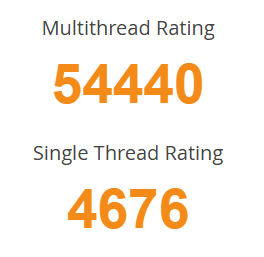
On PassMark, the AMD Ryzen 9 9900X is rated very high in both multithread and single-thread performance, while also showing consistent benchmark results across thousands of samples. According to the data available at the time of writing, it ranks among the fastest AM5 CPUs and is one of the more affordable processors within the top performance tier. This makes it a strong option for users who want high performance without paying flagship-level prices.
Final Thoughts

If you have the right motherboard with the AM5 CPU socket, then you should strongly consider buying this CPU because it performs very well, especially for its price range. Based on benchmark rankings and overall value, there are very few CPUs that match its performance while staying under the $500 price point.

If your budget is just under $400, this would be a great CPU to choose, especially considering its strong PassMark ratings and solid real-world multitasking performance. From my experience using it, the Ryzen 9 9900X offers a good balance between power, efficiency, and price, making it a reliable option for productivity and general high-performance computing.

References

“AMD Ryzen™ 9 9900X.” AMD, Nov. 2024, www.amd.com/en/products/processors/desktops/ryzen/9000-series/amd-ryzen-9-9900x.html.

“AMD Ryzen 9 9900X Benchmark.” Cpubenchmark.net, 2024, www.cpubenchmark.net/cpu.php?cpu=AMD+Ryzen+9+9900X&id=6171.

“PassMark Software – CPU Benchmarks – CPU Performance by Socket Type – Socket AM5.” Cpubenchmark.net, 2026, www.cpubenchmark.net/socket-type/am5. Accessed 4 Feb. 2026.

“AMD Ryzen 9 9900X – Ryzen 9 9000 Series Granite Ridge (Zen 5) 12-Core 4.4 GHz – Socket AM5 120W – Radeon Graphics Processor – 100-100000662WOF.” Newegg.com, www.newegg.com/amd-ryzen-9-9000-series-ryzen-9-9900x-granite-ridge-socket-am5-desktop-cpu-processor/p/N82E16819113842. Accessed 4 Feb. 2026.

“PRIME B850-PLUS WIFI.” ASUS Global, 2024, www.asus.com/motherboards-components/motherboards/prime/prime-b850-plus-wifi/. Accessed 4 Feb. 2026.

This review is part of a classroom project.
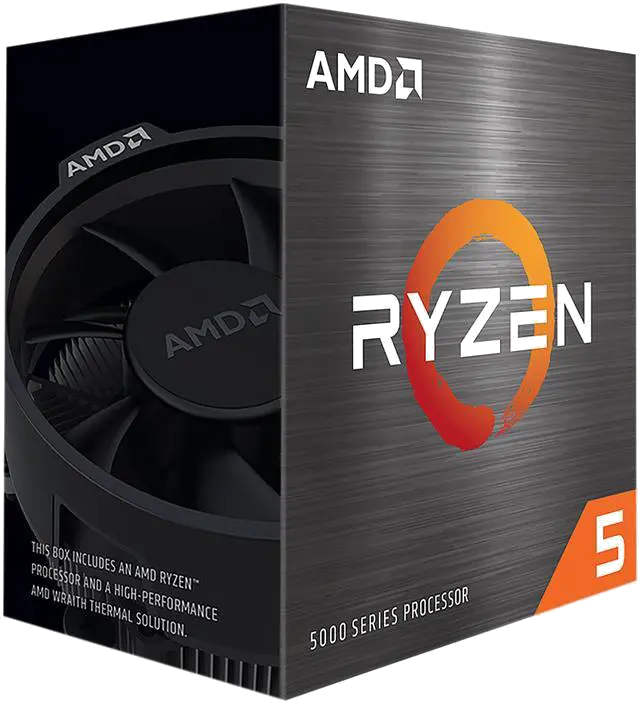
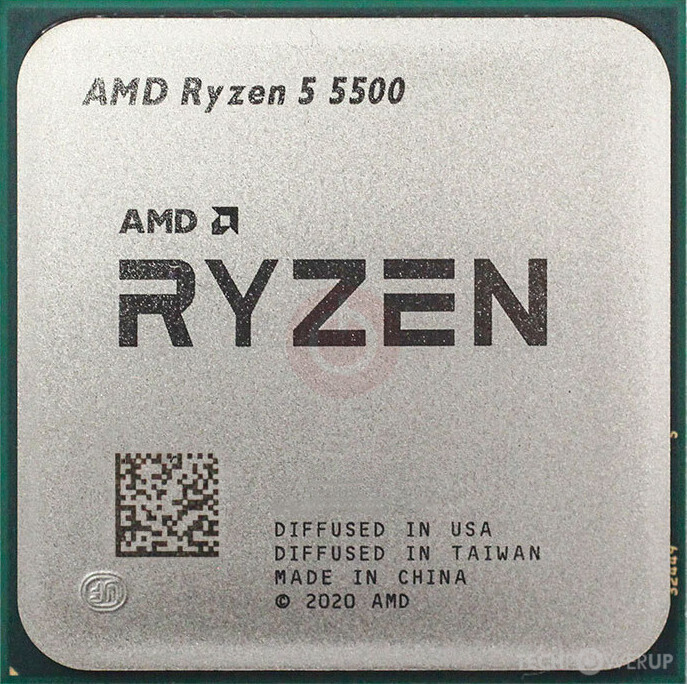
AMD Ryzen 5 5500 Review: Cheap yet Good (Human Revision)

Good evening, friends. I’m again going to focus on a more budget-focused product, I’d like to review the AMD Ryzen 5 5500 CPU. It has an AM4 socket, so it’s a bit older than your AM5s or STR5’s, but give it a chance; It’s way better than it seems.

First off, lets go over some basic info. Its clock speed is 3.6GHZ,  it has 6 x 32KB of cache for both the instruction L1 and data L1 caches, 6 x 512KB for L2, and 16MB of L3. Now, the main pull factor for this thing is that It is DIRT cheap. I snagged mine from a tray pack on Newegg for $87.49, which for a pretty decent CPU, is astonishingly cheap. Granted, it didn’t come with a fan due to it being from a tray, but with a fairly cheap fan or even a Cooler Master, it runs just fine. According to Passmark’s CPU benchmarks, it has one of the best value for its price on the market. This thing has a single thread score of 3061, and a multi-thread score of 19295, which, for $90, is a steal.

The main issues I see is that 1: The L3 Cache isn’t that good, at only 16 MB, 2: it can only use PCIe 3.0, and 3: Similar Intel processors may be more viable (according to the review from Tom’s Hardware, as I myself am not too knowledgeable about Intel’s processors), which are some valid things to be concerned with, and probably why it’s so cheap. However, for budget builds, this thing is superb and i would definitely recommend it for anyone looking for good performance with a great price.

(Note: This review was part of a class project.)

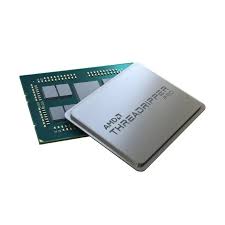
i7-14600KF Review – AI Update

My Build: Intel Core i7-14600KF on a GIGABYTE B660 DS3H

I recently picked up a GIGABYTE B660 DS3H motherboard refurbished on Amazon for just $89, and it’s been a rock-solid foundation for my high-performance PC. This board uses Intel’s B660 chipset and offers dual-channel memory support, multiple high-speed PCIe 4.0 M.2 slots, SATA storage lanes, and solid connectivity options like Gigabit LAN and USB 3.2 Gen 2. It also includes easy BIOS tools such as Q-Flash Plus, which lets you update the firmware without a CPU installed—a huge plus when upgrading to a newer-generation processor.


The Heart of the System — Intel Core i7-14600KF

Let me tell you, I absolutely love the performance I’m getting out of this CPU. It’s a serious powerhouse for both gaming and productivity, and when paired with my Cooler Master 240 Elite liquid CPU cooler (scored for $40 on eBay: https://www.ebay.com/itm/397411226112), temperatures stay well under control even during extended gaming and stress testing.


Intel Core i7-14600KF — Specs (14th Gen Intel)

  • Socket: LGA 1700
  • Cores / Threads: 14 cores total (6 Performance + 8 Efficiency) / 20 threads
  • Max Turbo Boost: Up to ~5.3 GHz (P-cores)
  • Cache: 24 MB Intel Smart Cache
  • Memory Support: DDR4-3200 or DDR5-5600 (dual-channel)
  • PCIe Support: PCIe 5.0 and PCIe 4.0
  • Unlocked: Yes (note: CPU overclocking is chipset-dependent)
  • Integrated Graphics: None (requires a discrete GPU)

Reviews & Benchmarks

For additional community feedback and technical breakdowns, these resources are worth checking out:

🔗 Newegg Reviews – User-submitted performance impressions and real-world feedback
https://www.newegg.com/intel-core-i7-14th-gen-core-i7-14600kf/p/N82E16819118473#Reviews

📊 Official Intel Specifications – Core architecture, boost clocks, and platform support
https://www.intel.com/content/www/us/en/products/sku/236787/intel-core-i7-14600kf-processor-24m-cache-up-to-5-30-ghz/specifications.html


My Thoughts

This is a GREAT CPU and absolutely worth the $199 I paid for it. Most of the negative feedback I’ve seen in other reviews seems to come down to inadequate cooling. With my $40 liquid cooler installed, I’m seeing idle temps around ~38°C and stable thermals under load, with no throttling issues at all. Games load noticeably faster, and overall system responsiveness feels snappier across the board.

I do hear the water-cooler fans spool up occasionally during heavy workloads, but that’s exactly what I expect—and want—from an active cooling setup. For gamers looking for excellent performance without stepping into flagship-level pricing, I would highly recommend the Intel Core i7-14600KF.

Note: This review is part of a classroom project.

References

https://www.gigabyte.com/us/Motherboard/B660-DS3H-rev-10
https://www.amazon.com/
https://www.intel.com/content/www/us/en/products/sku/236787/intel-core-i7-14600kf-processor-24m-cache-up-to-5-30-ghz/specifications.html
https://www.newegg.com/intel-core-i7-14th-gen-core-i7-14600kf/p/N82E16819118473
https://www.techpowerup.com/review/intel-core-i7-14600k/
https://www.tomshardware.com/reviews/intel-core-i7-14600k-review
https://www.cpubenchmark.net/cpu.php?cpu=Intel+Core+i7-14600KF
https://www.ebay.com/itm/397411226112

Threadripper PRO 9985WX

The Motherboard for the CPU

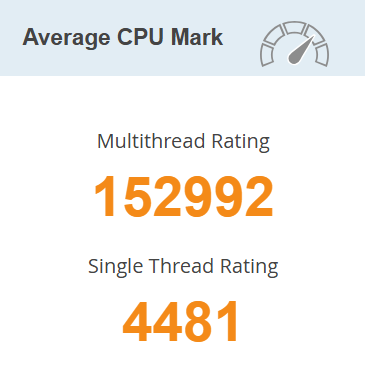
     I have recently bought the Threadripper PRO 9000 for my Gigabyte TRX50 AI TOP Motherboard. Since the Threadripper is so big, it tends to overheat a lot. So I would suggest getting a water cooling fan for it. The motherboard itself has a quad channel so it can hold 8 sticks of ram. It has 4 6Gb sata connectors and 3 M.2 connectors. There are 4 PCIE slots.

The CPU

     I find this CPU to be really nice for this motherboard, it runs everything so smooth and super fast. There are defienitly better options for this motherboard, and there are a lot cheaper motherboards in general. The motherboard is around $1,900 and the CPU is around $8,000 so just for those two things you are spending around $9,900 and there is still more to make the computer run well. 

Threadripper PRO 9985WX Specifcations

  • Socket: sTR5
  • Cores: 64
  • Threads: 128
  • Max Turbo Speed: 5.4 GHz
  • Memory Support: DDR5 6400
  • L1 Instruction Cache: 64 x 32 KB
  • L1 Data Cache: 64 x 32 KB
  • L2 Cache: 64 x 1024 KB
  • L3 Cache: 256 M

Final Thoughts

     I think this is a really good cpu if you have the money to spare. It feels really smooth and is really fast. I spent a decent chunk of change on this and it was worth it if you have the money, if not you can defienetly find a lot better cheaper options, but if you have a good chunk of money to blow I would definitely get this. It is a very nice option and a great choice, jsut very pricey but it is definitely good, but it is not worth buying this over something less expensive.

Refrences

Threadripper PRO 9985WX

Gigabyte TRX50 AI TOP 

Passmark

Motherboard Price

CPU Price


Note:  This review is part of a classroom project.
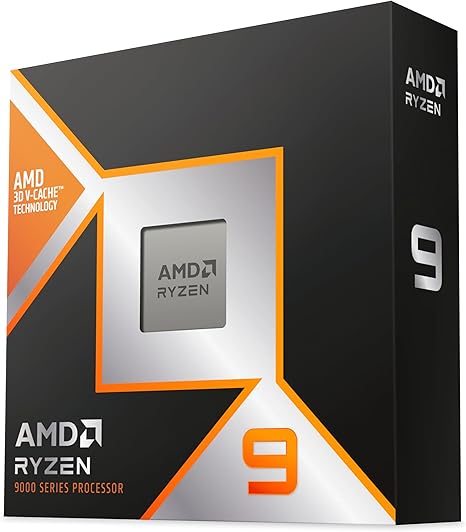
AMD Ryzen 9 9950X3D Review

Motherboard: X870 Steel Legend

My motherboard is the ASRock X870 Steel Legend, a solid mid ranged board.  It has an AM5 socket and DDR5 support, PCIe 5.0, and USB-C connectivity,  so it has what it needs, but not all the bells and whistles. I bought it for $230, and it’s been solid, reliable, and handles everything I need without any fuss.

CPU: Ryzen 9 9550X3D

I bought the CPU for $670 on amazon, a very hefty price tag. The CPU has been amazing, and has proven to be very capable at anything I have thrown at it like high-FPS gaming and 3d rendering. So it is a very powerful CPU, but for the majority of people I would call it overkill for things like watching videos and even gaming. While it does shine at high settings, just not enough to justify the price tag for me.

Ryzen 9 9550X3D Specs:

Socket:  AM5

Clockspeed: 4.3 GHz

16 cores (all performance) / 32 threads

L1 Instruction Cache: 16 cores x 32 KB 

L1 Data Cache: 16 cores x 48 KB

L2 Cache: 16 cores x 1024 KB

L3 Cache: 128 mb

Passmark Rating:

Very good thread rating.

My Thoughts:

The CPU has been awesome to use, running smoothly through basically any task and will definitely be a solid choice for a long time. It handles gaming, video editing, streaming, and multitasking very well. But I would not recommend this CPU for the average person, most people will barely every or never use this CPU to its full potential, and would have a very similar experience with a less powerful one. I believe this is an amazingly capable CPU but I would argue it is too much for most people.


This review is part of a classroom project

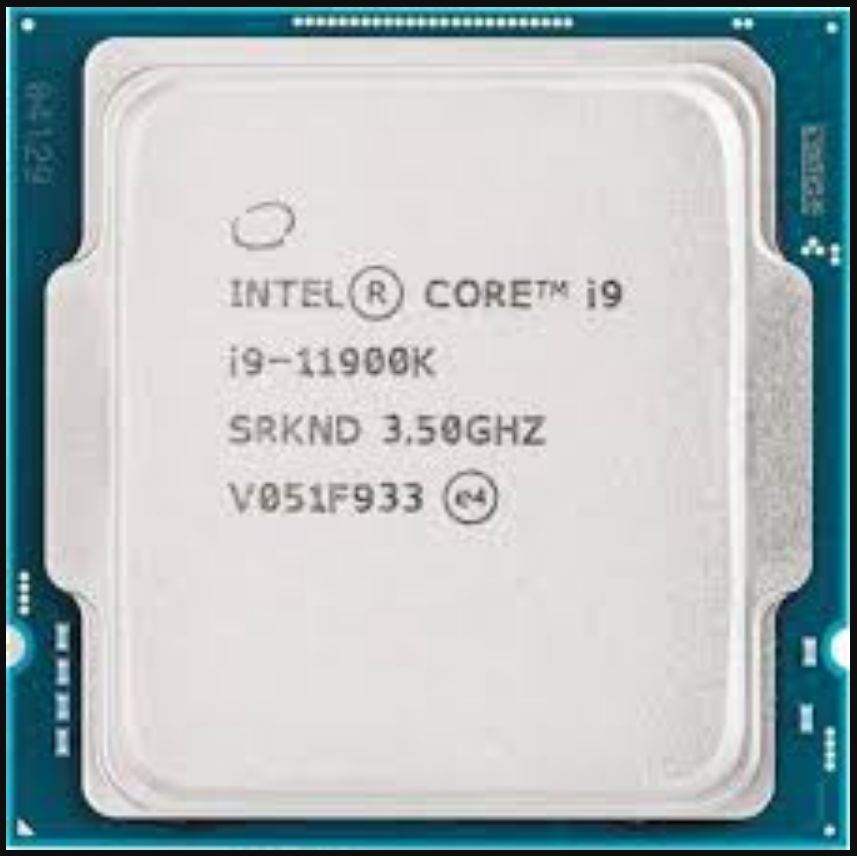
Intel® Core™ i9-11900K Review

My Build: Intel® Core™ i9-11900K on an ASUS PRIME Z490-P

I recently got an ASUS PRIME Z490-P motherboard for $101.22 new from Newegg. This motherboard is older and cheaper although it still packs a punch. The Z490-P has an Intel® Z490 chipset, 2 M.2 slots, 4 SATA 6Gb/s ports, and is generally a good quality motherboard for its price. Although this motherboard is designed for 10th Gen Intel CPUs there is a BIOS update to support 11th Gen Intel CPUs.

The Heart of the System – Intel® Core™ i9-11900K

Although the Intel® Core™ i9-11900K isn’t the most powerful CPU out there it still packs a punch. Its an amazing CPU that still holds up today. The i9-11900K is an amazing CPU capable of playing games and functioning as your daily driver. The downside is the high levels of heat this CPU generates and the high price of $460.73  on Newegg. Because of this its hard to call the i-11900K the best CPU. Overall I personally enjoy the i9-11900K and intend to continue using it.

Intel® Core™ i9-11900K – Specs (11th Gen Intel)

  • Socket: LGA 1200
  • Cores: 8
  • Threads: 16
  • Max Turbo Boost: Up to 5.30 GHz
  • Cache: 16 MB Intel® Smart Cache
  • Memory Support: DDR4-3200
  • PCIe Support: PCIe 4.0
  • Graphics: Intel® UHD Graphics 750

Reviews & Benchmarks

For in-depth community and expert opinions, check out these review hubs:

My Thoughts

I think the Intel® Core™ i9-11900K Processor is a functional and good quality CPU. I also think that the CPU struggles with thermal throttling although that is most likely the coolers fault. Although the i9-11900K is not inherently a bad CPU it is much more expensive due to its age. Furthermore LGA 1200 motherboards are also outdated. There are better CPUs out there for cheaper. I would not recommend this CPU due to its age and price.

Note:  This review is part of a classroom project.
References:

https://www.intel.com/content/www/us/en/products/sku/212325/intel-core-i911900k-processor-16m-cache-up-to-5-30-ghz/specifications.html

https://www.newegg.com/intel-core-i9-11th-gen-core-i9-11900k-rocket-lake-lga-1200-desktop-cpu-processor/p/N82E16819118231?srsltid=AfmBOoqRkMN9UBfuEYymfEIZNFoumHDqSsDcjBbmNbmoeF9ury5mniPg

https://www.newegg.com/asus-prime-z490-p-atx-intel-motherboard-intel-z490-lga-1200/p/N82E16813119272

https://uk.store.asus.com/90mb12v0-m0eay0-feed.html